Skip to content
View in the app

A better way to browse. Learn more.

I Forge Iron

A full-screen app on your home screen with push notifications, badges and more.

To install this app on iOS and iPadOS
  1. Tap the Share icon in Safari
  2. Scroll the menu and tap Add to Home Screen.
  3. Tap Add in the top-right corner.
To install this app on Android
  1. Tap the 3-dot menu (⋮) in the top-right corner of the browser.
  2. Tap Add to Home screen or Install app.
  3. Confirm by tapping Install.

Martin1980

Members
  • Joined

  • Last visited

  1. Not sure if its a salesman sample or what but someone paid me a pretty penny for it.
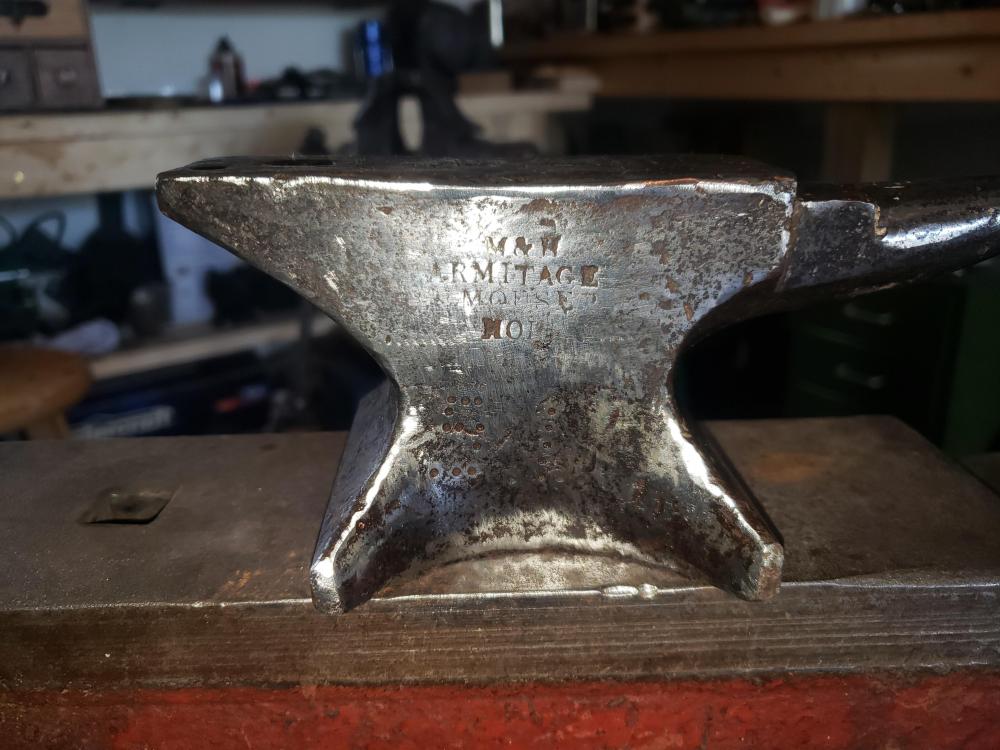
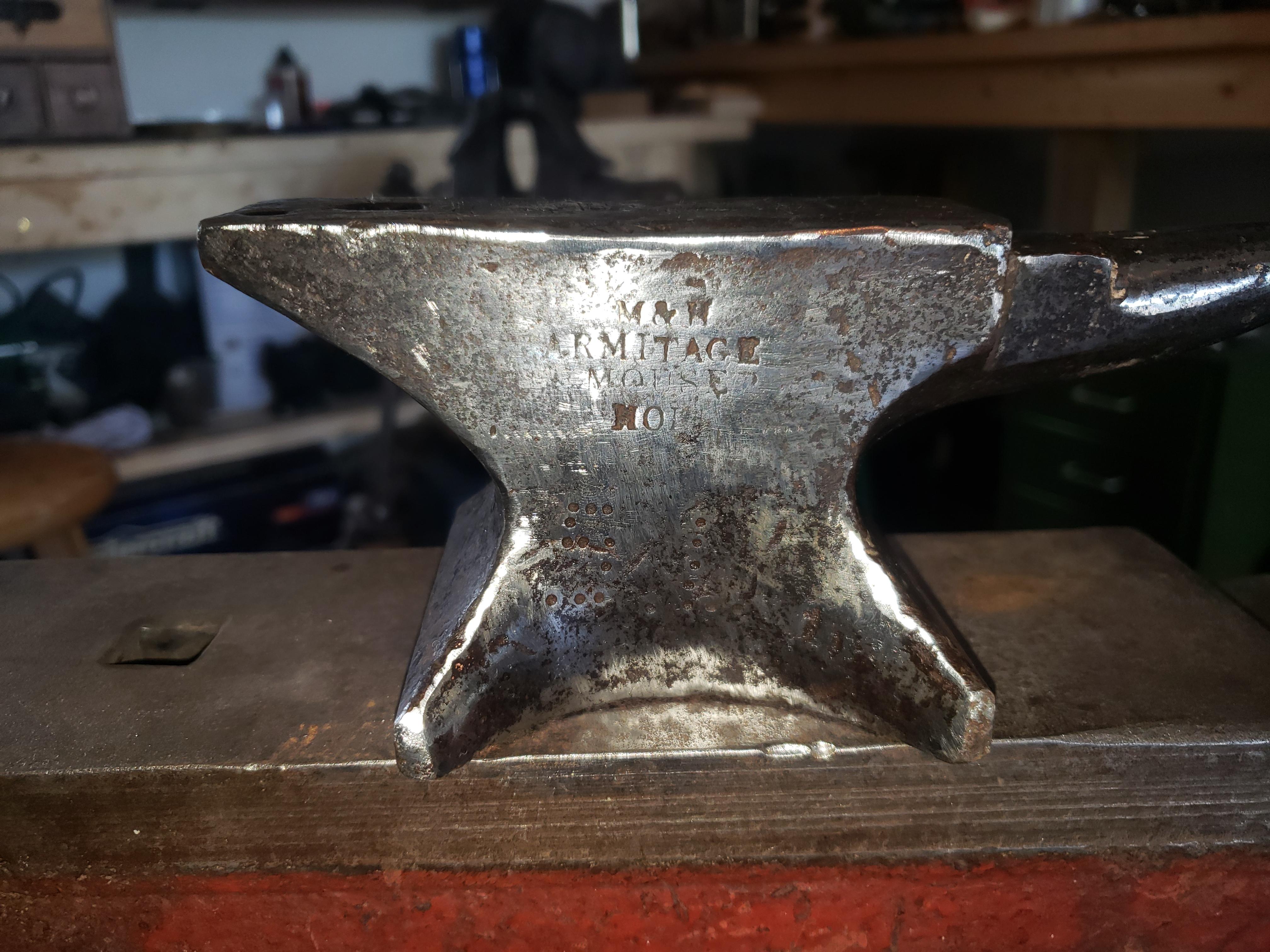
  2. New member here. So I have this small anvil that weighs just under 5 lbs. As you can see it has the m&h armitage mouse hole stamped on it. Its 7 1/4 inches long, 3 inches high and the top is 1 1/2 inches wide. What was this made for? Was it a salesman sample? Paper weight? It has the square forging holes on both ends and on the bottom. Can't seem to find any info or other pictures online. Any info would be appreciated.
Account

Navigation

Search

Search

Configure browser push notifications

Chrome (Android)
  1. Tap the lock icon next to the address bar.
  2. Tap Permissions → Notifications.
  3. Adjust your preference.
Chrome (Desktop)
  1. Click the padlock icon in the address bar.
  2. Select Site settings.
  3. Find Notifications and adjust your preference.