Skip to content
View in the app

A better way to browse. Learn more.

I Forge Iron

A full-screen app on your home screen with push notifications, badges and more.

To install this app on iOS and iPadOS
  1. Tap the Share icon in Safari
  2. Scroll the menu and tap Add to Home Screen.
  3. Tap Add in the top-right corner.
To install this app on Android
  1. Tap the 3-dot menu (⋮) in the top-right corner of the browser.
  2. Tap Add to Home screen or Install app.
  3. Confirm by tapping Install.

Leslie92

Members
  • Joined

  • Last visited

  1. Yes I can I just need to take it. Give me a few.
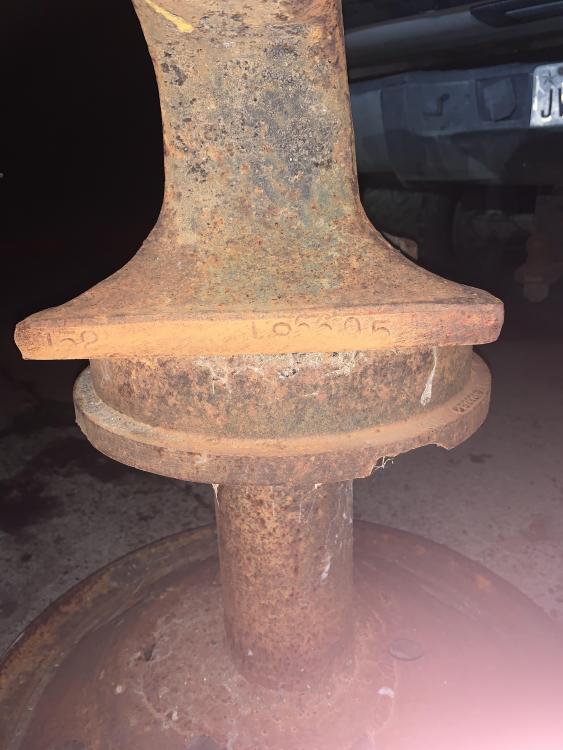
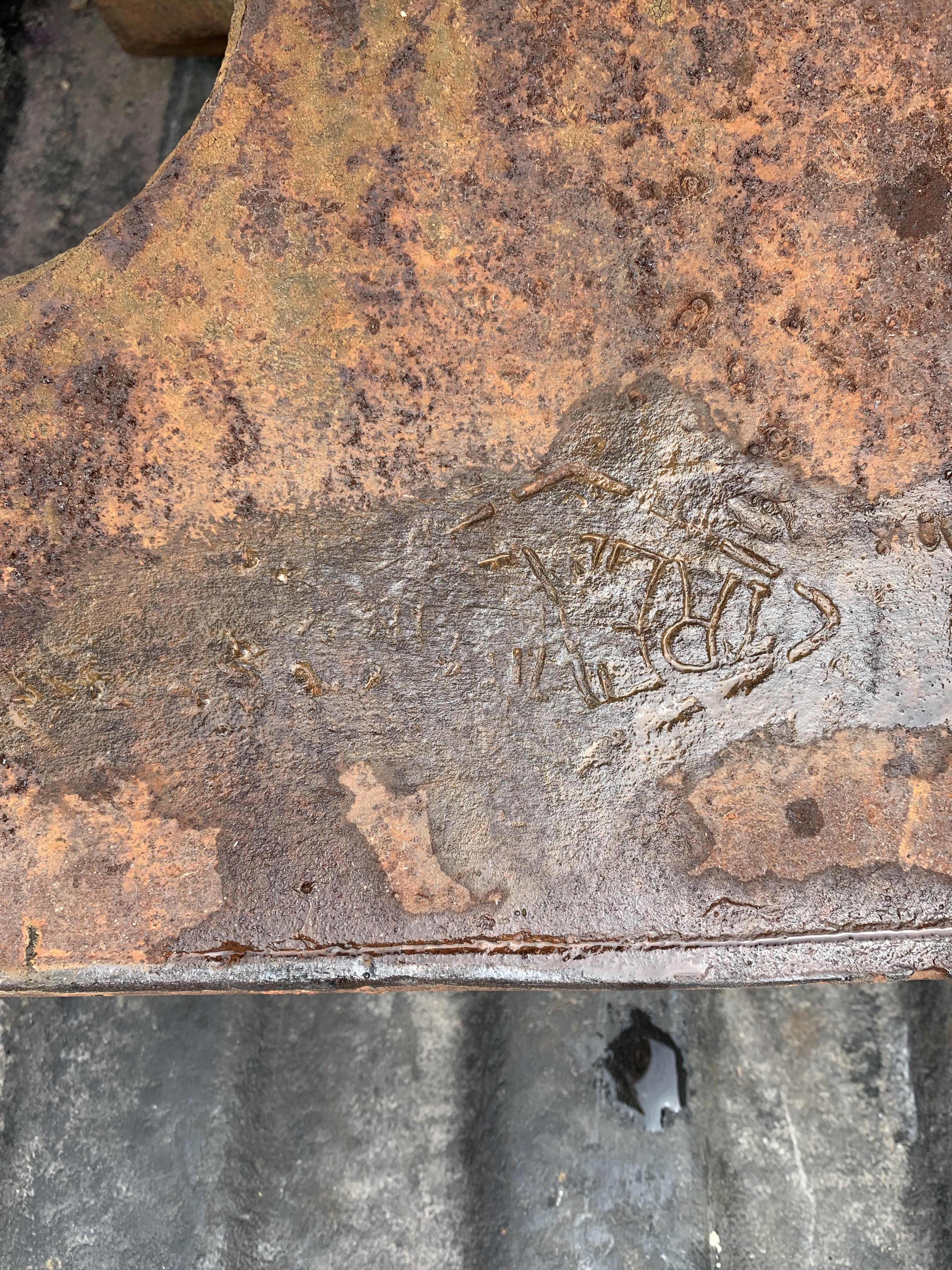
  2. This is an Anvil of my fiancés grandfathers his thinking. It does have a Trenton name inside a sideways diamond.(best way to describe it) the picture is the numbers on the foot.. when I darkened the picture you can make out the letter “a” before the 152 or 158.Other number looks like a worn out A86695 Could anyone help with information about this anvil? Would be greatly appreciated!
Account

Navigation

Search

Search

Configure browser push notifications

Chrome (Android)
  1. Tap the lock icon next to the address bar.
  2. Tap Permissions → Notifications.
  3. Adjust your preference.
Chrome (Desktop)
  1. Click the padlock icon in the address bar.
  2. Select Site settings.
  3. Find Notifications and adjust your preference.