Rob_H
Members
-
Joined
-
Last visited
-
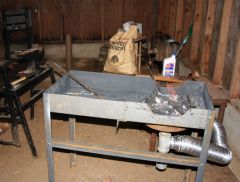
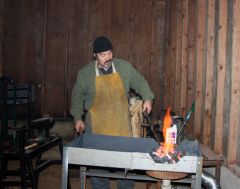
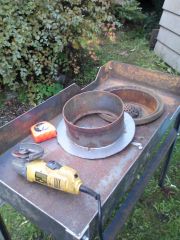
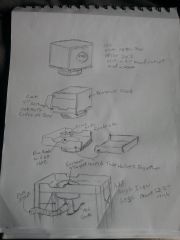
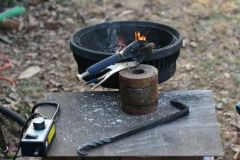
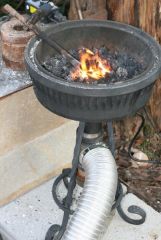
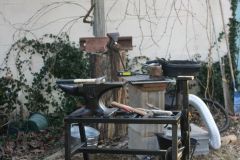
Made this forge out of a industrial sized water meter box. I basically sliced the top and bottom four inches off the box and bolted everything together. http://www.iforgeiron.com/gallery/image/37741-new-forge-sketch/ http://www.iforgeiron.com/gallery/image/37744-forgefire/
-
-
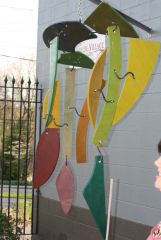
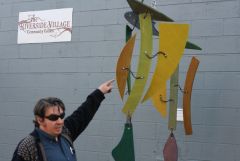
About a month ago I was involved in a project with my son's Elementary school. Basically they had an art show and auction that benefitted the art department and the teacher had local artisans work with the kids to make some special things to auction off. My particular project was this mobile I came to class one day with my Blacksmithing tools and explained the process of working with metal in the forge, my son helped out as he has been ther right along with me as I learn this stuff. Anyway the school had all these plywood shapes that were kind of organic and they sanded and stained them, my piece of it was to build a framework to support and to make the mobile work. It was a fun process to figure out with them and below is how it all turned out. This was my first attempt at this sort of thing and I learned a lot. I hope this is the right place to post this. Link to the Art Show blog "In The Fairy Garden" Art Auction
-
-
man that is a sweet forge! what did you turn the fire pot out of?
-
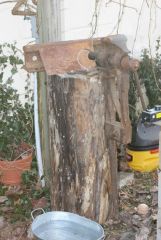
new guy here too...i built my forge very cheaply by using a brake drum, here is a pic the speed control is what makes it all work, 15.00 at Harbor Freight lets me slow a shop vac way down
-