rustyjunk
Members
-
Joined
-
Last visited
-
I have done it (posted in my gallery ) entirely by hand with very minimal tooling. I had only started forging about six months previous which probably made it way harder than it had to be. Excellent steel for a hammer in my opinion.
-
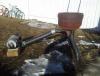
Good job once again proving ingenuity and creativity is all that is needed to forge metal. Doesnt hurt that its nearly free. This is the forge i built when i started out all salvaged all free.
-
This is my 150 pound Vulcan while its not an ideal anvil it is nice and quiet for the backyard and much better than the tractor wieght at the bottom of the photo.
-
If the tree stump you speak of is not still in the ground or,cannot be dug in and secured with concrete or tightly packed soil i would strongly reccomend attatching a platform to your stump to stand on for two reasons 1. your body will help anchor your vise for hammering. 2.if you are standing on the platform the vise is attatched to you cannot move it during bending or twisting operations. Hope this helps
-
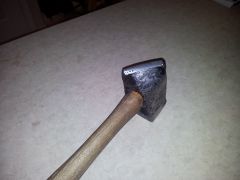 Another view of my hand forged railroad track hammer showing the pein which is actually forge welded in as i cut the stock a little too short to prevent the nds from fish lipping as i tapered th pein.
 -
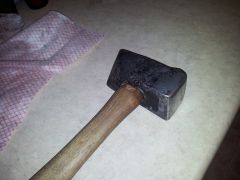 The first hammer i forged from scratch using the top section of railroad track. It weighs just under four pounds without the handle and was done entirely by hand without any striker
 -
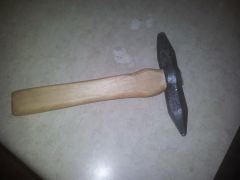 A small dual ball peen,roughly 3/8 and 1/2 inch diameter forged from a section of jackhammer bit
 -
I like the idea of practicing on "TINY" tongs or pliers as they are also known. It allows you to run through the steps of making tongs quickly and will help you memorize the steps.
-
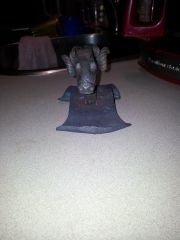 A rams head business card holder made from a railroad spike and a piece of 2"x3/8 flat bar.