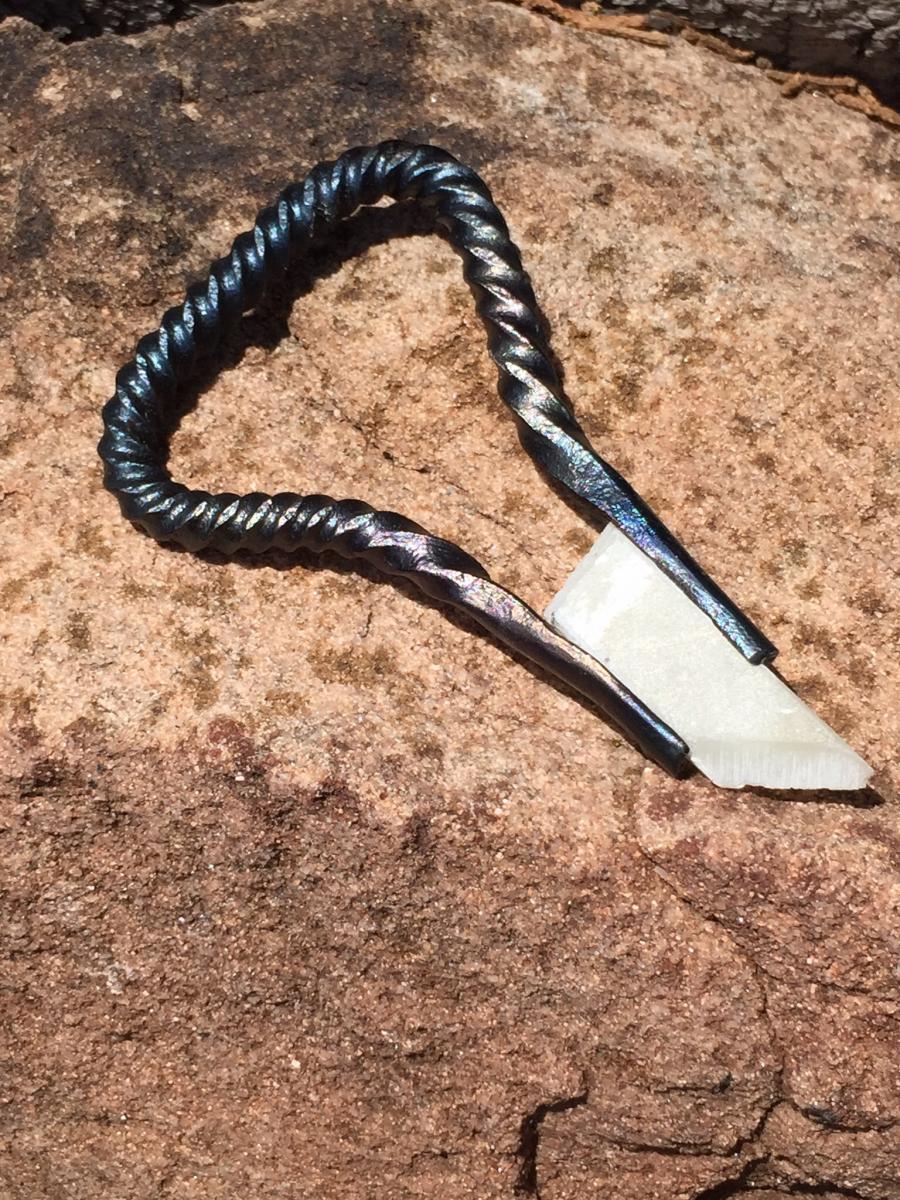
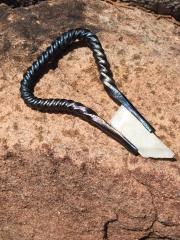
Soapstone holder for iron in hat soapstone tools Share https://www.iforgeiron.com/gallery/image/38941-soapstone-holder-for-iron-in-hat/ Share on LinkedIn Share on X Share on Facebook {lang="reddit_text" Share via email Share on Pinterest More sharing options... Followers Nothin much, just a simple soapstone holder. FWIW the twists are a bit more even then the pic suggests. Thanks to whomever I stole this idea from. Spent the day doing the Google trying to find the original source.
Frosty Deceased July 20, 201511 yr Author stats I like it. I may want a little different shape on the back end but the idea is grand. Consider it adopted. Frosty The Lucky.
RogueRugger Members July 20, 201511 yr Author stats Thanks for the kind words. I have to admit that handle saw more shapes than a fun house mirror. Finally gave up and figured whoever got it could do whatever suited them.
Frosty Deceased July 20, 201511 yr Author stats Thanks for the kind words. I have to admit that handle saw more shapes than a fun house mirror. Finally gave up and figured whoever got it could do whatever suited them. Oh thank you for a good chuckle this morning I so truly and seriously need one! "More shapes than a fun house mirror" is such a perfect description for the process and mental visual for looking for a good shape. Please consider it adopted in my lexicon and don't be surprised when it hits the "Blacksmith Gems and Pearls" list.That is the second keeper you're provided in what two days? Brother you have hit MY must read posts list.Frosty The Lucky.
Recommended Comments
Join the conversation
You can post now and register later. If you have an account, sign in now to post with your account.