Skip to content
View in the app

A better way to browse. Learn more.

I Forge Iron

A full-screen app on your home screen with push notifications, badges and more.

To install this app on iOS and iPadOS
  1. Tap the Share icon in Safari
  2. Scroll the menu and tap Add to Home Screen.
  3. Tap Add in the top-right corner.
To install this app on Android
  1. Tap the 3-dot menu (⋮) in the top-right corner of the browser.
  2. Tap Add to Home screen or Install app.
  3. Confirm by tapping Install.

January Project Progress

Featured Replies

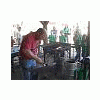
We had a great turnout and everyone jumped right in. We are well on our way to completing this group project on schedule. We had 8 forges going and usually more than one iron in the fire at a time. People making scrolls, details on the deer, acorns being made, leaves being forged. Thanks to the new hoods smoke was never a problem. Great day at the meeting. Here is a link to the pics.
Picasa Web Albums - Lyle - January MFC P...
MemberProject.jpg

Nice to see all those people working together, very cool.

We indeed had a great turnout and we had alot of fun. Can't wait till next meeting.
Join the conversation

You can post now and register later. If you have an account, sign in now to post with your account.

Guest
Reply to this topic...

Account

Navigation

Search

Search

Configure browser push notifications

Chrome (Android)
  1. Tap the lock icon next to the address bar.
  2. Tap Permissions → Notifications.
  3. Adjust your preference.
Chrome (Desktop)
  1. Click the padlock icon in the address bar.
  2. Select Site settings.
  3. Find Notifications and adjust your preference.