January 9, 20197 yr Author Thanks Great idea, Thanks for that too .. I figured someone would have a workable answer.. I think I could muster up a picture.. Do I add this to the beginning of the video or just the YOutube channel? Just out of curiosity.. How is my hammering different or what sets if apart?? When I am editing the videos my Honey will say to me, I know that hammer work anywhere..
January 9, 20197 yr I think at the beginning of each video would be good place for the picture, just before the smoke & fire of the forge. What sets your hammering apart for me is a distinctive hammer/anvil sound and rhythm. Sweet music to my ears.
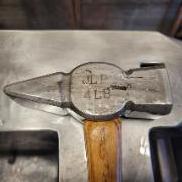
January 10, 20197 yr Author Thanks.. I'll have to find a picture.. Mark Aspery asked for a head shot and bio for the 2020 conference, so maybe I'll try to align it with that.. .. I' Really I'd like to do a forge welding trouble shooting session or something like that at the conference..
Join the conversation
You can post now and register later. If you have an account, sign in now to post with your account.