Skip to content
View in the app

A better way to browse. Learn more.

I Forge Iron

A full-screen app on your home screen with push notifications, badges and more.

To install this app on iOS and iPadOS
  1. Tap the Share icon in Safari
  2. Scroll the menu and tap Add to Home Screen.
  3. Tap Add in the top-right corner.
To install this app on Android
  1. Tap the 3-dot menu (⋮) in the top-right corner of the browser.
  2. Tap Add to Home screen or Install app.
  3. Confirm by tapping Install.

Grandpa's Champion 40 restore

Featured Replies

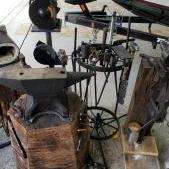
Got a blower, and some vises off my grandpa after he passed. I decided to clean it up.  The first pictures were after scraping off about a 1/8" of grease.  The last pics are of it with two coats of rust converter and gold Rustoleum spray paint I did with a small brush for the letters.  I ordered a gas forge, but plan on building a coke forge later.  It works perfectly as far as I can tell. 

20180907_225515.jpg

20180907_225521.jpg

20180911_180101.jpg

20180913_230414.jpg

20180913_231736.jpg

20180914_115550.jpg

20180914_135040.jpg

20180914_135049.jpg

Turned out great. Those Champions are cool.  Its a great piece of family history. 

Greetings 21,

         My champion has served me well for many years . Notice the custom handle made for me for my birthday by the famous Black Frog,, 

Forge on and make beautiful things 

Jim
44D62E2F-ED8B-4EAB-85B0-910891C99E77.jpeg

  • Author

That handle looks awesome. 

Join the conversation

You can post now and register later. If you have an account, sign in now to post with your account.

Guest
Reply to this topic...

Account

Navigation

Search

Search

Configure browser push notifications

Chrome (Android)
  1. Tap the lock icon next to the address bar.
  2. Tap Permissions → Notifications.
  3. Adjust your preference.
Chrome (Desktop)
  1. Click the padlock icon in the address bar.
  2. Select Site settings.
  3. Find Notifications and adjust your preference.