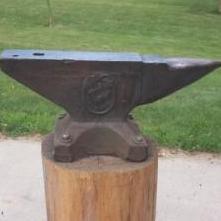
October 20, 20169 yr Hi Everyone! I live in a little town called Pickett in Wisconsin outside of Oshkosh. I'm a 28 year old male and mechanical draftsmen by day. I have just recently started with a whitlox mini forge, hand crank blower for heating. I have a nice post vice on a thrown together stand i need to replace! And I'm using a combinaton of a 3 ft sect of rail on end and an old hard sledge hammer head in the profile of the rail lashed in place which is considerably harder than the rail. I generally use the sledge but the rail is nice for shaping. I'm still green as grass but I've done a few easy projects and am reading my first of many books now. I'll try to post up some pictures of my setup and projects when i get a chance.
October 20, 20169 yr Sounds like you are on the road and headed in the right direction. Welcome to the site.
Join the conversation
You can post now and register later. If you have an account, sign in now to post with your account.