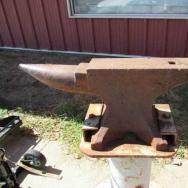
August 12, 20169 yr Just picked up a little Arm&Hammer. Took pictures of logo and the serial number for the data base. Notice it was stamped with a "W". I also have a Trenton stamp with a "W". Remembering the story of the Trenton "W", as being one of the Wright boys makers mark. Curiosity got the best of me. Looked at one and the other. They looked very, very similar. It was time for the lineup, and a picture. The Trenton is on the left, and the stamp is deeper. A&H on the right. What I see is the same "W". Same size. Same angles on the verticals. Most curious part are the serifs they are not horizontal, each serif looks to have its own angle. Is this the same "W"? Can anyone do any photo shop forensics? Did two anvil makers buy the same touch mark, at the same hardware store? Did someone moonlight? Do I need new glasses? N.N.F. Beautiful, Manchester, Michigan. USA 4
August 12, 20169 yr Since they were both made in Columbus Ohio and it's known that they have shared bases at times I would not be surprised if they sourced tools at the same spots. Folks please don't confuse the Wright Brothers of Airplane fame with Karl Wright who was the last anvil forger for Trenton.
Join the conversation
You can post now and register later. If you have an account, sign in now to post with your account.