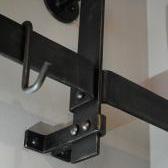
June 12, 201610 yr Having recently purchased a small 25kg Anyang I'm curious to see what adaptations others have made to their dies. For example the largest of my bottom dies (rectangular and flat with unshaped edges) has a 10mm round hole set to one far side face of the die, with a threaded hole on the side of the die - both to allow for seating of custom gadgetry. What creations have folks come up with?
July 9, 201610 yr On 12 June 2016 at 6:04 AM, Joel OF said: Having recently purchased a small 25kg Anyang I'm curious to see what adaptations others have made to their dies. For example the largest of my bottom dies (rectangular and flat with unshaped edges) has a 10mm round hole set to one far side face of the die, with a threaded hole on the side of the die - both to allow for seating of custom gadgetry. What creations have folks come up with? Glad to hear you got a power hammer Joel - I'd speak to John at Massey Hammers in Manchester not sure he's on here though. Andy
July 9, 201610 yr Hi Joel, stick a pic up and lets see what you are describing please, Side mounting screw hole would suggest a length stop of some sort, plain hole is probably a dowel location hole for positioning, or could possibly be used for pivoting tooling, or a specific quickly needed tooling to be added, Ask the person you bought it from what they used them for, I don't think they are a standard item.
Join the conversation
You can post now and register later. If you have an account, sign in now to post with your account.