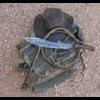
April 21, 201412 yr I had wanted to be able to give this knife to my preacher the day he performed my wedding ceremony, but just flat ran out of time (and Kydex) to do so. I got it finished up after the honeymoon and handed to him yesterday. He does a lot of deer and feral hog hunting and recently used some other knives he had gotten from me to process out six feral hogs while I was out of state. Very satisfied with them, and was quite happy when he saw his latest addition to his sharp-and-pointy collection. :) This one was forged from 3/16" 1084, with mesquite handle slabs and brass hardware. The light shining off the lanyard hole's brass flared tube makes it hard to see. Black Kydex sheath with a TekLok to match the sheaths on the other knives he got for his kids. I know it'll get put to good use. He sent me home with some sausage and pork steak from the six feral hogs. :)
April 24, 201412 yr Author Thank y'all! I'm happy, the missus is happy, and the preacher is happy. :D
Join the conversation
You can post now and register later. If you have an account, sign in now to post with your account.