Skip to content
View in the app

A better way to browse. Learn more.

I Forge Iron

A full-screen app on your home screen with push notifications, badges and more.

To install this app on iOS and iPadOS
  1. Tap the Share icon in Safari
  2. Scroll the menu and tap Add to Home Screen.
  3. Tap Add in the top-right corner.
To install this app on Android
  1. Tap the 3-dot menu (⋮) in the top-right corner of the browser.
  2. Tap Add to Home screen or Install app.
  3. Confirm by tapping Install.

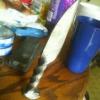
Second attempt with high carbon.

Featured Replies

What were you doing when it broke? Forging it? Keep the steel red while forging, if it isn't glowing don't hit it. Also from the grain it looks like you let it get to hot for to long.

Rich is absolutely right, there is some good info available, you just have to read it.  The basic concepts behind proper forging temperatures and grain refinement are easy to understand, but you will have to do some homework. After you have read what is there, if you have questions I'm sure people will be more than happy to help.
Join the conversation

You can post now and register later. If you have an account, sign in now to post with your account.

Guest
Reply to this topic...

Account

Navigation

Search

Search

Configure browser push notifications

Chrome (Android)
  1. Tap the lock icon next to the address bar.
  2. Tap Permissions → Notifications.
  3. Adjust your preference.
Chrome (Desktop)
  1. Click the padlock icon in the address bar.
  2. Select Site settings.
  3. Find Notifications and adjust your preference.