Skip to content
View in the app

A better way to browse. Learn more.

I Forge Iron

A full-screen app on your home screen with push notifications, badges and more.

To install this app on iOS and iPadOS
  1. Tap the Share icon in Safari
  2. Scroll the menu and tap Add to Home Screen.
  3. Tap Add in the top-right corner.
To install this app on Android
  1. Tap the 3-dot menu (⋮) in the top-right corner of the browser.
  2. Tap Add to Home screen or Install app.
  3. Confirm by tapping Install.

Finished my third knife!

Featured Replies

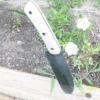
I finished up my third knife tonight so I wanted to post it to see what ya'll thought. I was just experimenting with the serrations. The main reason I made this knife was just to test out my home made micarta and home made mosaic pins. By the way it slipped out of my hands twice while I was buffing it, so it got kind of nicked up. Oh well, its character :)

post-12976-090720200 1281326843_thumb.jp

post-12976-056411800 1281326867_thumb.jp

post-12976-064765700 1281326883_thumb.jp

post-12976-007311700 1281326898_thumb.jp

Love the handle and pin design. the teeth on the blade seem a bit agressive for my taste, but that just me. Great knife!!
Join the conversation

You can post now and register later. If you have an account, sign in now to post with your account.

Guest
Reply to this topic...

Account

Navigation

Search

Search

Configure browser push notifications

Chrome (Android)
  1. Tap the lock icon next to the address bar.
  2. Tap Permissions → Notifications.
  3. Adjust your preference.
Chrome (Desktop)
  1. Click the padlock icon in the address bar.
  2. Select Site settings.
  3. Find Notifications and adjust your preference.