Skip to content
View in the app

A better way to browse. Learn more.

I Forge Iron

A full-screen app on your home screen with push notifications, badges and more.

To install this app on iOS and iPadOS
  1. Tap the Share icon in Safari
  2. Scroll the menu and tap Add to Home Screen.
  3. Tap Add in the top-right corner.
To install this app on Android
  1. Tap the 3-dot menu (⋮) in the top-right corner of the browser.
  2. Tap Add to Home screen or Install app.
  3. Confirm by tapping Install.

cool mirror

Featured Replies

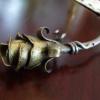
i got a kick out of this mirror. lol it was a birthday present for a girl who loves nature, gardening, etc ... had to rush to finish it, worked right up until i had to leave to go give it to her. lol i ran out of time and used machine screws to mount the mirror . . . made the real mounts later lol

(sorry for the rushed/blurry pics and the vacuum cleaner & computer desk! but it's not my mirror any longer, so can't take new pics lol)

16530.attach

16531.attach

16532.attach

16533.attach

16534.attach

Edited by MarkC

very nice... gotta love the fine detail and the self portrait :p

Very nice Mark, She'll love it.

Frosty

A very tidy peice of work you have made there. I am sure the client will be thrilled with that. Very nice indeed.

cant show my wife.....she'll want one too....
look,.. it's becoming prevalent that there is just way too much tallent and really nice work out there......
Join the conversation

You can post now and register later. If you have an account, sign in now to post with your account.

Guest
Reply to this topic...

Account

Navigation

Search

Search

Configure browser push notifications

Chrome (Android)
  1. Tap the lock icon next to the address bar.
  2. Tap Permissions → Notifications.
  3. Adjust your preference.
Chrome (Desktop)
  1. Click the padlock icon in the address bar.
  2. Select Site settings.
  3. Find Notifications and adjust your preference.