Skip to content
View in the app

A better way to browse. Learn more.

I Forge Iron

A full-screen app on your home screen with push notifications, badges and more.

To install this app on iOS and iPadOS
  1. Tap the Share icon in Safari
  2. Scroll the menu and tap Add to Home Screen.
  3. Tap Add in the top-right corner.
To install this app on Android
  1. Tap the 3-dot menu (⋮) in the top-right corner of the browser.
  2. Tap Add to Home screen or Install app.
  3. Confirm by tapping Install.

Frosty

Deceased
  • Joined

  • Last visited

Everything posted by Frosty

  1. Hi Alan: Do you have any idea how often I get asked if I know so and so, just because we both live in Alaska? Do you have any idea how big Alaska is? If you could land a jet at Galena airport it'd be about a 1 1/2 hr flight from the closest jet capable airport to my location. Funny thing is, I have indeed met Phil, he and his wife stopped by our place a few years ago and we E-mail back and forth on occasion. Small world eh? Frosty
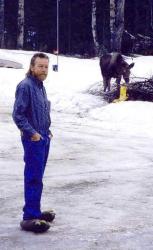
  2. Hi all: My name is Jerry Frost, AKA Frosty. I grew up working metal of all kinds and have been blacksmithing as a hobby, sometimes for a buck since I was maybe ten. I've lived in Alaska for going on 35 years and am building a new shop. Look foreward to meeting and talking. Frosty
Account

Navigation

Search

Search

Configure browser push notifications

Chrome (Android)
  1. Tap the lock icon next to the address bar.
  2. Tap Permissions → Notifications.
  3. Adjust your preference.
Chrome (Desktop)
  1. Click the padlock icon in the address bar.
  2. Select Site settings.
  3. Find Notifications and adjust your preference.