Skip to content
View in the app

A better way to browse. Learn more.

I Forge Iron

A full-screen app on your home screen with push notifications, badges and more.

To install this app on iOS and iPadOS
  1. Tap the Share icon in Safari
  2. Scroll the menu and tap Add to Home Screen.
  3. Tap Add in the top-right corner.
To install this app on Android
  1. Tap the 3-dot menu (⋮) in the top-right corner of the browser.
  2. Tap Add to Home screen or Install app.
  3. Confirm by tapping Install.

Swingit

Members
  • Joined

  • Last visited

Everything posted by Swingit

  1. I have two Hay Buddens. The one I use the most is a 120 lb, serial # 12320, The other 57 lb, serial # 17192. 312320
  2. Yah the big one is going to need a LOT of cleaning. LOTS of rust:mad:, but I'll get her clean:cool: Swingit
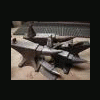
  3. Went to the local scrap yard today and just couldn't resist feeding the addiction:D The big one $40, 150ish pounds:o The other ones $20 A piece, 70 pounds. The pipe vises free99:cool: Enjoy I hope the pics work, never posted here before. Happy Forging. Swingit
Account

Navigation

Search

Search

Configure browser push notifications

Chrome (Android)
  1. Tap the lock icon next to the address bar.
  2. Tap Permissions → Notifications.
  3. Adjust your preference.
Chrome (Desktop)
  1. Click the padlock icon in the address bar.
  2. Select Site settings.
  3. Find Notifications and adjust your preference.