Skip to content
View in the app

A better way to browse. Learn more.

I Forge Iron

A full-screen app on your home screen with push notifications, badges and more.

To install this app on iOS and iPadOS
  1. Tap the Share icon in Safari
  2. Scroll the menu and tap Add to Home Screen.
  3. Tap Add in the top-right corner.
To install this app on Android
  1. Tap the 3-dot menu (⋮) in the top-right corner of the browser.
  2. Tap Add to Home screen or Install app.
  3. Confirm by tapping Install.

Shoburn86

Members
  • Joined

  • Last visited

  1. Thank you all for the feedback! I am going to start on it today and will post up some pictures when i am done thank you all again for the advice!
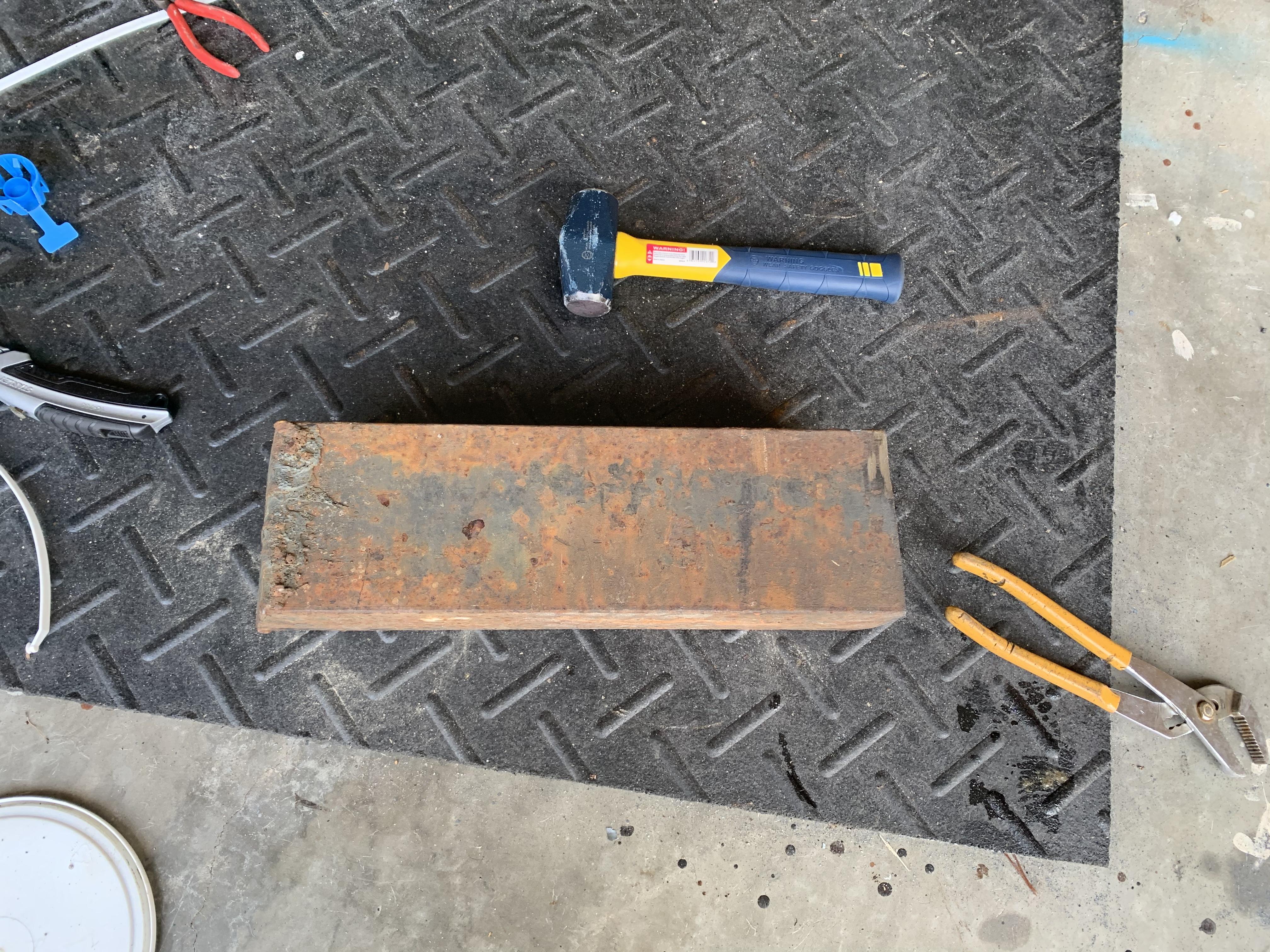
  2. Thank you both for the advice it seems to have good revound still don’t know what type of steel it is it has an angle cut on one side I guess I’m going to spend some time with a grinder first to get it flat. i don’t have a lot of tools do grinder is my go to.
  3. I found this 5” square stock that’s about 16” long at the scrap yard for $40 I was trying to figure out how to anchor it. I am going in between setting it in concrete or making a wooden stand and welding on some angle iron to secure it. any suggestions would be a great help!

Account

Navigation

Search

Search

Configure browser push notifications

Chrome (Android)
  1. Tap the lock icon next to the address bar.
  2. Tap Permissions → Notifications.
  3. Adjust your preference.
Chrome (Desktop)
  1. Click the padlock icon in the address bar.
  2. Select Site settings.
  3. Find Notifications and adjust your preference.