Skip to content
View in the app

A better way to browse. Learn more.

I Forge Iron

A full-screen app on your home screen with push notifications, badges and more.

To install this app on iOS and iPadOS
  1. Tap the Share icon in Safari
  2. Scroll the menu and tap Add to Home Screen.
  3. Tap Add in the top-right corner.
To install this app on Android
  1. Tap the 3-dot menu (⋮) in the top-right corner of the browser.
  2. Tap Add to Home screen or Install app.
  3. Confirm by tapping Install.

Evergreen_Forge_Works

Members
  • Joined

  • Last visited

About Me

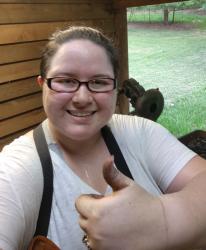
Hi my name is Carolyn,

I got into bladesmithing a little over a year ago. I was inspired by a specific contestant on Forged in Fire with combat PTSD. It seemed to help him so much I thought it could help me with my own mental illnesses, including complex-ptsd. I started with bladesmithing and discovered I didn't really love it. All the time spent away from the anvil to make them just wasn't overly enjoyable. So I switched my focus to general blacksmithing in December of 2018. And I've completely fallen in love with the art and craft of blacksmithing. 

Account

Navigation

Search

Search

Configure browser push notifications

Chrome (Android)
  1. Tap the lock icon next to the address bar.
  2. Tap Permissions → Notifications.
  3. Adjust your preference.
Chrome (Desktop)
  1. Click the padlock icon in the address bar.
  2. Select Site settings.
  3. Find Notifications and adjust your preference.