Michael J Neel
Members
-
Joined
-
Last visited
-
Michael J Neel changed their profile photo
-
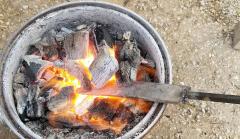 Well we have a much better forge now with a hand blower and have acquired 80lbs of some quality coke. I'm actually having tons of fun telling people I bought 36+ kilos of coke from a retired cop. I was using a hairdryer for this one though. You are right, burns fast as xxxx. and xxx the sparks.
 -
 Frosty, I'm not certain how that happened. I did them all in one upload, by accident in the knives gallery. I didn't mean to make them separate or anything. Sorry still trying to figure this forum thing out. Haven't used a forum in years. Mostly use Facebook for this kind of stuff
 -
Thanks Glenn. I have invited my group and look forward to meeting more.
-
Sorry. I am still learning how to use the forum. Did not mean to post in the wrong gallery. I don't know how to change it.
-
 Sorry. I am still learning how to use the forum. Did not mean to post in the wrong gallery. I don't know how to change it.
 -
 Sorry. I am still learning how to use the forum. Did not mean to post in the wrong gallery. I don't know how to change it.
 -
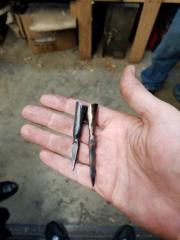 Sorry. I am still learning how to use the forum. Did not mean to post in the wrong gallery. I don't know how to change it.
 -
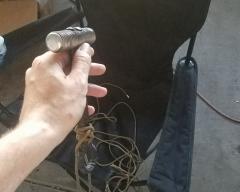
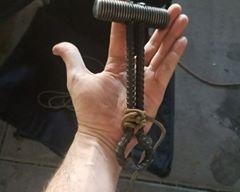
made a small hammer off of my friend Josh Brum's design. the double rebar handle make for a hammer that has almost no reverberation. Head is an very very hard screw. I can't dent it after we quenched it and it is even hard to grind.
-
made a small hammer off of my friend Josh Brum's design. the double rebar handle make for a hammer that has almost no reverberation. Head is an very very hard screw. I can't dent it after we quenched it and it is even hard to grind.
-
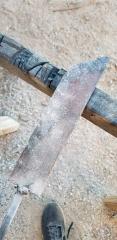 first forged knife. Still in process.
 -
Made these a few months ago up at my mentors forge in Washington.
-
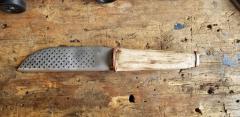 First completed knife I have finished. Just a file stock removal project before we had a forge.
 -
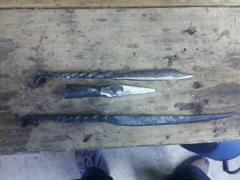 These are the first three items I ever forged. About 4 years ago with my mentor.
 -
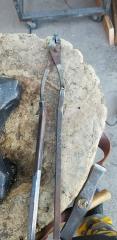
did not have tongs so I made some in a pinch..... they are better than I expected functionally.
-
First forge we started using out here. Lump charcoal sux.