Skip to content
View in the app

A better way to browse. Learn more.

I Forge Iron

A full-screen app on your home screen with push notifications, badges and more.

To install this app on iOS and iPadOS
  1. Tap the Share icon in Safari
  2. Scroll the menu and tap Add to Home Screen.
  3. Tap Add in the top-right corner.
To install this app on Android
  1. Tap the 3-dot menu (⋮) in the top-right corner of the browser.
  2. Tap Add to Home screen or Install app.
  3. Confirm by tapping Install.

Shifteybricks

Members
  • Joined

  • Last visited

  1. Well I think swords are cool....I joke. I just want to learn to take metal and shape in to practical usefull objects.
  2. Here is my hay budden. It is 128lbs. Should I be worried about cleaning it up?
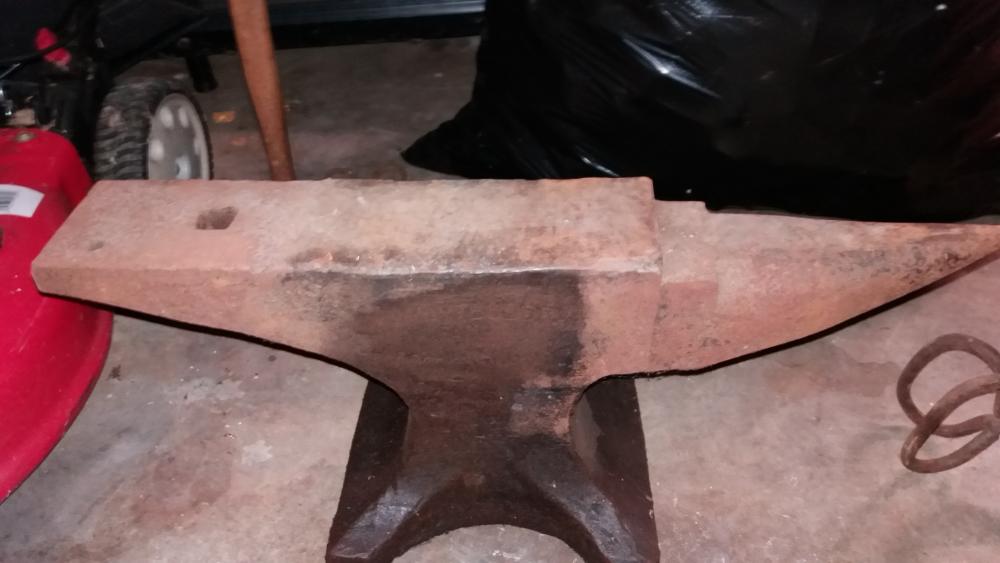
  3. Hello everyone. I have been browsing the site the past few days. I thought I would sign up and introduce myself. I am a complete nub on smithing. However I acquired an anvil last year. I always thought learning to make useful things out of metal would be a good skill to have. After purusing the site I feel I have learned a lot about forges and how to make them. Cheers.

Account

Navigation

Search

Search

Configure browser push notifications

Chrome (Android)
  1. Tap the lock icon next to the address bar.
  2. Tap Permissions → Notifications.
  3. Adjust your preference.
Chrome (Desktop)
  1. Click the padlock icon in the address bar.
  2. Select Site settings.
  3. Find Notifications and adjust your preference.