rudyp
Members
-
Joined
-
Last visited
-
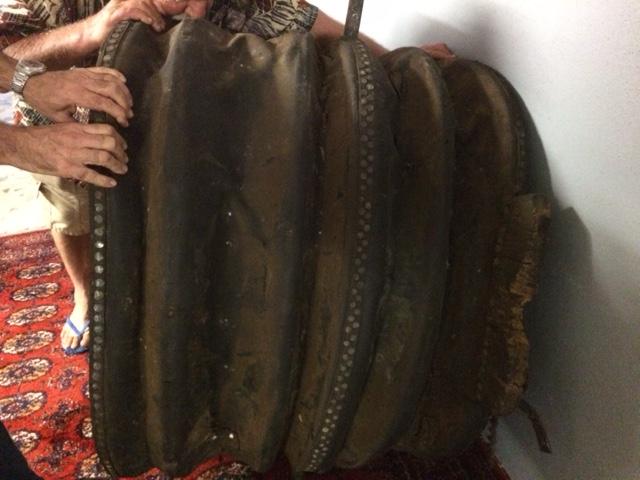
Thank you thomas for this information. Its amazing that they thought about this continuous flow of air already in those days. Can i found out from which area in Europe this could be? Is that size common? Because the auctioneer said this is the largest bellows he has ever seen in his 50 years of auctioneer. What kind of wood and leather is normally used. The leather is almost drenched in oil of some kind. Is that for protecting/greasing the leather. Sorry for all the questions Rudy
-
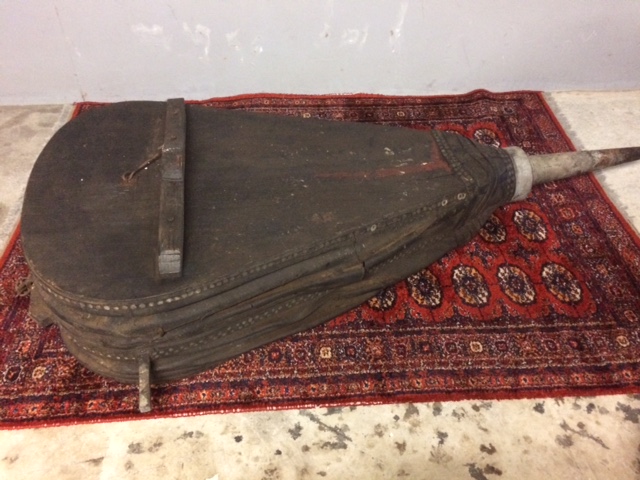
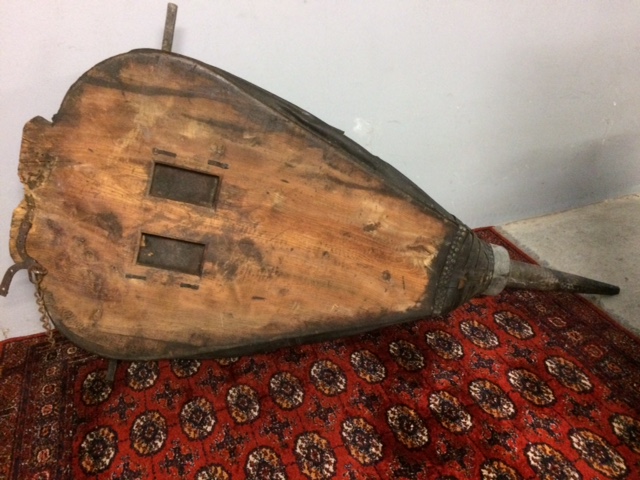
Hi guys, I bought recently antique bellows on an auction near Brisbane. Because this was apparently passed trough for the 3rd time when i went to that auction. This amazing piece was calling me contstantly and therefore i couldn't resist to make an offer. I will find a nice place in my house for it. But there is a but. The tag that was with it, said that those bellows was used in one of the movies of The pirates of the Caribbean. Cool that was a plus. So i am watching the movies now :-) Could someone give me more information about this amazing very heavy and very large piece or artwork? Mayby time period, origin, and name of the parts. I know it measures 230cm long and 96cm wide. The nossle is 53cm long. Looking forward for some more information Rudy