Skip to content
View in the app

A better way to browse. Learn more.

I Forge Iron

A full-screen app on your home screen with push notifications, badges and more.

To install this app on iOS and iPadOS
  1. Tap the Share icon in Safari
  2. Scroll the menu and tap Add to Home Screen.
  3. Tap Add in the top-right corner.
To install this app on Android
  1. Tap the 3-dot menu (⋮) in the top-right corner of the browser.
  2. Tap Add to Home screen or Install app.
  3. Confirm by tapping Install.

ukumit

Members
  • Joined

  • Last visited

  1. ukumit replied to muddawgchuck's topic in Vises
    Thank you for kindly welcome message:) My purpose was help you for our products, we are wokring with some customers in USA and they are selling our products very well, and i wanted to support the end users about our products. For example we give you long life guarantee for anvils and bench vices , because we produce our products drop forged Regards Ümit Kaplan Hello @arftist, Thank you for your kindly welcome message. I was following your forum but i was not a member and it is very useful for me, as i explained my above responce, my purpose "help to end users about our products" Regards
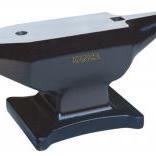
  2. ukumit changed their profile photo
  3. ukumit replied to muddawgchuck's topic in Vises
    Hello, I am Umit from Kanca Hand Tools company, ıf you have any question about our products you can ask directly to me or send me an e-mail. [email protected] I would love to help you. Regards
Account

Navigation

Search

Search

Configure browser push notifications

Chrome (Android)
  1. Tap the lock icon next to the address bar.
  2. Tap Permissions → Notifications.
  3. Adjust your preference.
Chrome (Desktop)
  1. Click the padlock icon in the address bar.
  2. Select Site settings.
  3. Find Notifications and adjust your preference.