
Skip to content
View in the app

A better way to browse. Learn more.

I Forge Iron

A full-screen app on your home screen with push notifications, badges and more.

To install this app on iOS and iPadOS
  1. Tap the Share icon in Safari
  2. Scroll the menu and tap Add to Home Screen.
  3. Tap Add in the top-right corner.
To install this app on Android
  1. Tap the 3-dot menu (⋮) in the top-right corner of the browser.
  2. Tap Add to Home screen or Install app.
  3. Confirm by tapping Install.

Duckbutter

Members
  • Joined

  • Last visited

Everything posted by Duckbutter

  1. Duckbutter replied to mlinn77's topic in Vises
    That's an amazing vise! I was wondering how you cleaned it so well and what you used to make it looks so good?
  2. OK thanks Jeremy. I wasn't clear who Sid was or how I could get a hold of him so I'm glad at least I have sent an email to the right place. Thanks again
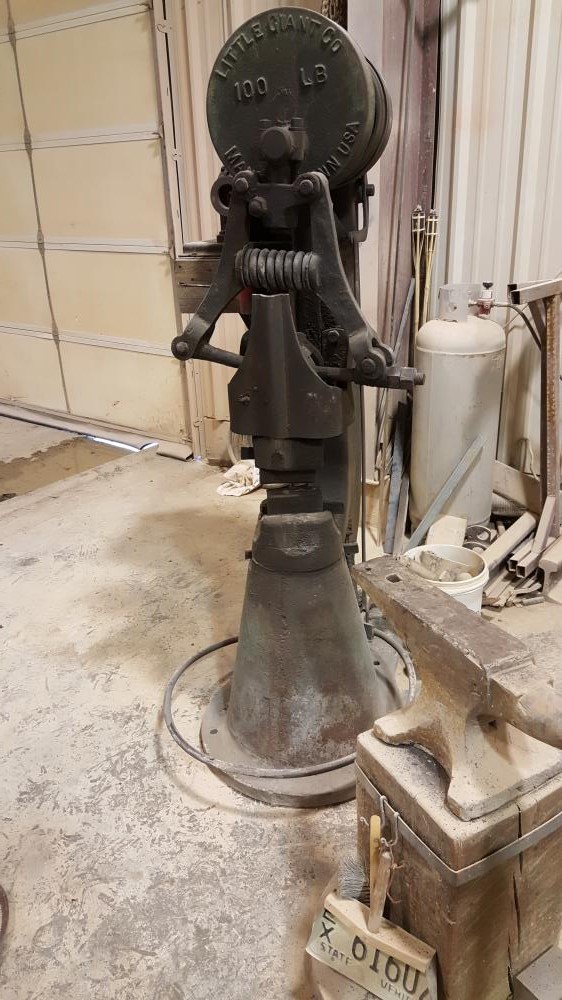
  3. This is the little giant in question. I would appreciate it greatly if someone had Sid's email and would share.
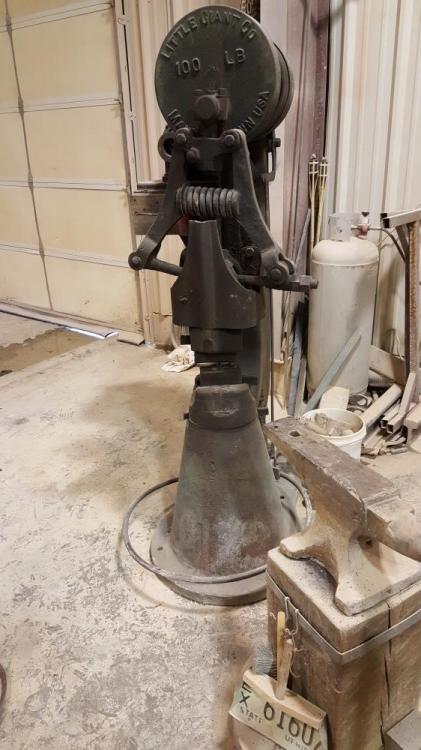
  4. So I'm new to this forum and I recently bought a 100 lb trip hammer and I was interested in the history. It's serial number is 441. I tried to email little giant hammer and haven't heard anything. If anyone can send me a link to info on where or who I could talk to to find out I would appreciate it. Thanks

Account

Navigation

Search

Search

Configure browser push notifications

Chrome (Android)
  1. Tap the lock icon next to the address bar.
  2. Tap Permissions → Notifications.
  3. Adjust your preference.
Chrome (Desktop)
  1. Click the padlock icon in the address bar.
  2. Select Site settings.
  3. Find Notifications and adjust your preference.