idahomutt
Members
-
Joined
-
Last visited
-
Thank you all for the replies, I will pass on this one and keep an eye out for the next opportunity.
-
Thank you for pointing out it was missing pieces I will buy my time and see this other vice tomorrow. Thank you for your help. I will see if I can post a picture the next one to see if you guys have any suggestions
-
I can repair it, they are asking $100 There is a neat looking old vice that I can get from the guy that has the anvil but it will run me $175. I will check the screwbox and see what it looks like. thank you
-
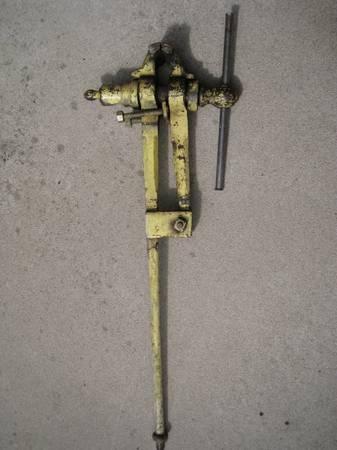
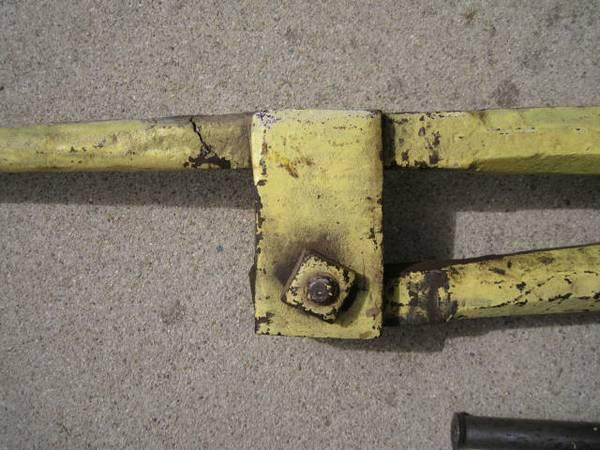
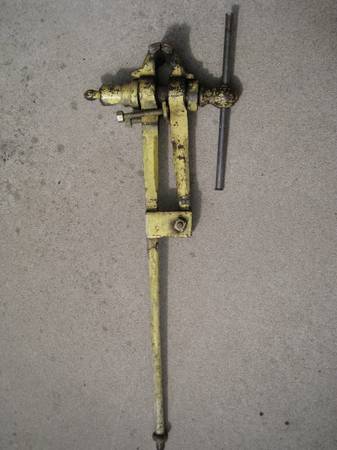
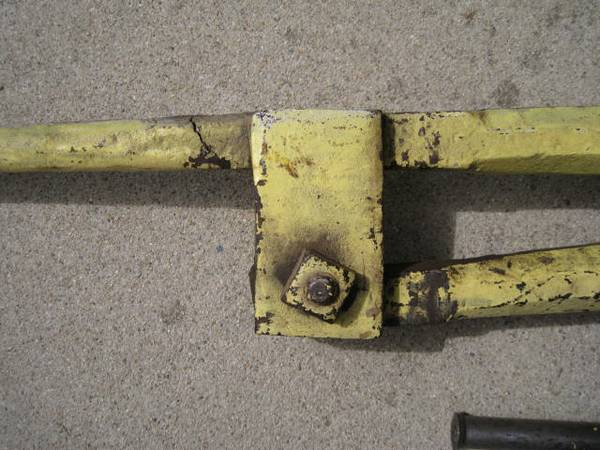
I am new to blacksmithing here in southeast Idaho. I have forge on order and I think I have a good line on a Anvil. I just saw this vice pop up on my local craigslist and I would like to know if any of you could identify it and whether or not I should pass and wait a different one to come along. I mention it has a crack on the leg that shows in the picture is it worth repairing if the price is right? I Thank you, Matt