Skip to content
View in the app

A better way to browse. Learn more.

I Forge Iron

A full-screen app on your home screen with push notifications, badges and more.

To install this app on iOS and iPadOS
  1. Tap the Share icon in Safari
  2. Scroll the menu and tap Add to Home Screen.
  3. Tap Add in the top-right corner.
To install this app on Android
  1. Tap the 3-dot menu (⋮) in the top-right corner of the browser.
  2. Tap Add to Home screen or Install app.
  3. Confirm by tapping Install.

mirwin

Members
  • Joined

  • Last visited

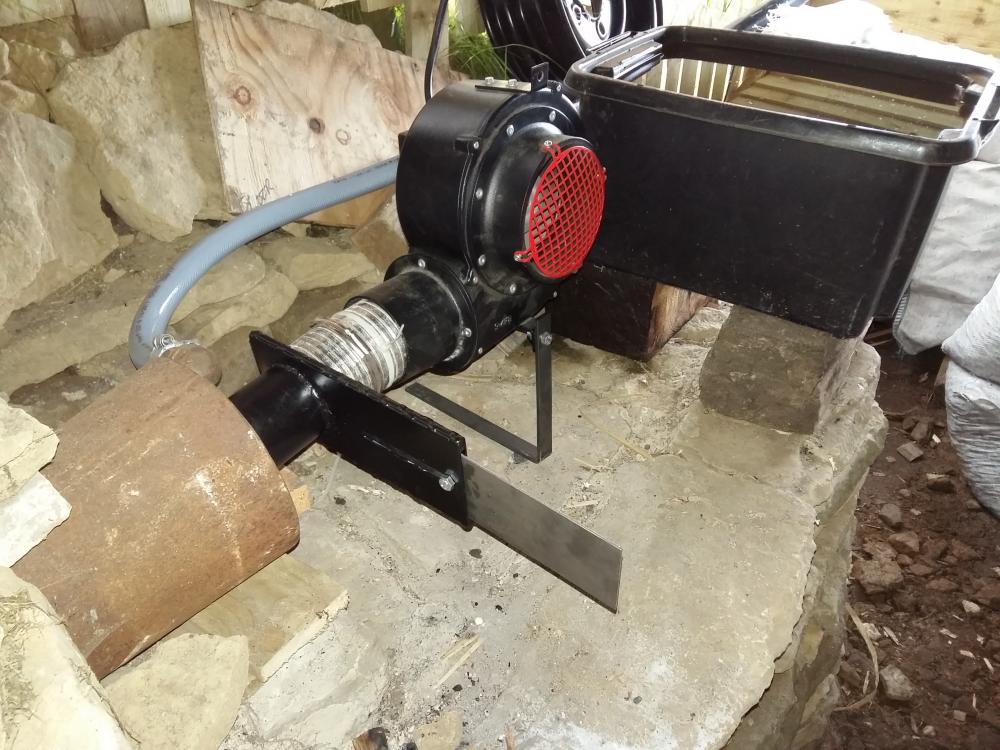
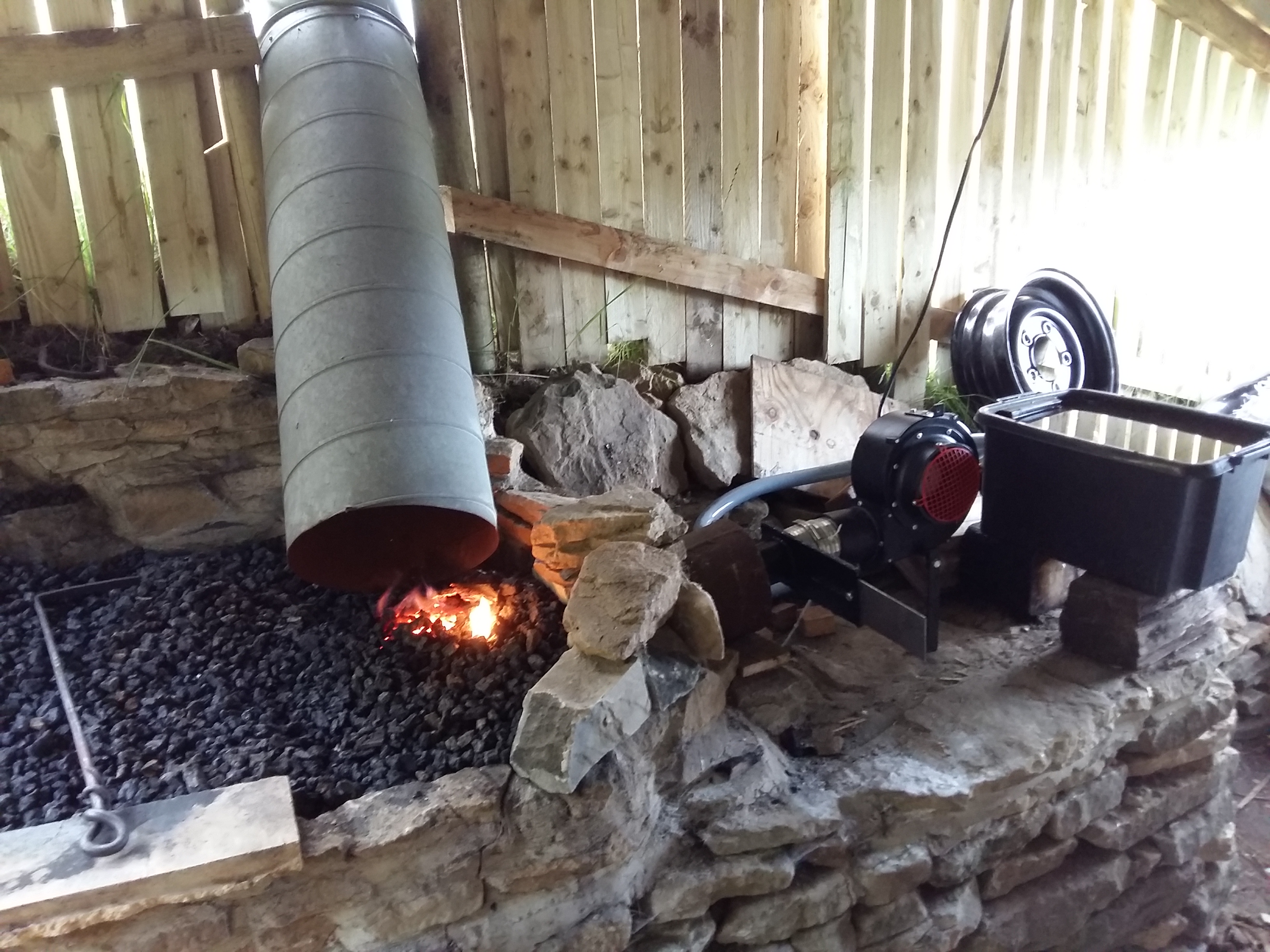
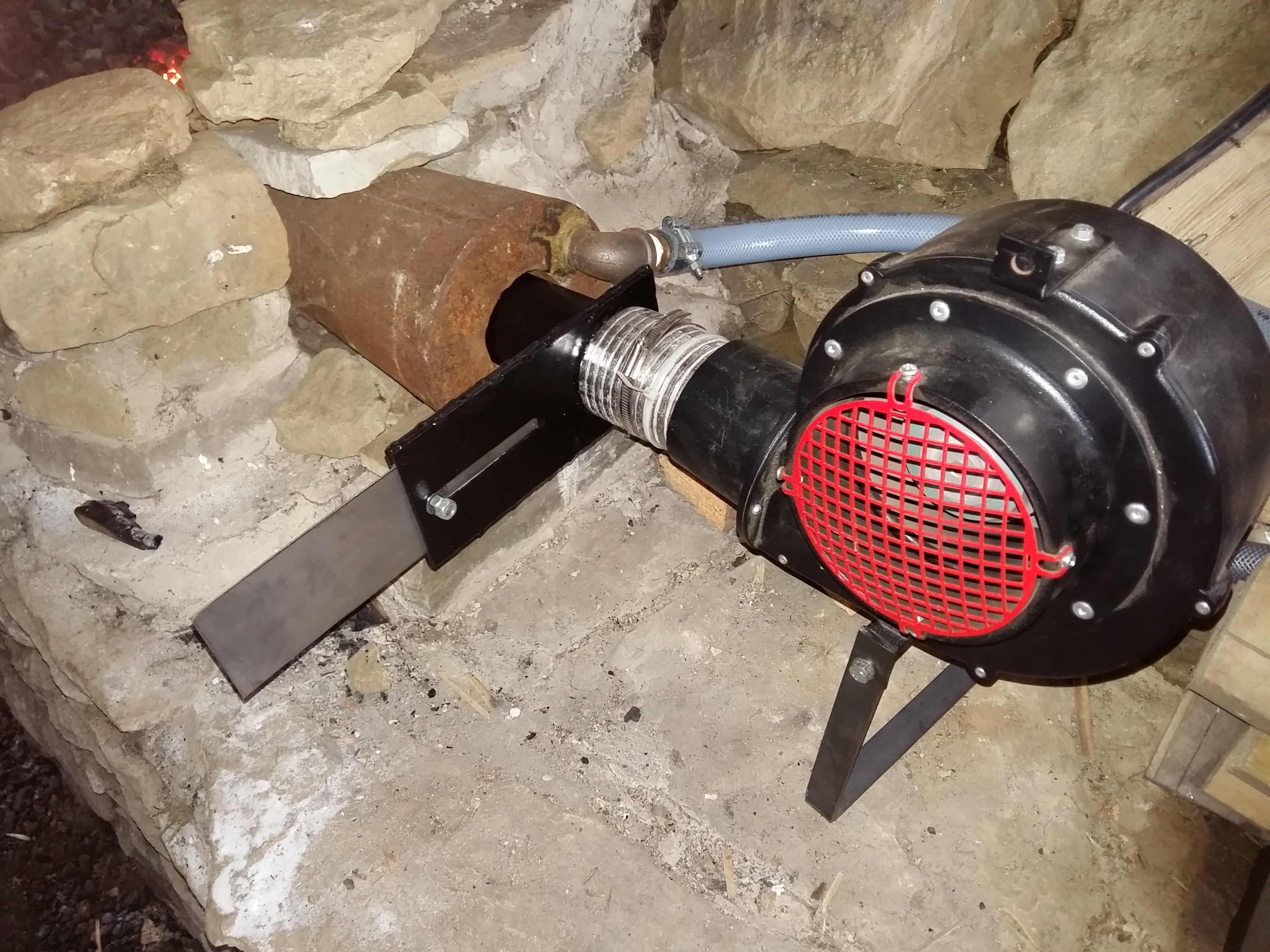
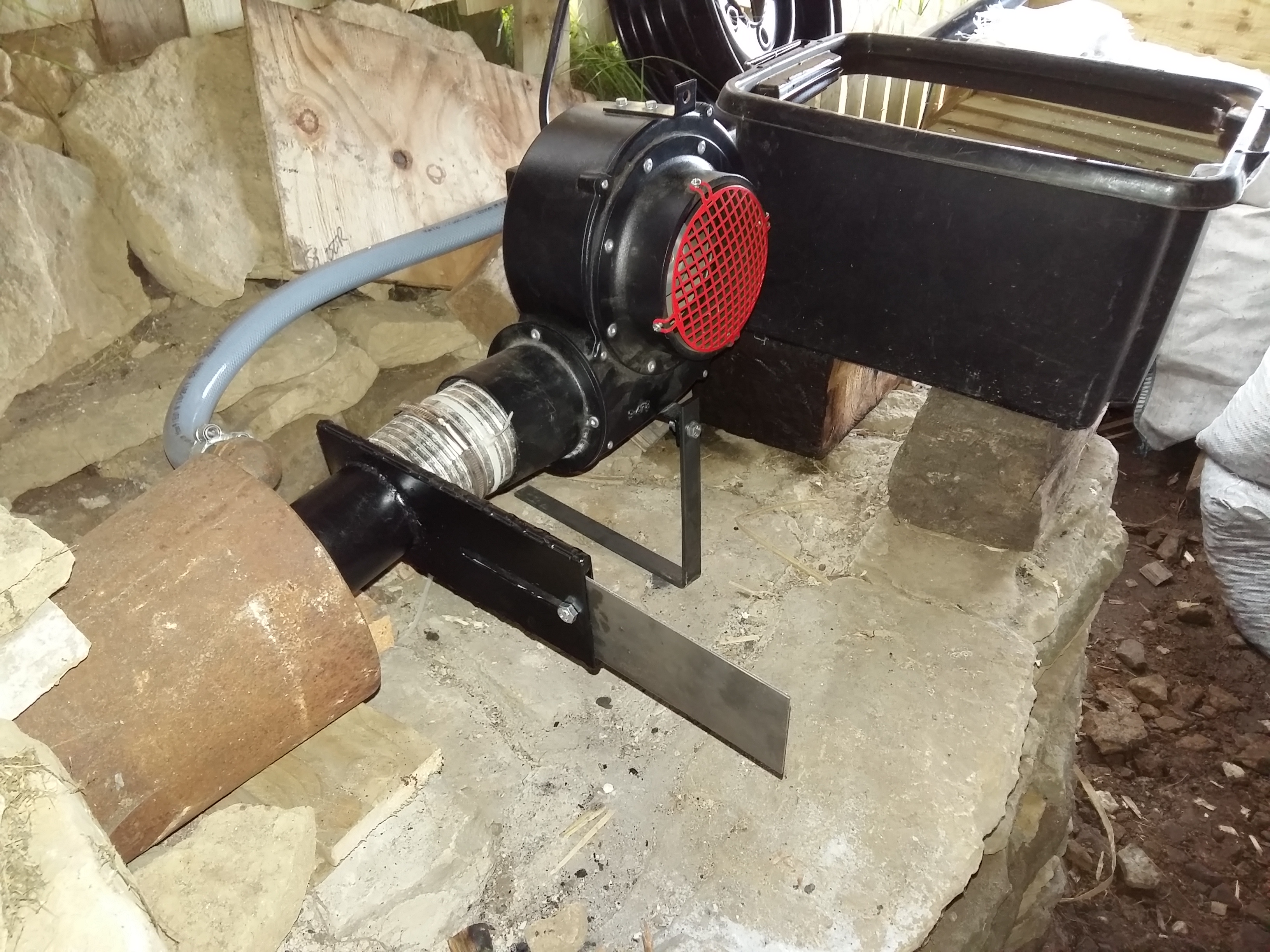
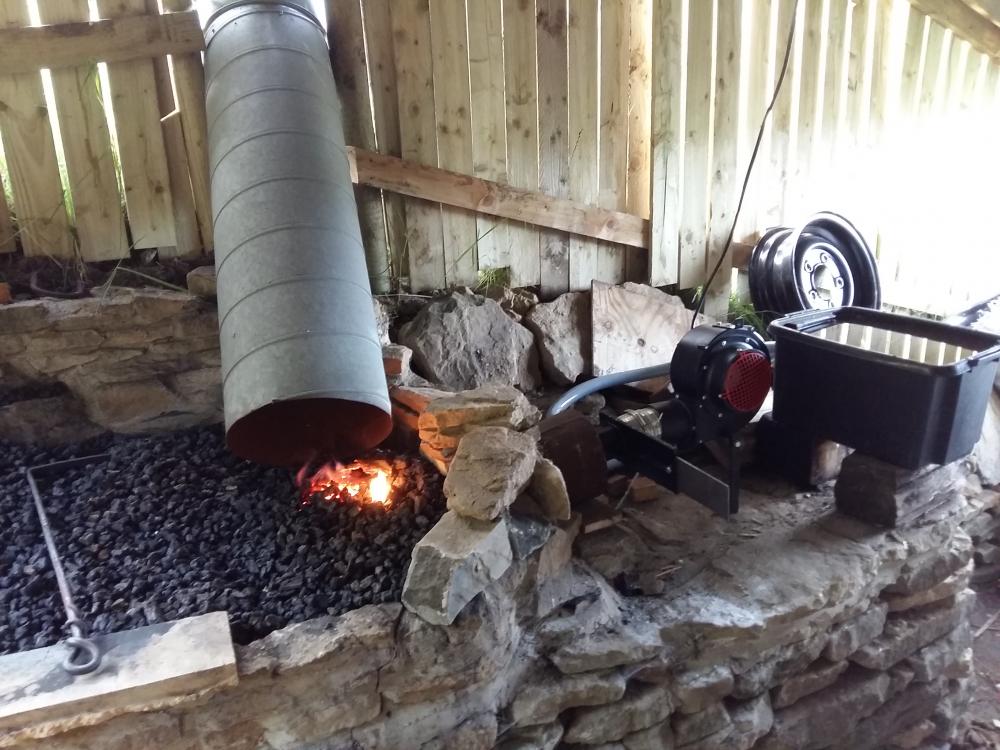
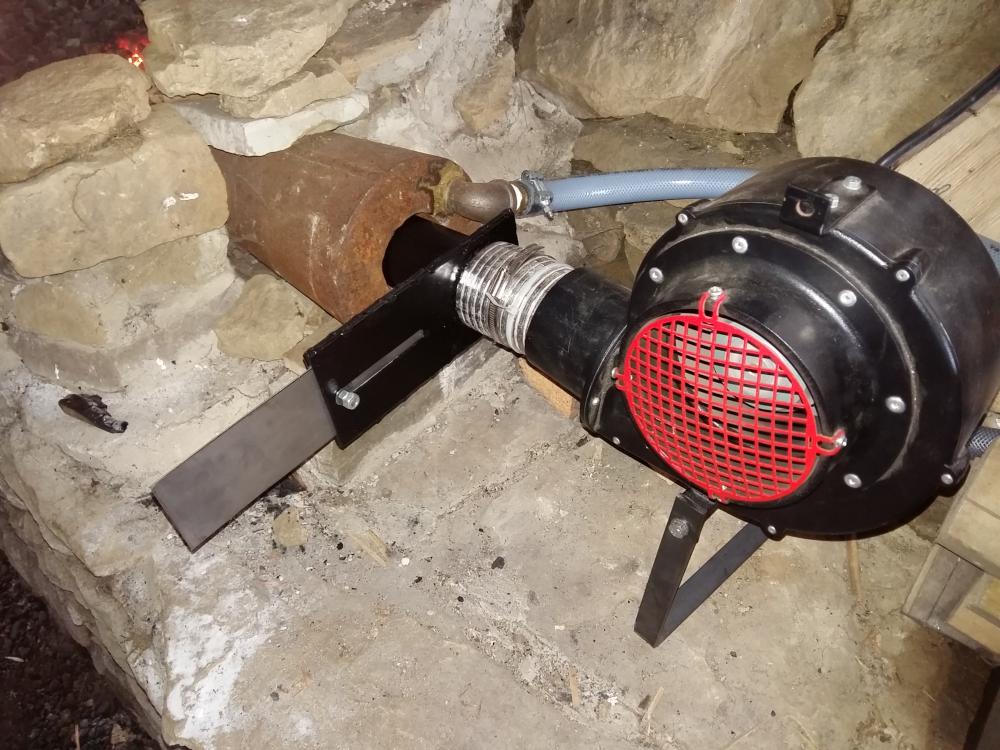
  1. Thought I would share a couple of pictures of my forge fire. The fire is fueled by coke and the surrounds and base are stone / cement. The chimney is galvanised commercial vent ducting. The fan is a new commercial model and the main cost. I got the steel tue nozzle from ebay - its cooled by the circulation of water through the hoses you can see. The 'tank' is a plastic storage container and holds the water used to cool the nozzle. The fan blows air into the nozzle and is regulated by the shutter I made. Hope you find this useful. Mark
Account

Navigation

Search

Search

Configure browser push notifications

Chrome (Android)
  1. Tap the lock icon next to the address bar.
  2. Tap Permissions → Notifications.
  3. Adjust your preference.
Chrome (Desktop)
  1. Click the padlock icon in the address bar.
  2. Select Site settings.
  3. Find Notifications and adjust your preference.