Skip to content
View in the app

A better way to browse. Learn more.

I Forge Iron

A full-screen app on your home screen with push notifications, badges and more.

To install this app on iOS and iPadOS
  1. Tap the Share icon in Safari
  2. Scroll the menu and tap Add to Home Screen.
  3. Tap Add in the top-right corner.
To install this app on Android
  1. Tap the 3-dot menu (⋮) in the top-right corner of the browser.
  2. Tap Add to Home screen or Install app.
  3. Confirm by tapping Install.

aplater

Members
  • Joined

  • Last visited

About Me

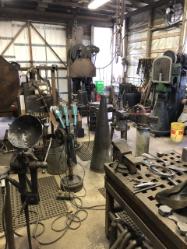
I am a Journeyman Millwright and a Journeyman Welder.  I have worked in the trades for 25 years.  I have been forging as a side business for approximately 14 years.  I am always looking for something to learn.   I run a 50lb 100lb and 250lb mechanical hammers in my shop.  I use coke, coal and propane forges,  I have a 100Image previewton hydraulic H frame press and I converted an OBI punch press to hydraulics.

Account

Navigation

Search

Search

Configure browser push notifications

Chrome (Android)
  1. Tap the lock icon next to the address bar.
  2. Tap Permissions → Notifications.
  3. Adjust your preference.
Chrome (Desktop)
  1. Click the padlock icon in the address bar.
  2. Select Site settings.
  3. Find Notifications and adjust your preference.