
jwmotley
Members
-
Joined
-
Last visited
Everything posted by jwmotley
-
-
Aaron, I use a Diamondback as well--- a 2 burner it's almost a year old now and is holding up very well. It will get hot enough for forge welding, and is very easy on propane(I can get about 12-14 hrs on a 20# tank running on 5-6 psi). And welcome to IFI-- you won't find a better place on the net for all types of smithing or a finer bunch of folks.
-
 My "new" anvil, I believe this is 28 on left outside of foot if looking from horn end--- is this weight #280?
 -
 My "new" anvil, I believe this is 28 on left outside of foot if looking from horn end--- is this weight #280?
 -
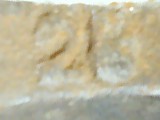 My "new" anvil, I believe this is 28 on left outside of foot if looking from horn end--- is this weight #280?
 -
-
-
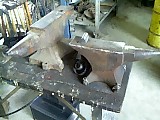 My "new" anvil, kinda dwarfs the old one
 -
 My "new" anvil, now I've got an excuse to make more hardies or adapt from 3/4 inch to 1-1/8 inch, also 5/8 inch pritchell now -- up from 1/2 inch
 -
 My "new" anvil, now I've got an excuse to make more hardies or adapt from 3/4 inch to 1-1/8 inch, also 5/8 inch pritchell now -- up from 1/2 inch
 -
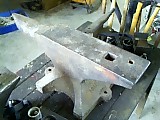 My "new" anvil, now I've got an excuse to make more hardies or adapt from 3/4 inch to 1-1/8 inch, also 5/8 inch pritchell now -- up from 1/2 inch
 -
 My "new" anvil, table in great shape, hardie 1 1/8 inch-- just a little loose one way, 5/8 inch pritchell hole
 -
 My "new" anvil, table in great shape, hardie 1 1/8 inch-- just a little loose one way, 5/8 inch pritchell hole
 -
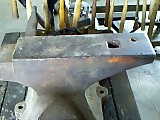 My "new" anvil, table in great shape, hardie 1 1/8 inch-- just a little loose one way, 5/8 inch pritchell hole
 -
 My "new" anvil, #200+, still have to weigh it
 -
 My "new" anvil, #200+, still have to weigh it
 -
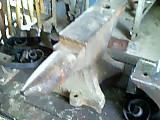 My "new" anvil, #200+, still have to weigh it
 -
 My "new" anvil, haven't weighed it yet but definately over #200-- all I could do to load it in P/U
 -
 My "new" anvil, haven't weighed it yet but definately over #200-- all I could do to load it in P/U
 -
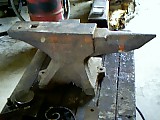 My "new" anvil, haven't weighed it yet but definately over #200-- all I could do to load it in P/U
 -
-
-
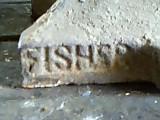 My "new" anvil--- finally a Fisher!!!
 -
 My "new" anvil, view from heel 1918-- year of manufacture? LII on left and LIII on right---Makers ID's?
 -
 My "new" anvil, view from heel 1918-- year of manufacture? LII on left and LIII on right---Makers ID's?


