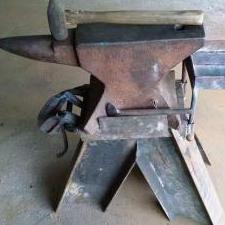
June 1Jun 1 There have been a number of posts on the forum showing bottom tooling secured in the hardy hole with looped stems and wedges, which can work very well and has the advantage of being easy to set up and take down.I just ran across a Facebook post showing another interesting method, where the smith has run a bolt through the pritchel hole to hold the base of a ball stake securely to the anvil face.Here's a photo of another version from the same maker:Presumably they're using some kind of tapered washer on the underside, to keep the bottom nut from pulling at an angle, although it occurs to me as I write this that a large barrel nut would also work:This would have the disadvantage of making it harder to switch out tooling quickly, but for setups that are going to be in use for a long time, it might be a viable alternative.
June 1Jun 1 Hey all. I put a bolt the same size as the pritchel hole so there's no need of a wedge shaped washer. The larger is 7/16" and the smaller is 3/8". I do nut the bolt and tighten down. Only takes a minute. But there is no movement. I'm in the process of making a few for my 400lb anvil...it requires a 3/4" bolt. If you do want to use a washer, beam washers are close enough. On the stainless plate I made for the other anvil I did use a beam washer. That was in the early 80s. I've evolved since then.
Join the conversation
You can post now and register later. If you have an account, sign in now to post with your account.