Skip to content
View in the app

A better way to browse. Learn more.

I Forge Iron

A full-screen app on your home screen with push notifications, badges and more.

To install this app on iOS and iPadOS
  1. Tap the Share icon in Safari
  2. Scroll the menu and tap Add to Home Screen.
  3. Tap Add in the top-right corner.
To install this app on Android
  1. Tap the 3-dot menu (⋮) in the top-right corner of the browser.
  2. Tap Add to Home screen or Install app.
  3. Confirm by tapping Install.

another newcomer

Featured Replies

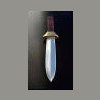
hello everyone my name is Ryan just doing a simple introduction of myself I am relatively new to the smithing world with only four years experience im hoping to learn a lot from the large knowledge base of this site and its people. Anything i might be able to share i will be more than happy to do so.My talents lay mostly in fixed blades cable knives and a bit of decorative iron work.

7912.attach

Welcome to IFI. Looks like you will have lots of input as well as getting a lot from the other members :)
Join the conversation

You can post now and register later. If you have an account, sign in now to post with your account.

Guest
Reply to this topic...

Account

Navigation

Search

Search

Configure browser push notifications

Chrome (Android)
  1. Tap the lock icon next to the address bar.
  2. Tap Permissions → Notifications.
  3. Adjust your preference.
Chrome (Desktop)
  1. Click the padlock icon in the address bar.
  2. Select Site settings.
  3. Find Notifications and adjust your preference.