Skip to content
View in the app

A better way to browse. Learn more.

I Forge Iron

A full-screen app on your home screen with push notifications, badges and more.

To install this app on iOS and iPadOS
  1. Tap the Share icon in Safari
  2. Scroll the menu and tap Add to Home Screen.
  3. Tap Add in the top-right corner.
To install this app on Android
  1. Tap the 3-dot menu (⋮) in the top-right corner of the browser.
  2. Tap Add to Home screen or Install app.
  3. Confirm by tapping Install.

Cool video series on Antikythera device

Featured Replies

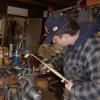
Went down a rabbit hole or two chasing interesting links.  Went from Russian machinist making a 10 start left and right hand thread bolt and nuts, to really interesting stuff.  Nearly have the 10 part series watched.  Episode #3 he makes his file cutting chisels and files. #4 he gets into case hardening.  There is bronze casting, experiments for a historical version of dyechem ?  for layout,  some  techniques for soldering...  


Join the conversation

You can post now and register later. If you have an account, sign in now to post with your account.

Guest
Reply to this topic...

Account

Navigation

Search

Search

Configure browser push notifications

Chrome (Android)
  1. Tap the lock icon next to the address bar.
  2. Tap Permissions → Notifications.
  3. Adjust your preference.
Chrome (Desktop)
  1. Click the padlock icon in the address bar.
  2. Select Site settings.
  3. Find Notifications and adjust your preference.