November 30, 201411 yr I picked up a working champion 401 rivet forge today for 50 bucks! Not in super bad shape, one leg broke off and 20" round fire box is rotted pretty bad. Blower works great, still has the brass oiler on top. I will post photos tomorrow as it was dark when i got home tonight. Rehab will start after church tomorrow. Wish me luck or give me pointers....I will take either.
November 30, 201411 yr Author Tear down went well, got everything apart with only having to grind 2 bolt heads off. Everything else came apart with some knocker-lose and elbow grease. Original fire pan/box seemed very thin how thick should I build the new one, Will 1/4" be enough?
December 1, 201411 yr Greetings Teach, 1/4 plate is more than enough for the base... 14 gage for the outer ring will work just fine... I would suggest a cut away in the outer ring for long stock.. Easy project and fun too.. It will be up and ready to forge in no time... I wish you well Forge on and make beautiful things Jim
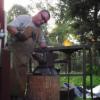
December 12, 201411 yr Don't think it was used. It operates so smooth........I almost believe the old Champion Ads that the 400 is the noiseless blower. I cleaned the blower up as it was dirty and then painted the forge and legs
Join the conversation
You can post now and register later. If you have an account, sign in now to post with your account.