September 30, 201312 yr Author PS, the nest of hammers is Phil's back yard!Yes, I may now have more hammers than the moon, if not its getting pretty d close. He does however still have the anvil market pretty well cornered.Phil
September 30, 201312 yr Let me know when you're coming Phil. You're welcome to stop here for the night if you want as well. We're about an hour south of Brisvegas.
October 1, 201312 yr Author If I come to brisvegas I am under strict instruction from the war office to stay with the outlaws. Thanks however for the invite.(inlaws at Oxley and green mountain/Springwood). I'll shoot you a email anyway, when I am coming.
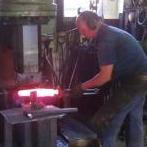
October 2, 201312 yr Author Hey Farmweld Just put some footage of the 40cwt into the thread about steam hammers in this section. Its also on youtube on my channel you could search for "40 cwt massey hammer" Phil
Join the conversation
You can post now and register later. If you have an account, sign in now to post with your account.