September 17, 201213 yr Picked this up today as a swap for a Damascus hunter. Says 198 # on the side but no other markings - base is wrought and besides a few repairable holes and nicks on the face it's in good shape - face is still very flat. Weighed at the yard at 88 Kgs and I had to carry the beast 50 mtrs - gonna know about it tomorrow. Any idea what and who?
September 17, 201213 yr Need more pics to help- one of the underside of the base, one under the horn, each side a little closer and straight on, and one each of the front and back feet.
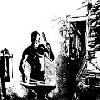
September 18, 201213 yr Author Some more pics. She's been worked hard and needs some TLC but with some grinding and 1 or 2 welds will be as good as new.
September 18, 201213 yr The script used for the "98 Lbs" looks similar to what I've seen on Soderfors anvils.
September 18, 201213 yr Yeah that was my first thought too. Did they ever make an anvil with a forged base though?
September 18, 201213 yr Author I though that might be the case. Here is a link to one that is almost exact. http://www.practicalmachinist.com/vb/general/i-bought-anvil-today-what-do-i-have-photos-154946/ Very happy with this find.
Join the conversation
You can post now and register later. If you have an account, sign in now to post with your account.