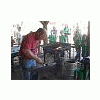
November 22, 201015 yr I got asked to demo at a boy scout camp here in MS. Last year Bill Pevee and I went. Brian was on the road, but this year he was here and willing to go. We had a lot of fun and was able to use most of the time making anything we wanted to. We helped a few people make some items, but Brian had made a fork and one of the scouts wanted to make one. Brian told him he could use a striker if he wanted to, with that the scout was willing to do whatever it was going to take to get it made. I was helping one of the adults with a steak turner but was able to break away long enough to get a few pictures of Brian striking. We had a great time and everyone was so appreciative, I look forward to this again. http://picasaweb.google.com/LDWynn/BoyScoutDemo#
November 23, 201015 yr You guys never slow down it seems. It really is nice to see folks such as yourselves giving so much back to the community and especially taking the time to get younger people involved.If we don`t look for opportunities to bring youngsters into the trade by way of hands on experiences then where do we think the next wave of smiths will come from? Thanks for freely sharing both your time and the pics.
November 23, 201015 yr Thats great. The kids first time and he has Brian striking for him! I'll bet those kids had a blast.
Join the conversation
You can post now and register later. If you have an account, sign in now to post with your account.