Skip to content
View in the app

A better way to browse. Learn more.

I Forge Iron

A full-screen app on your home screen with push notifications, badges and more.

To install this app on iOS and iPadOS
  1. Tap the Share icon in Safari
  2. Scroll the menu and tap Add to Home Screen.
  3. Tap Add in the top-right corner.
To install this app on Android
  1. Tap the 3-dot menu (⋮) in the top-right corner of the browser.
  2. Tap Add to Home screen or Install app.
  3. Confirm by tapping Install.

my air Hammer

Featured Replies

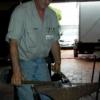
Just posting for comments my new & only air hammer that I made.

It has a 300mm high opening / stroke. Im not sure on the strikes/min.
The hammer / slide head is 18Kg(39Lb)

I still have to finish cleaning it up & wack some paint on it. I will post a couple more pics when I have.
Will have to try to take a video of it working.

post-4893-014695500 1280443746_thumb.jpgpost-4893-082769400 1280443754_thumb.jpgpost-4893-091399800 1280443763_thumb.jpg

Would like to hear your opinions.

Very nicely done! Please do show some videos of the first time you fire it up. I would love to see that.

Thanks for sharing.

  • Author

couple more pics in action

post-4893-018477500 1280467879_thumb.jpgpost-4893-057886200 1280467894_thumb.jpg

That's so cute! Most guys are building monsters and here you are build a wee tiny thing by most standards, I like that idea a lot. Looking forward to your video of it in action. B)

  • 3 weeks later...

Cool, low cost and practical...Reminds me of an old hotrod expression...run what you brung...But I'm not sure you should paint it...might be more nouveau art looking as is...thx for sharing
Join the conversation

You can post now and register later. If you have an account, sign in now to post with your account.

Guest
Reply to this topic...

Account

Navigation

Search

Search

Configure browser push notifications

Chrome (Android)
  1. Tap the lock icon next to the address bar.
  2. Tap Permissions → Notifications.
  3. Adjust your preference.
Chrome (Desktop)
  1. Click the padlock icon in the address bar.
  2. Select Site settings.
  3. Find Notifications and adjust your preference.