Skip to content
View in the app

A better way to browse. Learn more.

I Forge Iron

A full-screen app on your home screen with push notifications, badges and more.

To install this app on iOS and iPadOS
  1. Tap the Share icon in Safari
  2. Scroll the menu and tap Add to Home Screen.
  3. Tap Add in the top-right corner.
To install this app on Android
  1. Tap the 3-dot menu (⋮) in the top-right corner of the browser.
  2. Tap Add to Home screen or Install app.
  3. Confirm by tapping Install.

Gauche_Gage

Members
  • Joined

  • Last visited

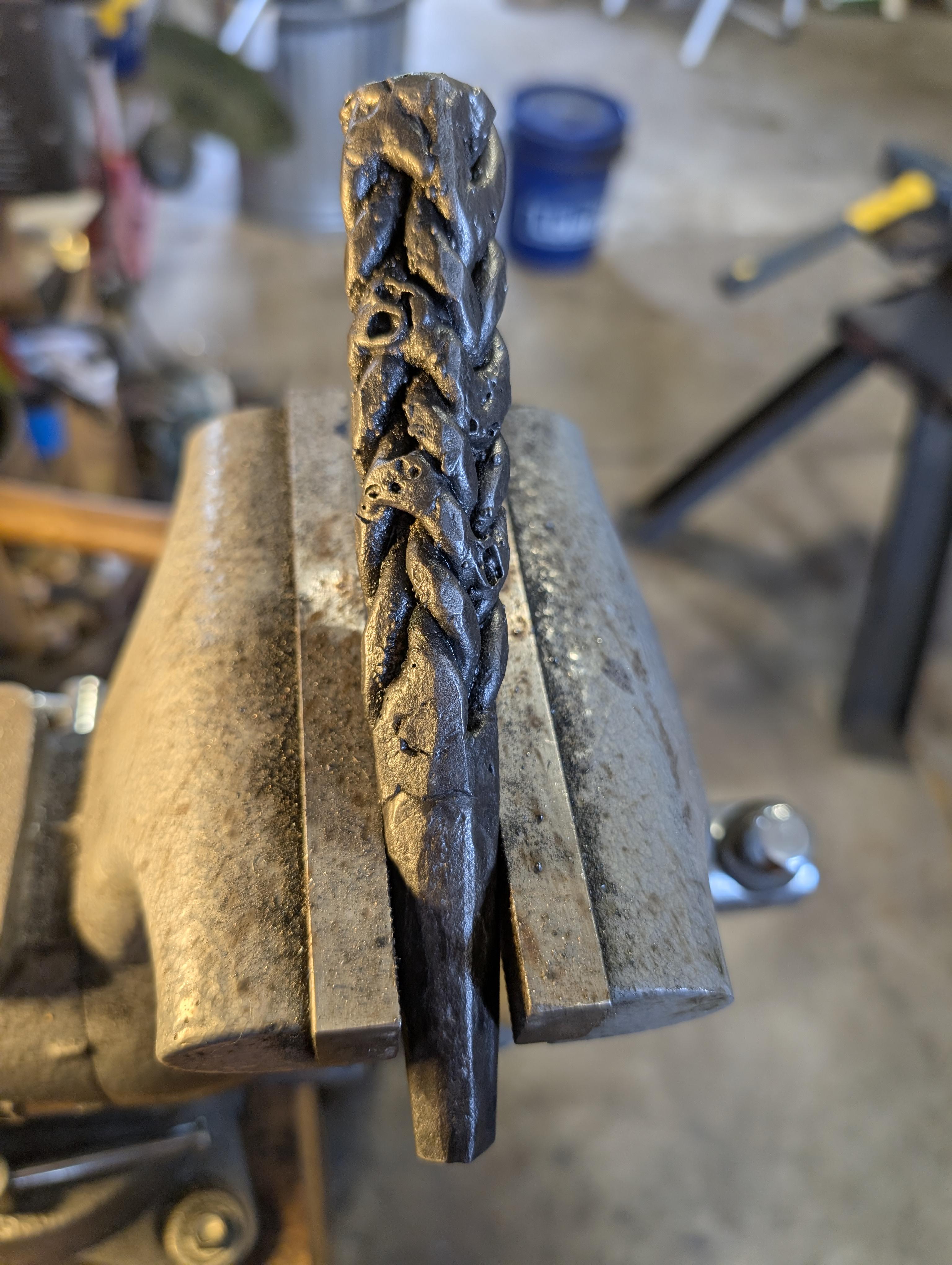
  1. I think I got close with just some flux core mig wire, but Tig would be better. It is just a Chevron/wheat twist with 4 pairs instead of 2. I welded a bridge on the alternating twists. If you are careful, you could leave the bridges up like they did, I, however, was not.
  2. Gauche_Gage joined the community
  3. I am almost certain that the top one is four sets of two twisted bars: Four bars on the inside, each paired with one on the outside. Then, the inside bars are welded when they touch. You can even see where they aren't welded underneath in the second image. I don't have quite the right tools for it, but I will give it a go sometime soon and report.
Account

Navigation

Search

Search

Configure browser push notifications

Chrome (Android)
  1. Tap the lock icon next to the address bar.
  2. Tap Permissions → Notifications.
  3. Adjust your preference.
Chrome (Desktop)
  1. Click the padlock icon in the address bar.
  2. Select Site settings.
  3. Find Notifications and adjust your preference.