Skip to content
View in the app

A better way to browse. Learn more.

I Forge Iron

A full-screen app on your home screen with push notifications, badges and more.

To install this app on iOS and iPadOS
  1. Tap the Share icon in Safari
  2. Scroll the menu and tap Add to Home Screen.
  3. Tap Add in the top-right corner.
To install this app on Android
  1. Tap the 3-dot menu (⋮) in the top-right corner of the browser.
  2. Tap Add to Home screen or Install app.
  3. Confirm by tapping Install.

BB4

Members
  • Joined

  • Last visited

  1. Thank you all very much for your input- you've certainly given me a lot to think on. I greatly appreciate it.
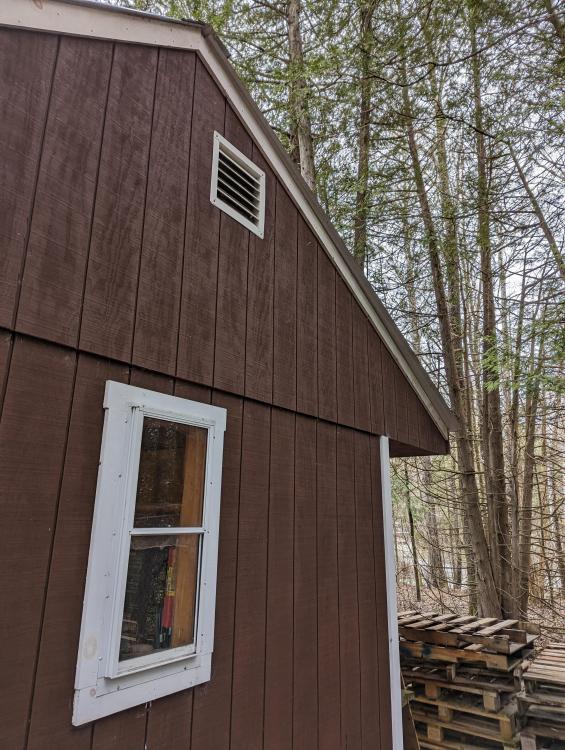
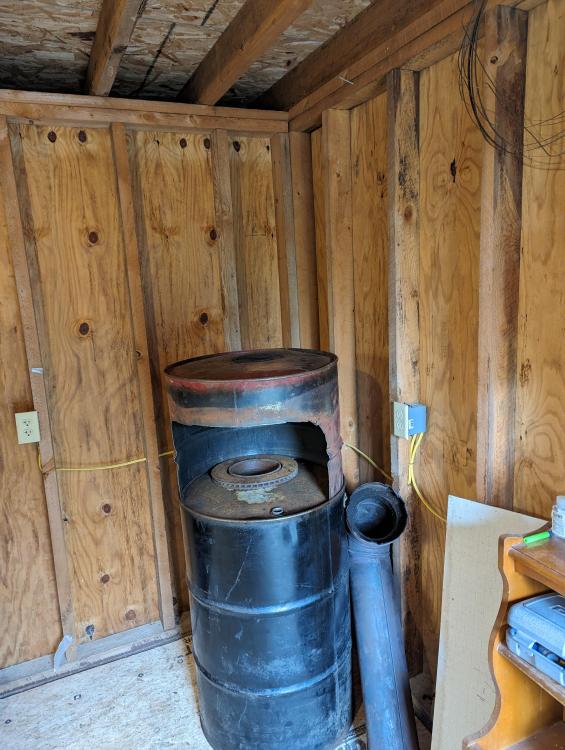
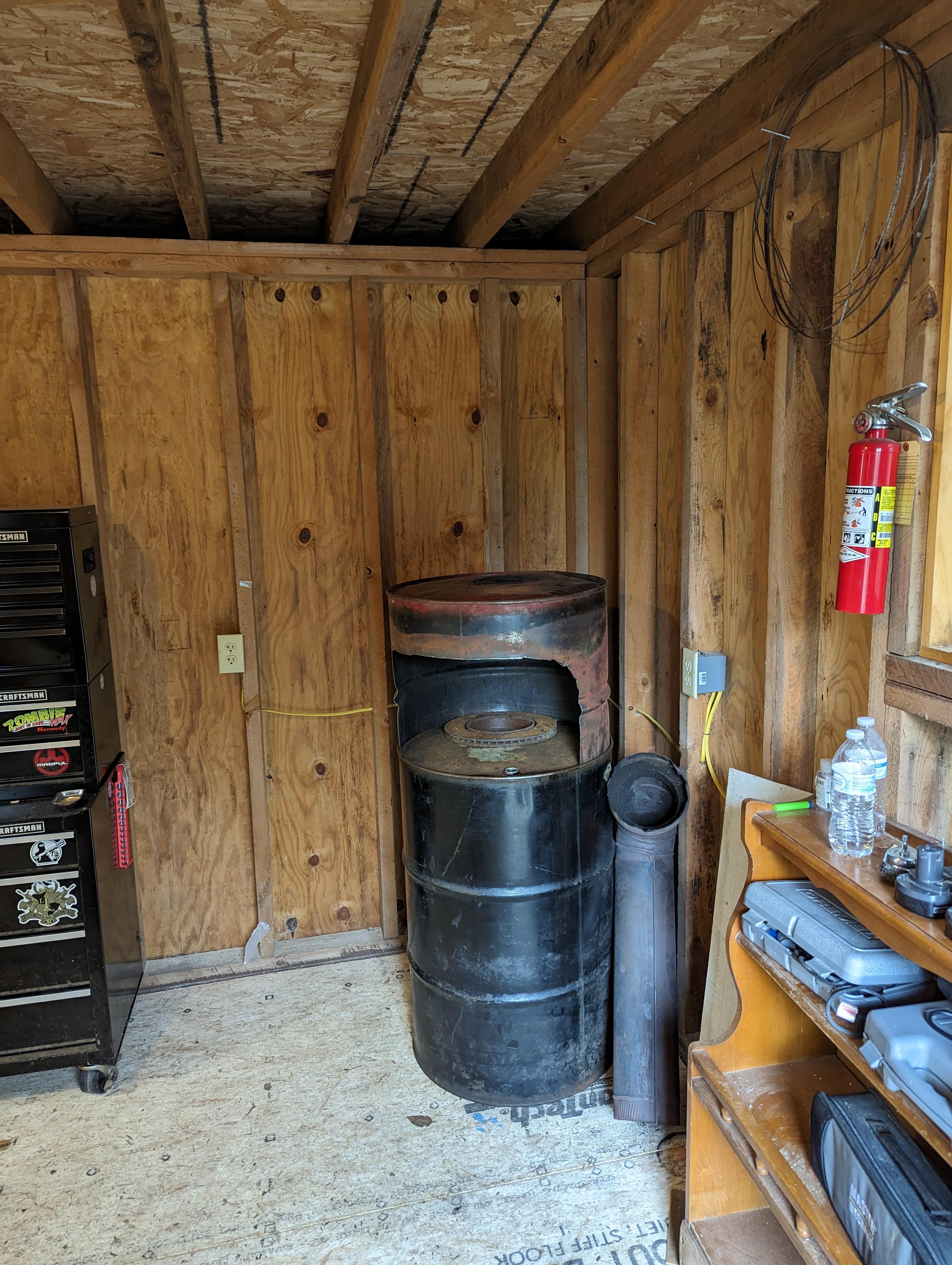
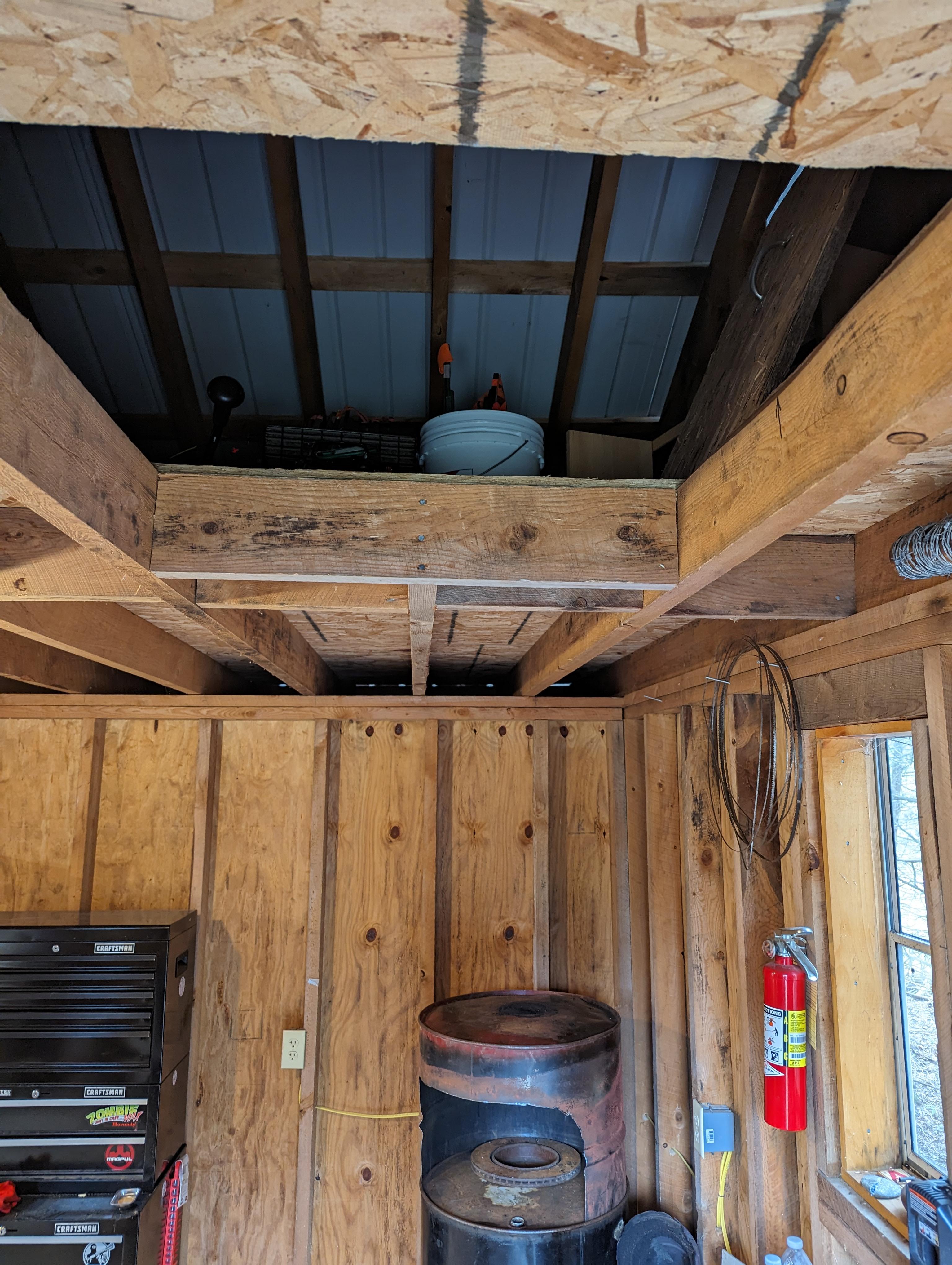
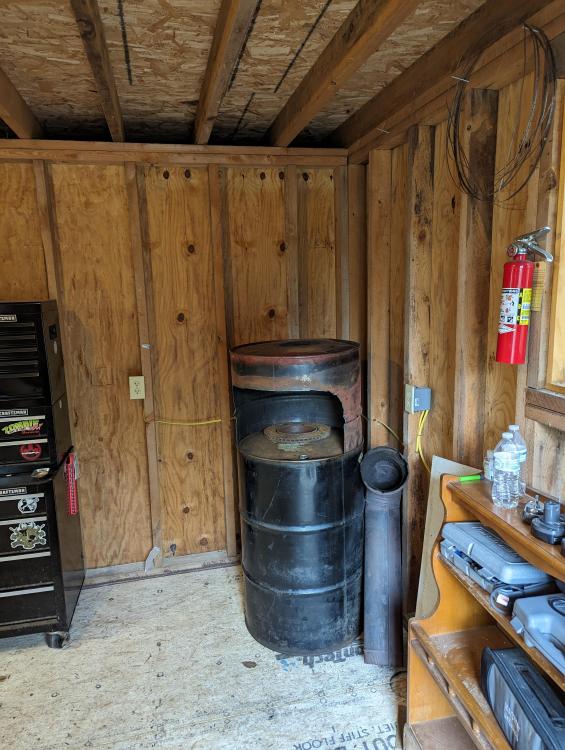
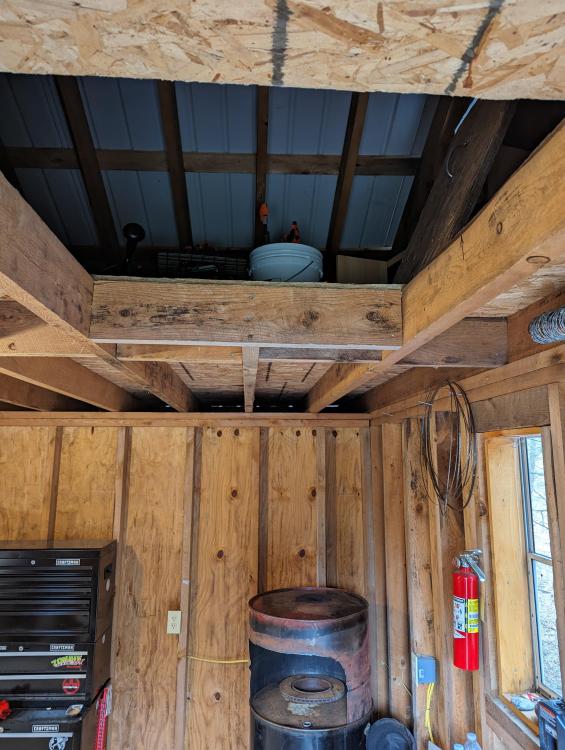
  2. Hi everyone - my name is Bill, and as you all may have guessed, I'm new here. I'm setting up my forge, and have run into a crossroads of sorts on how to proceed. I'm trying to decide which size and set up I should go with to vent my hood. I'm on the fence on whether I should go straight up through the attic space, and out the tin roof, or make a 90 degree out the wall, and then up to appropriate height. I'm also not certain on pipe diameter... Six inch, 8 inch? I've been pouring through information both here, and around the internet, and I'm seeing conflicting opinions. Attached are some pictures of my set up. I welcome any and all information. Thanks for reading, and glad to be here!
Account

Navigation

Search

Search

Configure browser push notifications

Chrome (Android)
  1. Tap the lock icon next to the address bar.
  2. Tap Permissions → Notifications.
  3. Adjust your preference.
Chrome (Desktop)
  1. Click the padlock icon in the address bar.
  2. Select Site settings.
  3. Find Notifications and adjust your preference.