Skip to content
View in the app

A better way to browse. Learn more.

I Forge Iron

A full-screen app on your home screen with push notifications, badges and more.

To install this app on iOS and iPadOS
  1. Tap the Share icon in Safari
  2. Scroll the menu and tap Add to Home Screen.
  3. Tap Add in the top-right corner.
To install this app on Android
  1. Tap the 3-dot menu (⋮) in the top-right corner of the browser.
  2. Tap Add to Home screen or Install app.
  3. Confirm by tapping Install.

brykoon

Members
  • Joined

  • Last visited

Everything posted by brykoon

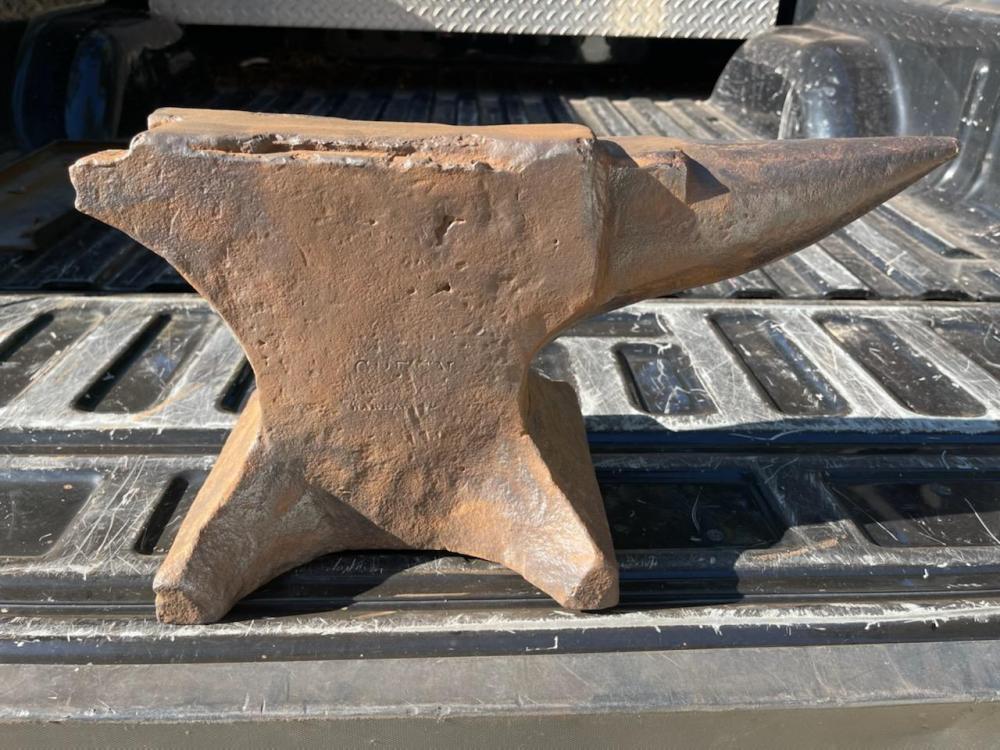
  1. I've updated my location. I believe it's the exact same as those shown above. This one is in need of some repair but I'm pretty proficient with a welder. Picked it up at a local antique store this morning.
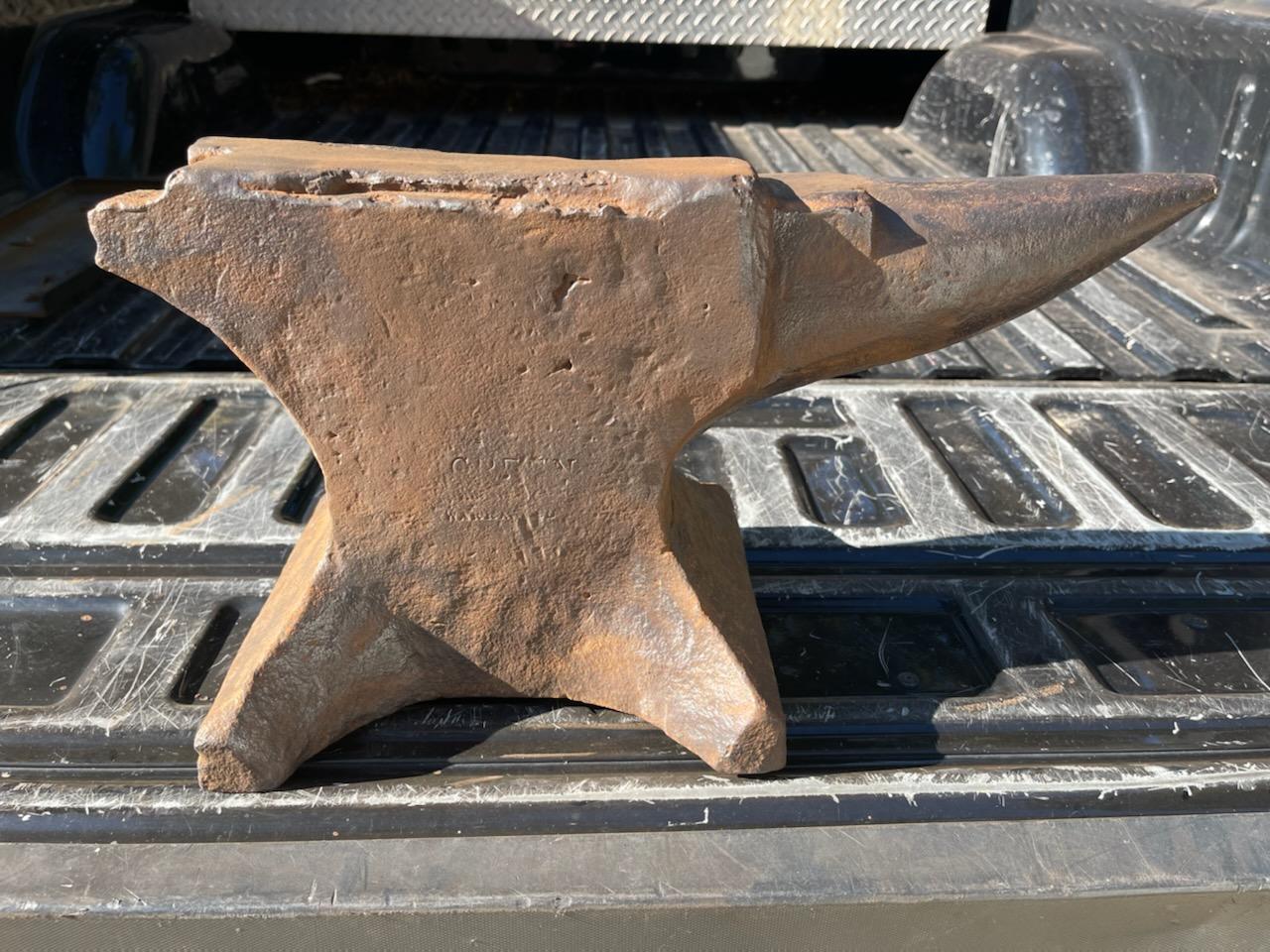
  2. I know this post is three years old but hoping someone checks in. I have this exact same anvil except the heel has been broken off. Did you ever figure out where they were made and how much they are worth?
Account

Navigation

Search

Search

Configure browser push notifications

Chrome (Android)
  1. Tap the lock icon next to the address bar.
  2. Tap Permissions → Notifications.
  3. Adjust your preference.
Chrome (Desktop)
  1. Click the padlock icon in the address bar.
  2. Select Site settings.
  3. Find Notifications and adjust your preference.