Skip to content
View in the app

A better way to browse. Learn more.

I Forge Iron

A full-screen app on your home screen with push notifications, badges and more.

To install this app on iOS and iPadOS
  1. Tap the Share icon in Safari
  2. Scroll the menu and tap Add to Home Screen.
  3. Tap Add in the top-right corner.
To install this app on Android
  1. Tap the 3-dot menu (⋮) in the top-right corner of the browser.
  2. Tap Add to Home screen or Install app.
  3. Confirm by tapping Install.

DocB

Members
  • Joined

  • Last visited

Everything posted by DocB

  1. Thank you so much for the info! now i just have to figure out how I want to attach it to a stand and what kind of stand. I'm leaning towards a cedar stump, readily available in my back yard. I will do some more research on here for that.
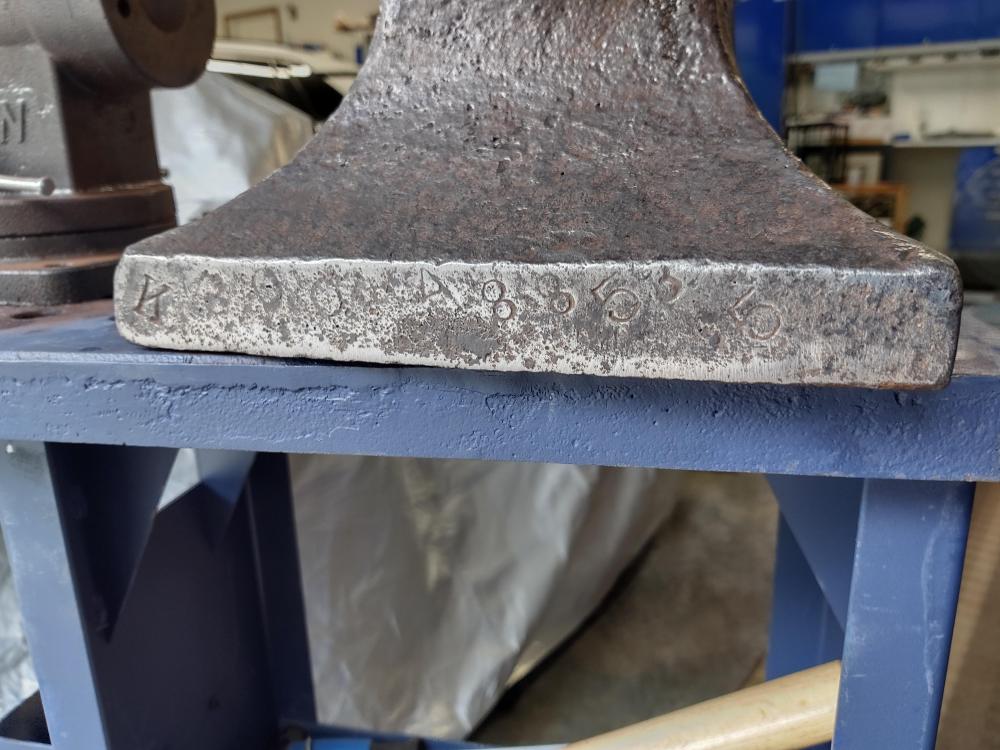
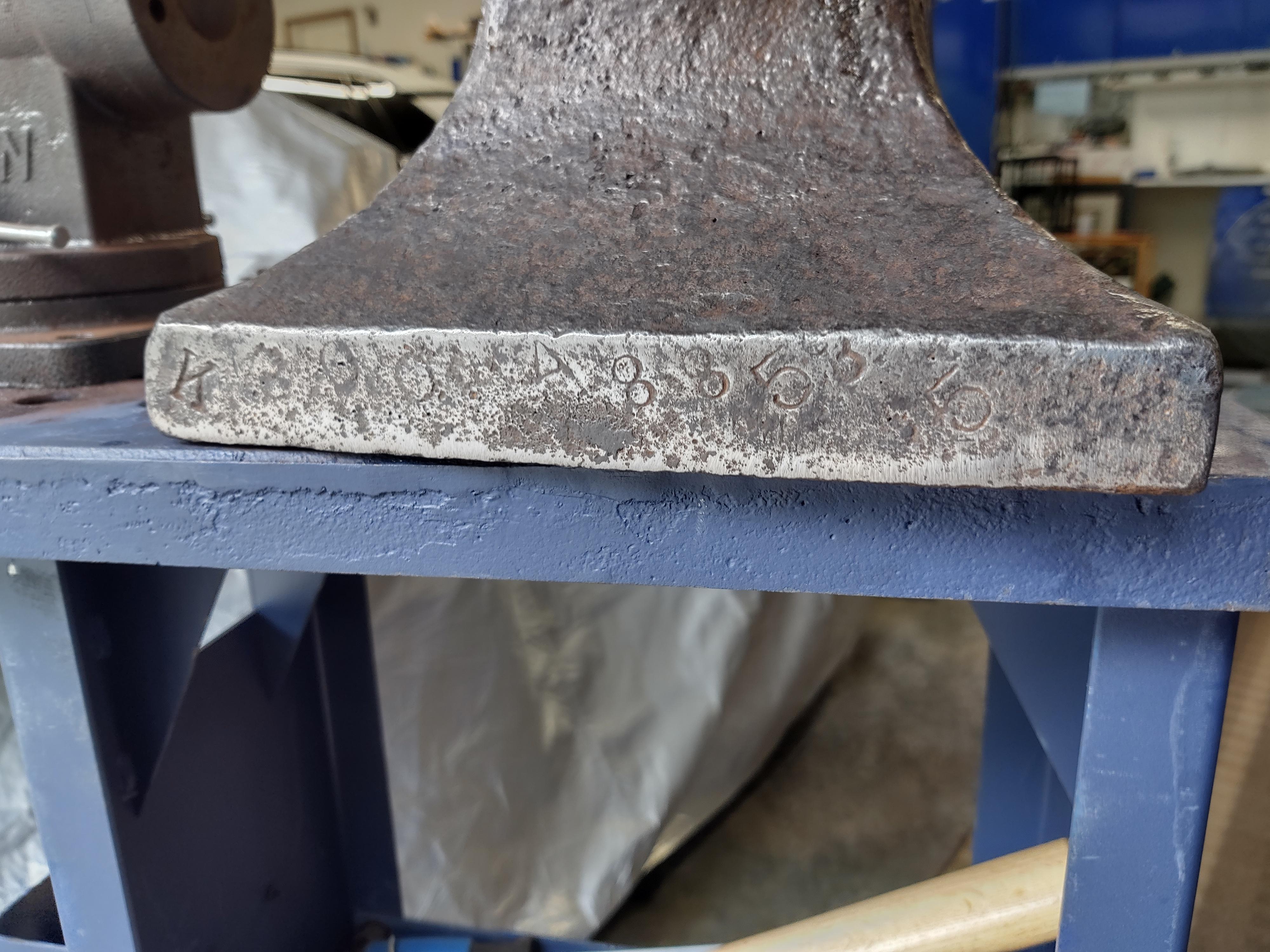
  2. I picked up this anvil from an estate sale, last weekend. Covered in rust, so I wire wheeled and steel wooled it. The side shows a very faint trenton logo barely readable (mainly shows as ENTO. The foot has these numbers. Looks Like K 200 A 8 8 5 3 5 I'm not sure about the A could be a 4 or the 3 as it is kind of half on the edge. I know it is 200lbs but don't know what the other numbers and letters mean. Any help would be appreciated.
Account

Navigation

Search

Search

Configure browser push notifications

Chrome (Android)
  1. Tap the lock icon next to the address bar.
  2. Tap Permissions → Notifications.
  3. Adjust your preference.
Chrome (Desktop)
  1. Click the padlock icon in the address bar.
  2. Select Site settings.
  3. Find Notifications and adjust your preference.