Skip to content
View in the app

A better way to browse. Learn more.

I Forge Iron

A full-screen app on your home screen with push notifications, badges and more.

To install this app on iOS and iPadOS
  1. Tap the Share icon in Safari
  2. Scroll the menu and tap Add to Home Screen.
  3. Tap Add in the top-right corner.
To install this app on Android
  1. Tap the 3-dot menu (⋮) in the top-right corner of the browser.
  2. Tap Add to Home screen or Install app.
  3. Confirm by tapping Install.

Sebby

Members
  • Joined

  • Last visited

Everything posted by Sebby

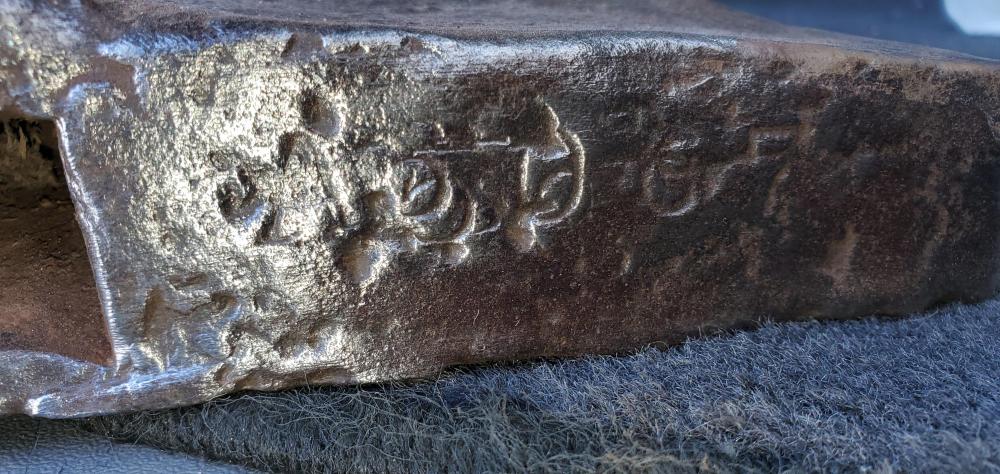
  1. I did talk to an museum that said it was a very low number of 4 digits which put the date at 1899. There only appears to be 4 digits.
  2. Thank you sir!
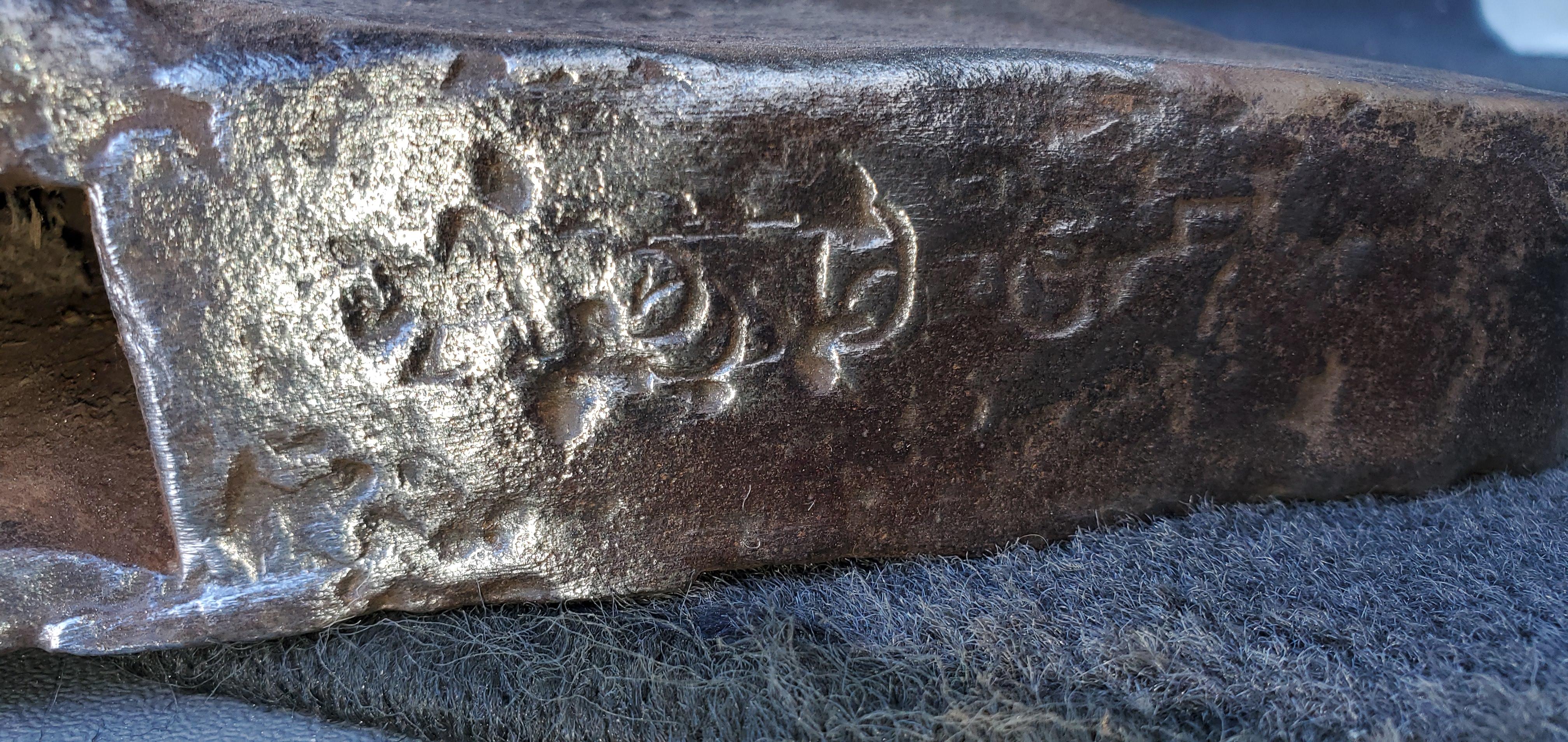
  3. I think I see A 5067
  4. Ok I will try to find a serial number chart. Do the serial markings seem to be damaged? How many numbers should you be able to see. I might see three on the end. Just trying to get info into the date/maker (individual). I am the second owner. Thanks again.
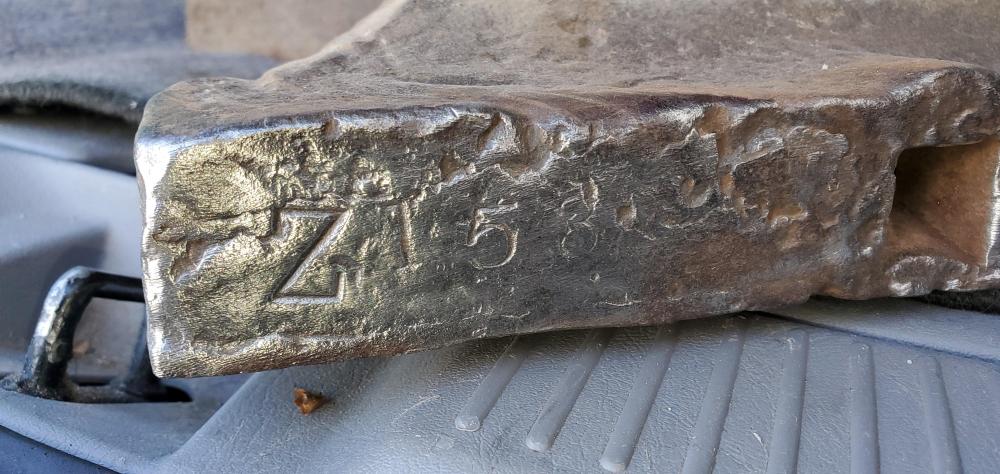
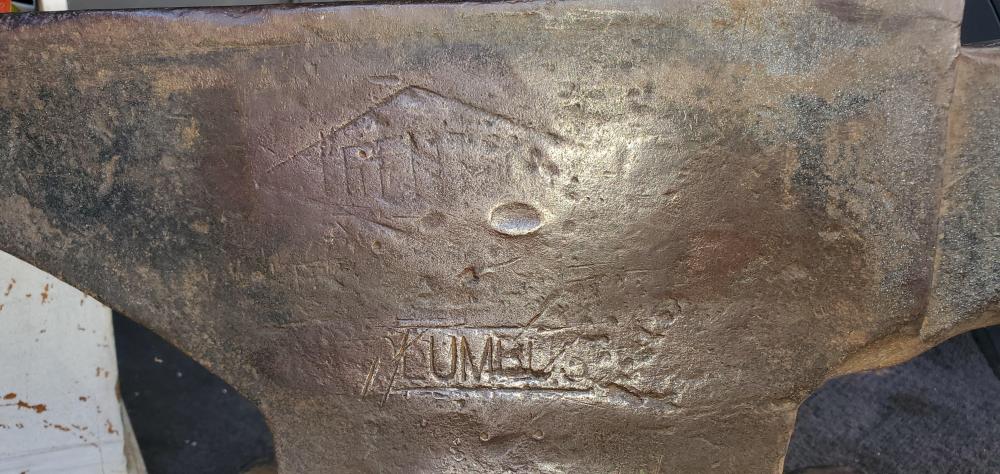
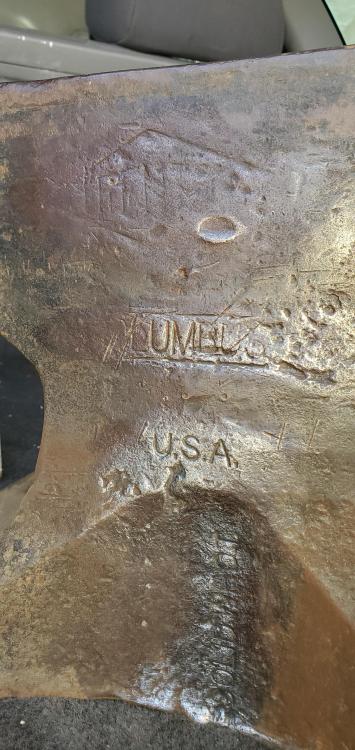
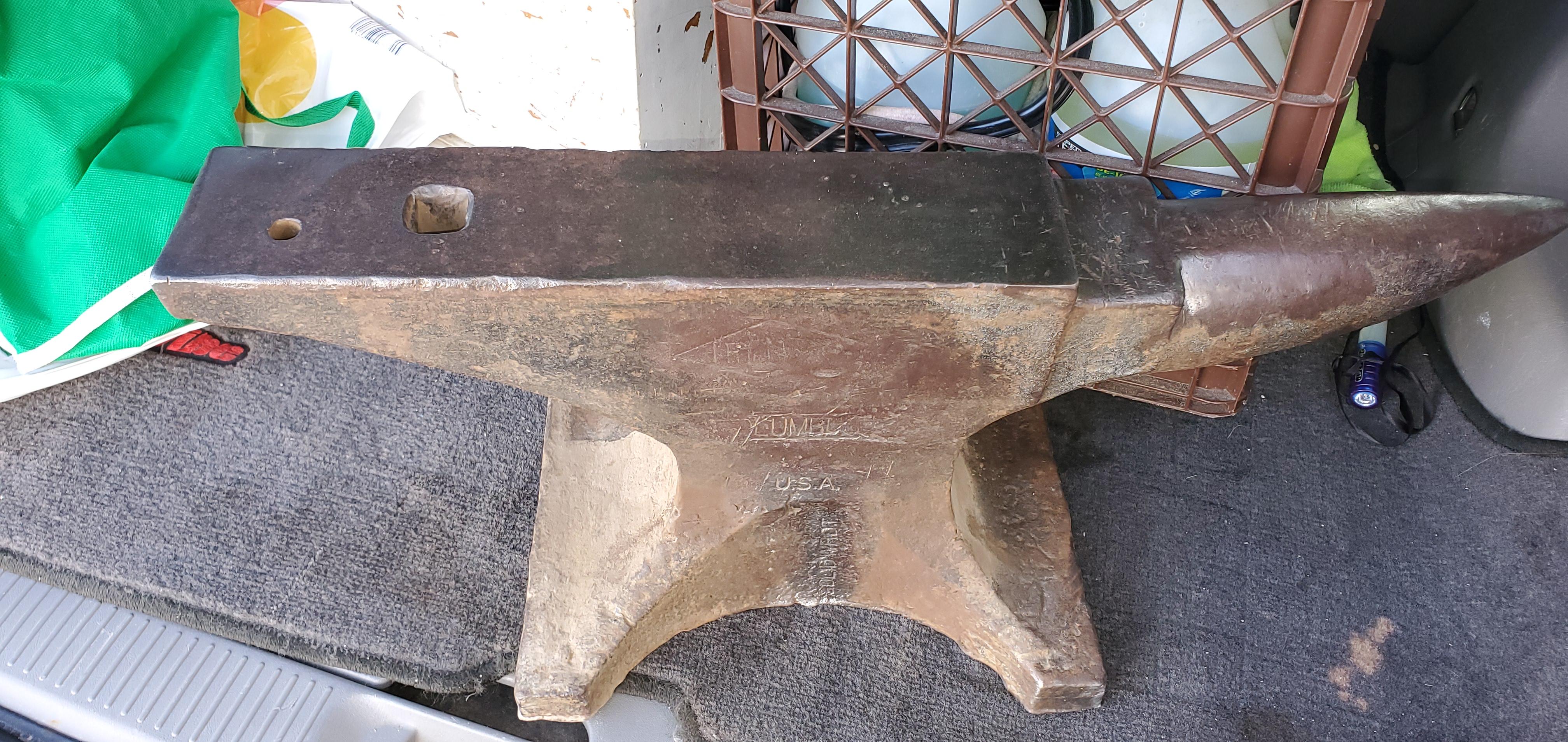
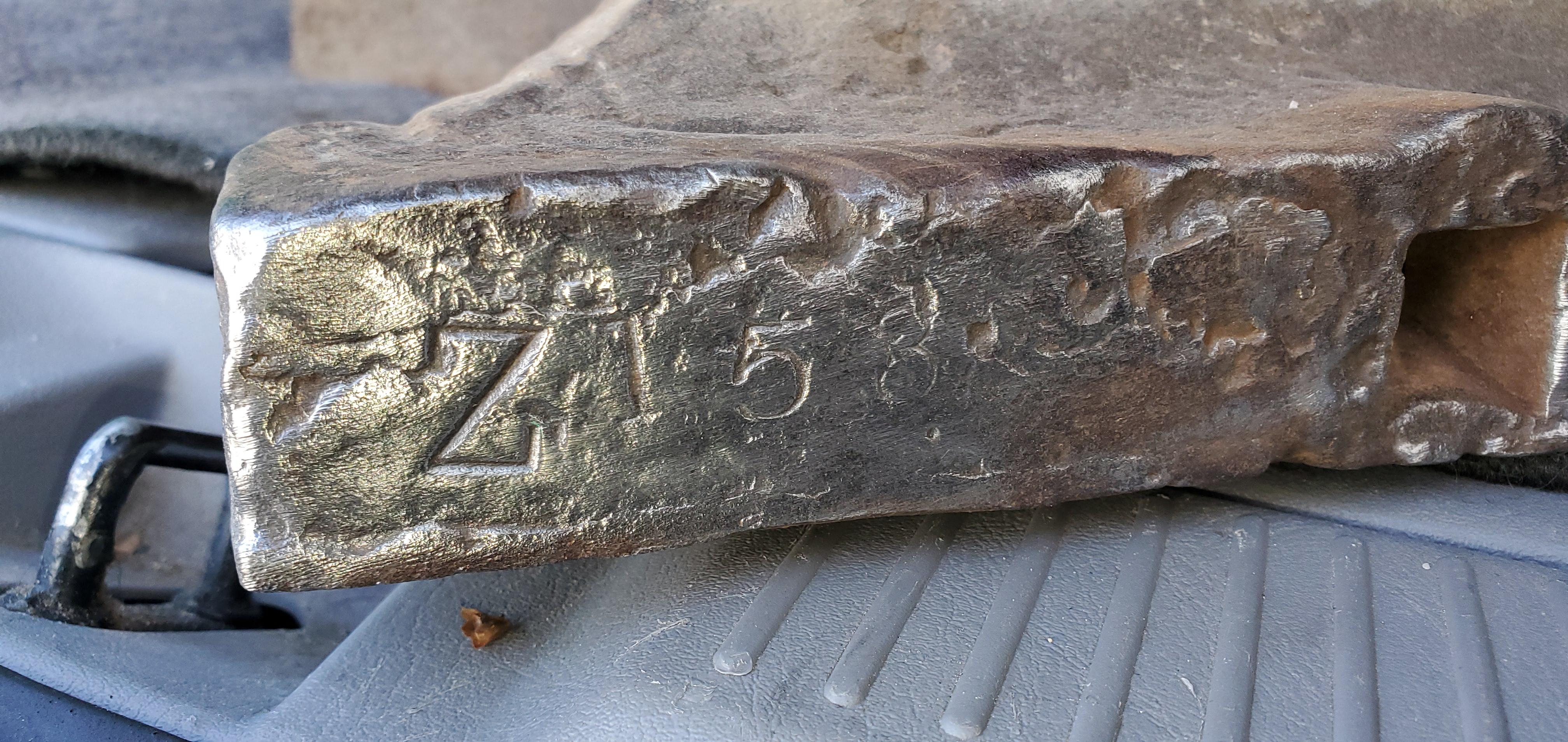
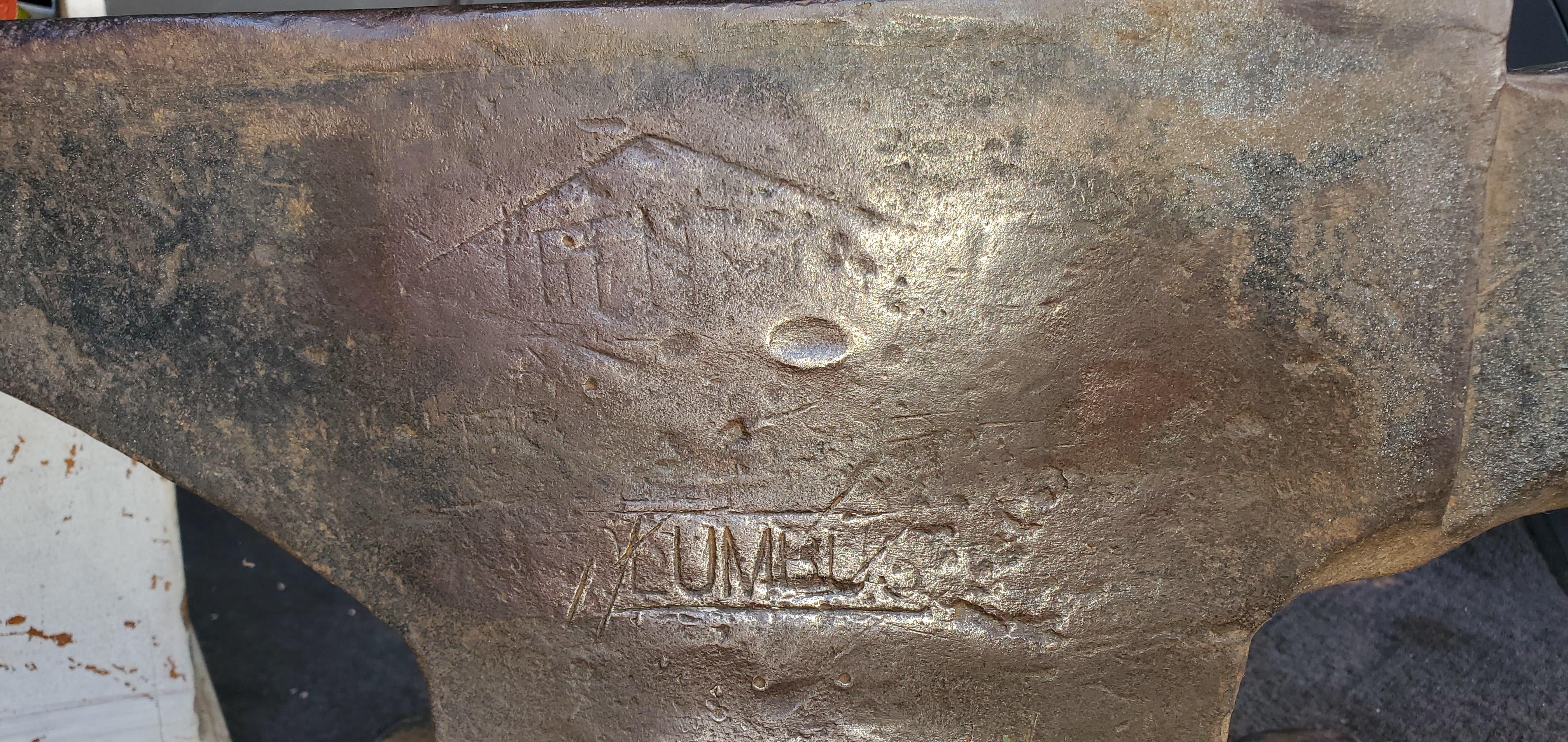
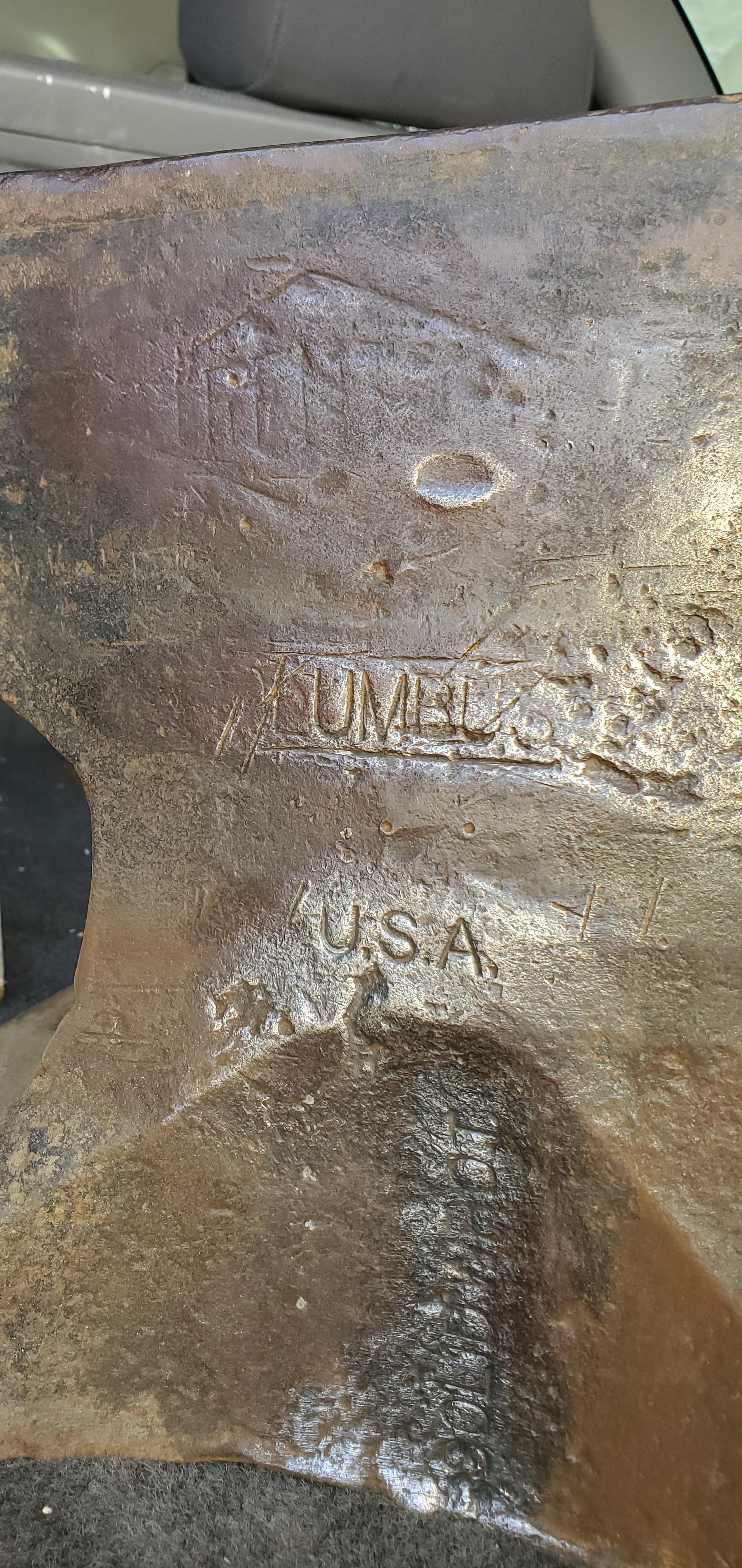
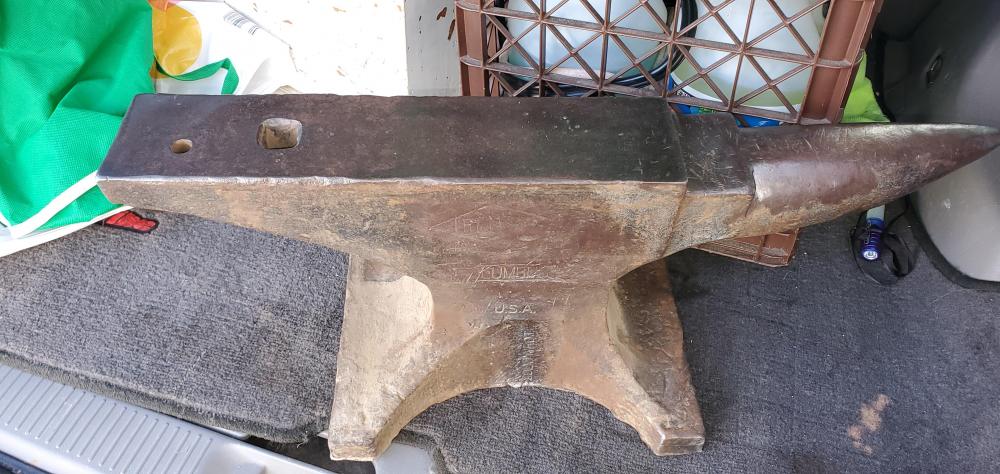
  5. Hello-Im very new to blacksmithing. I bought this Trenton anvil. I see the Z and 153 was told its maker and weight. On the other base across from that stamp is a visible "A" but then strange markings with maybe 3 digits. Any ideas about when it was made or about the scrambled ID? Any help is greatly appreciated.
Account

Navigation

Search

Search

Configure browser push notifications

Chrome (Android)
  1. Tap the lock icon next to the address bar.
  2. Tap Permissions → Notifications.
  3. Adjust your preference.
Chrome (Desktop)
  1. Click the padlock icon in the address bar.
  2. Select Site settings.
  3. Find Notifications and adjust your preference.