Skip to content
View in the app

A better way to browse. Learn more.

I Forge Iron

A full-screen app on your home screen with push notifications, badges and more.

To install this app on iOS and iPadOS
  1. Tap the Share icon in Safari
  2. Scroll the menu and tap Add to Home Screen.
  3. Tap Add in the top-right corner.
To install this app on Android
  1. Tap the 3-dot menu (⋮) in the top-right corner of the browser.
  2. Tap Add to Home screen or Install app.
  3. Confirm by tapping Install.

TxBMan

Members
  • Joined

  • Last visited

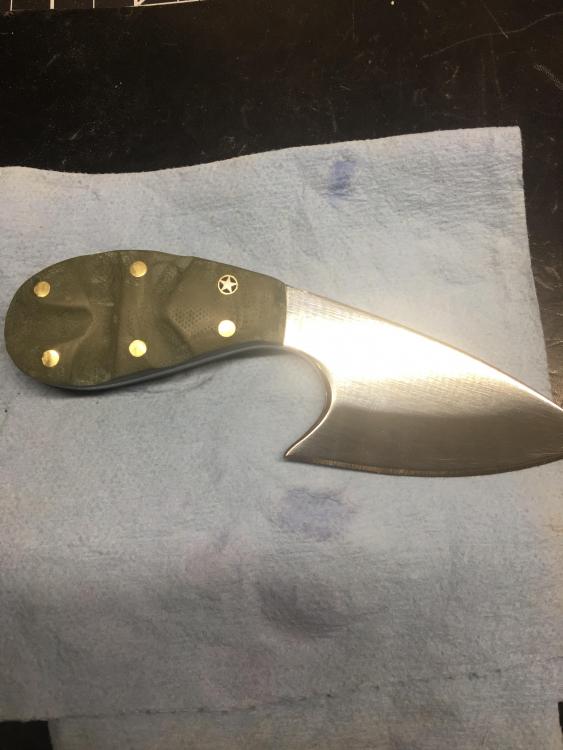
  1. I’m new as well. Thank You to the Folks that take a little time to help us rookies out. I have 2 1X30 belt sanders I use and a drum sander and a 4X42 with a 8 in pad. I’m disabled and do as much as I can. Working on scales and what I call custom handles has saved me. It gets me up and moving, very thankful!!! I’m going to be a sponge and soak up as much as possible wanting a 2X72 grinder and I feel it would help me take it to the next level. I sell a lot of Chef knives along with any other blades people want. Having a blast Bleeding a lot lol. Any guidance is appreciated for me on a Disability budget. The work I see from y’all OG guys is awesome. If any of you sell blade blanks I would be interested!!! Just 2 I finished in the last month Thanks again JB
Account

Navigation

Search

Search

Configure browser push notifications

Chrome (Android)
  1. Tap the lock icon next to the address bar.
  2. Tap Permissions → Notifications.
  3. Adjust your preference.
Chrome (Desktop)
  1. Click the padlock icon in the address bar.
  2. Select Site settings.
  3. Find Notifications and adjust your preference.