
Vili
Members
-
Joined
-
Last visited
-
Hey Folks.i once had a job forging the "teeth" for walnut cracking machines,Dragons,and I had to set-up a forge useing compressed air. Here's how i did it. I took two 1/4 turn gate valves and conected them inline to the standard brake drum forge. When it was connected to the air supply I simply started with the valve closest to the forge(#1) open all the way and the other one(#2) closed. Open #2 slowly until you are getting the strongest blast that you want and mark or lock it there. Use #1 to very the air slower and to stop the air. Hope this helps, Vili
-
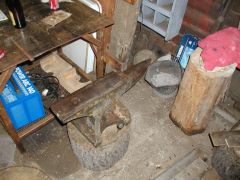 Hey Folks, Here's my newest anvil find,a nice 277#er for $50. I found it at a deisel repair shop,and they didn't want it anymore,as they said thay hadn't used it in several years. The owner wanted $200 for it to start but told me I could have it for $50 if I could pick it up and carry it out to my truck.Needless to say,my scrawny little 160# butt bent over and put one arm under the horn and the other under the tail and stood up and staggered out to the truck. The guy was so stunned that he also told me I could have all of the 55 gal. drums I wanted when ever I needed them. I stayed in bed the next day.
 -
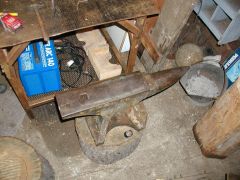 Hey Folks, Here's my newest anvil find,a nice 277#er for $50. I found it at a deisel repair shop,and they didn't want it anymore,as they said thay hadn't used it in several years. The owner wanted $200 for it to start but told me I could have it for $50 if I could pick it up and carry it out to my truck.Needless to say,my scrawny little 160# butt bent over and put one arm under the horn and the other under the tail and stood up and staggered out to the truck. The guy was so stunned that he also told me I could have all of the 55 gal. drums I wanted when ever I needed them. I stayed in bed the next day.
 -
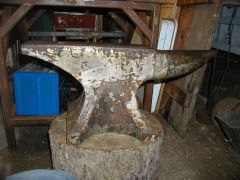 Hey Folks, Here's my newest anvil find,a nice 277#er for $50. I found it at a deisel repair shop,and they didn't want it anymore,as they said thay hadn't used it in several years. The owner wanted $200 for it to start but told me I could have it for $50 if I could pick it up and carry it out to my truck.Needless to say,my scrawny little 160# butt bent over and put one arm under the horn and the other under the tail and stood up and staggered out to the truck. The guy was so stunned that he also told me I could have all of the 55 gal. drums I wanted when ever I needed them. I stayed in bed the next day.