Skip to content
View in the app

A better way to browse. Learn more.

I Forge Iron

A full-screen app on your home screen with push notifications, badges and more.

To install this app on iOS and iPadOS
  1. Tap the Share icon in Safari
  2. Scroll the menu and tap Add to Home Screen.
  3. Tap Add in the top-right corner.
To install this app on Android
  1. Tap the 3-dot menu (⋮) in the top-right corner of the browser.
  2. Tap Add to Home screen or Install app.
  3. Confirm by tapping Install.

justin payne

Members
  • Joined

  • Last visited

  1. Thank you very much for your responses guys! Kuzuzu: Could you please explain what you mean by "NOS"?
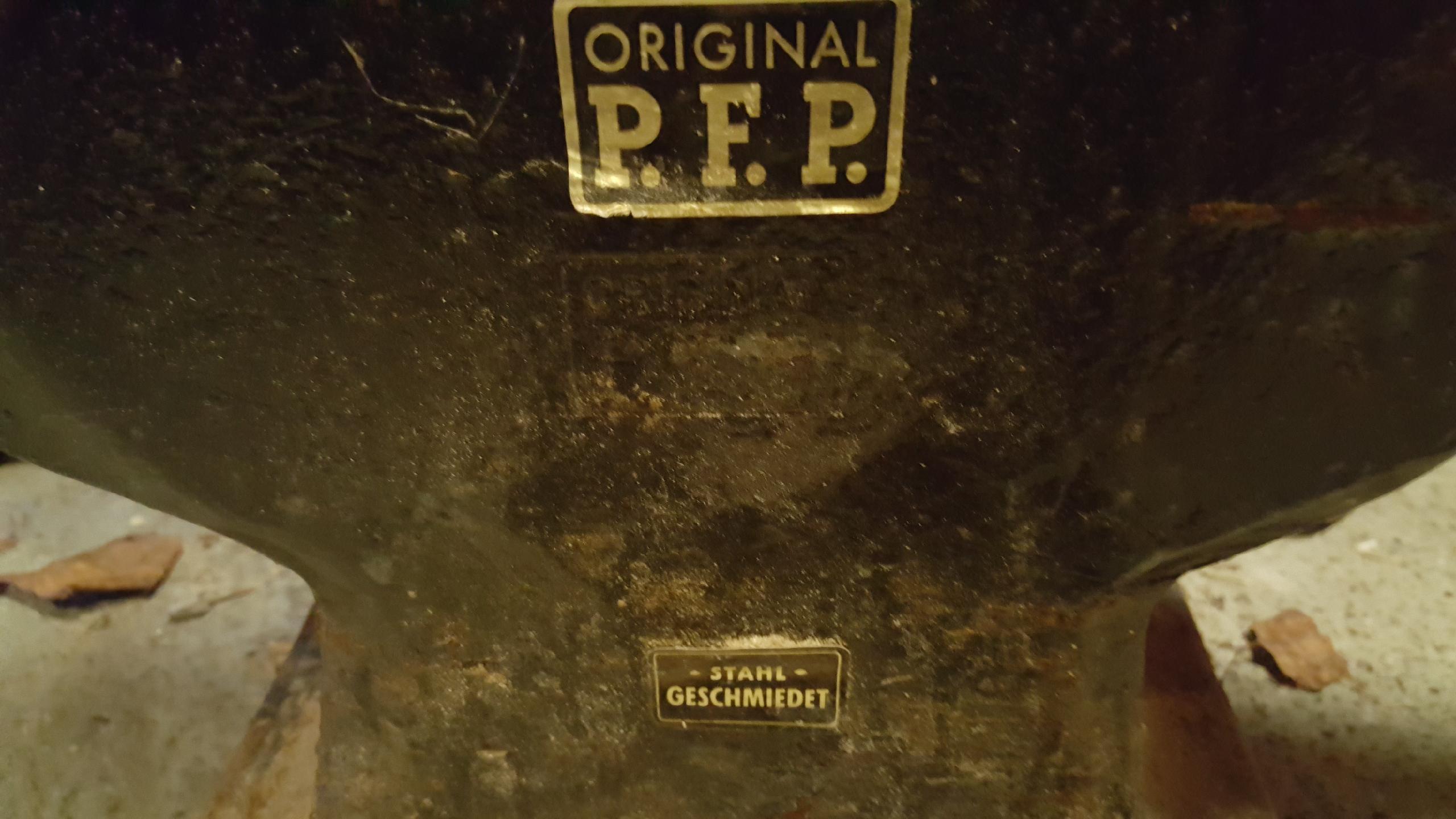
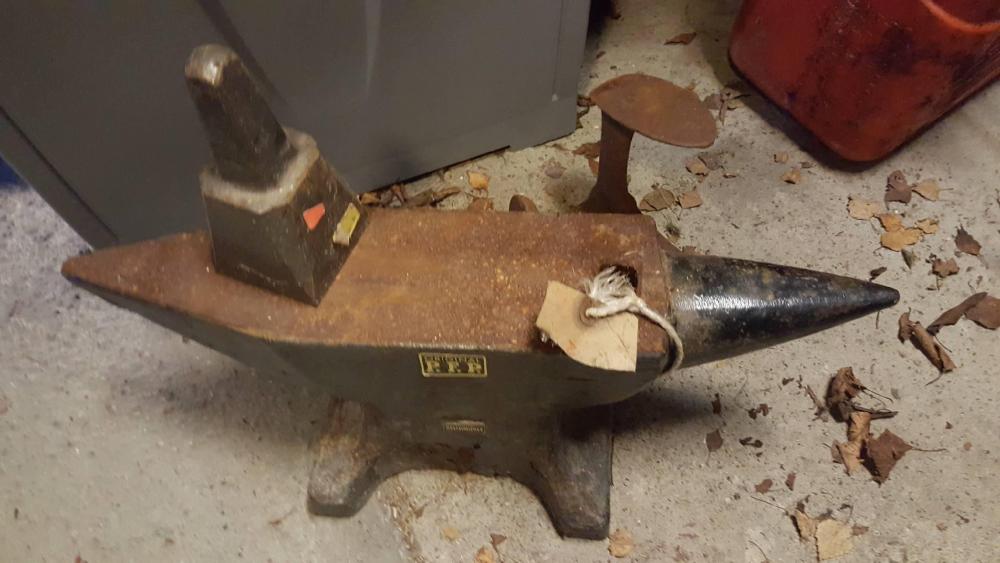
  2. Hello, Very nice I am now on the verge of buying what I hope is an original PFP myself. I would very much appreciate if anyone out there could help me identify if this is an original or not from the attached pictures.. Weight is said to be approx. above 60kg/132lbs..
Account

Navigation

Search

Search

Configure browser push notifications

Chrome (Android)
  1. Tap the lock icon next to the address bar.
  2. Tap Permissions → Notifications.
  3. Adjust your preference.
Chrome (Desktop)
  1. Click the padlock icon in the address bar.
  2. Select Site settings.
  3. Find Notifications and adjust your preference.