Skip to content
View in the app

A better way to browse. Learn more.

I Forge Iron

A full-screen app on your home screen with push notifications, badges and more.

To install this app on iOS and iPadOS
  1. Tap the Share icon in Safari
  2. Scroll the menu and tap Add to Home Screen.
  3. Tap Add in the top-right corner.
To install this app on Android
  1. Tap the 3-dot menu (⋮) in the top-right corner of the browser.
  2. Tap Add to Home screen or Install app.
  3. Confirm by tapping Install.

holder

Members
  • Joined

  • Last visited

About Me

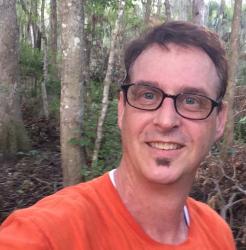
Grew up in swamps of Louisiana, joined Navy at 18 years old, retired after 20 years in June 2000.  Completed 5 at sea deployments sea counter 9 years, 5 months plus.  Been everywhere from the Caribbean to Australia.  Medically diagnosed with Huntington's disease, incurable, medically disabled. I worked as a Dep. of Def. contractor, building computer based training for the military on troubleshooting and repair of Naval Aviation and Engineering systems until my diagnosis.  Now living in what I call Swamp Wood, Fl. south of Jacksonville.  With as much time, as I've spent around, in, and on the water I now classify myself as Manphibian, ha ha.


20160413_134700.jpg

IMG_0378.JPG

IMG_0941.JPG

IMG_0836.JPG

IMG_0132.JPG

IMG_0265.JPG

fullsizeoutput_2e9.jpeg

Account

Navigation

Search

Search

Configure browser push notifications

Chrome (Android)
  1. Tap the lock icon next to the address bar.
  2. Tap Permissions → Notifications.
  3. Adjust your preference.
Chrome (Desktop)
  1. Click the padlock icon in the address bar.
  2. Select Site settings.
  3. Find Notifications and adjust your preference.