Skip to content
View in the app

A better way to browse. Learn more.

I Forge Iron

A full-screen app on your home screen with push notifications, badges and more.

To install this app on iOS and iPadOS
  1. Tap the Share icon in Safari
  2. Scroll the menu and tap Add to Home Screen.
  3. Tap Add in the top-right corner.
To install this app on Android
  1. Tap the 3-dot menu (⋮) in the top-right corner of the browser.
  2. Tap Add to Home screen or Install app.
  3. Confirm by tapping Install.

Gerdus Kemp

Members
  • Joined

  • Last visited

Everything posted by Gerdus Kemp

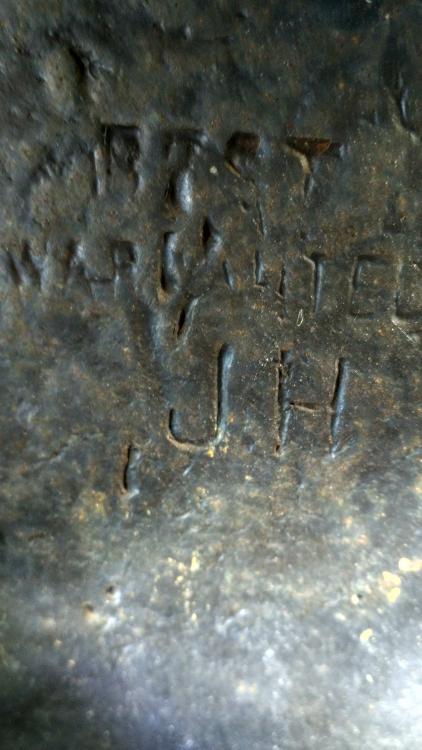
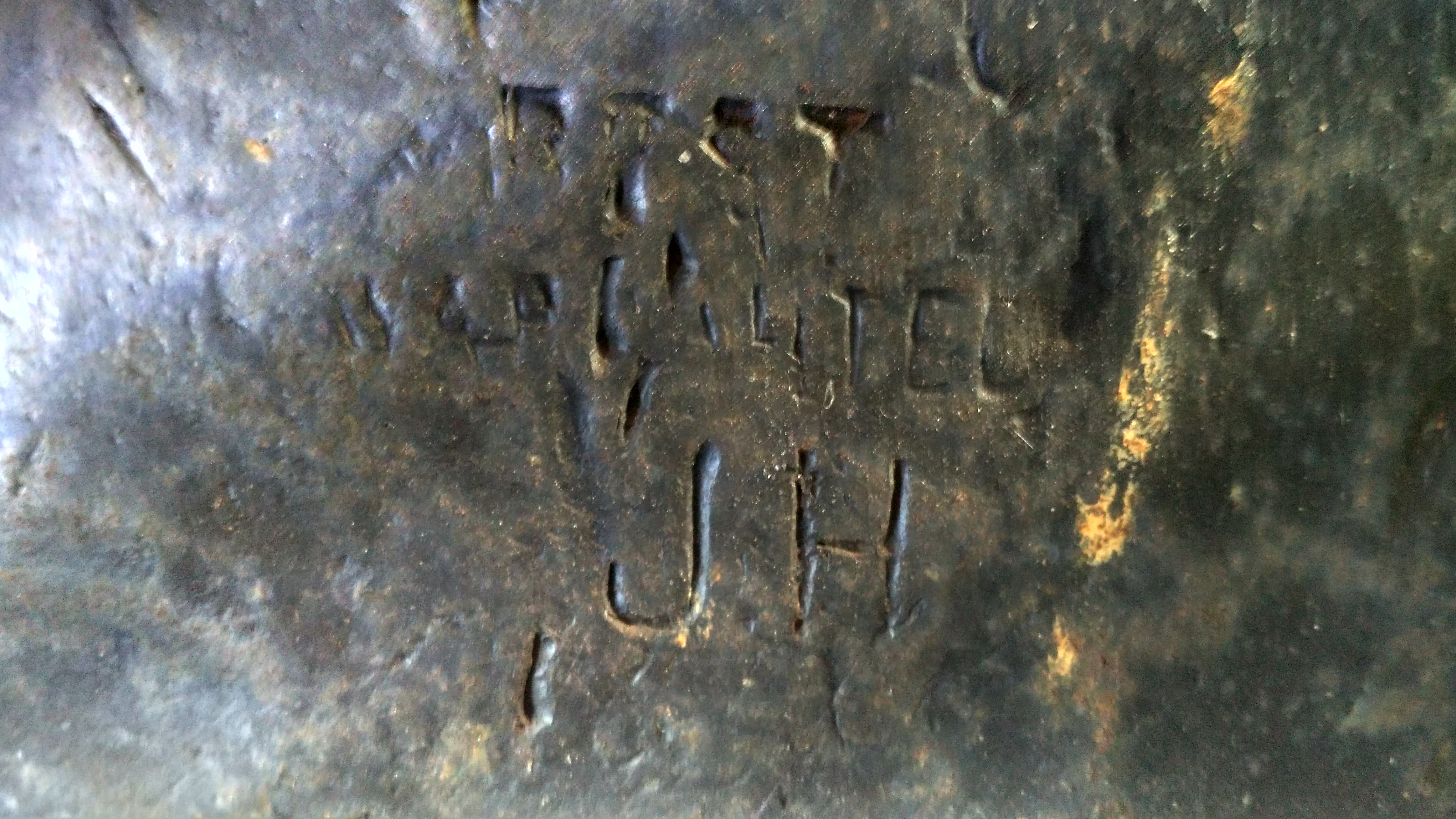
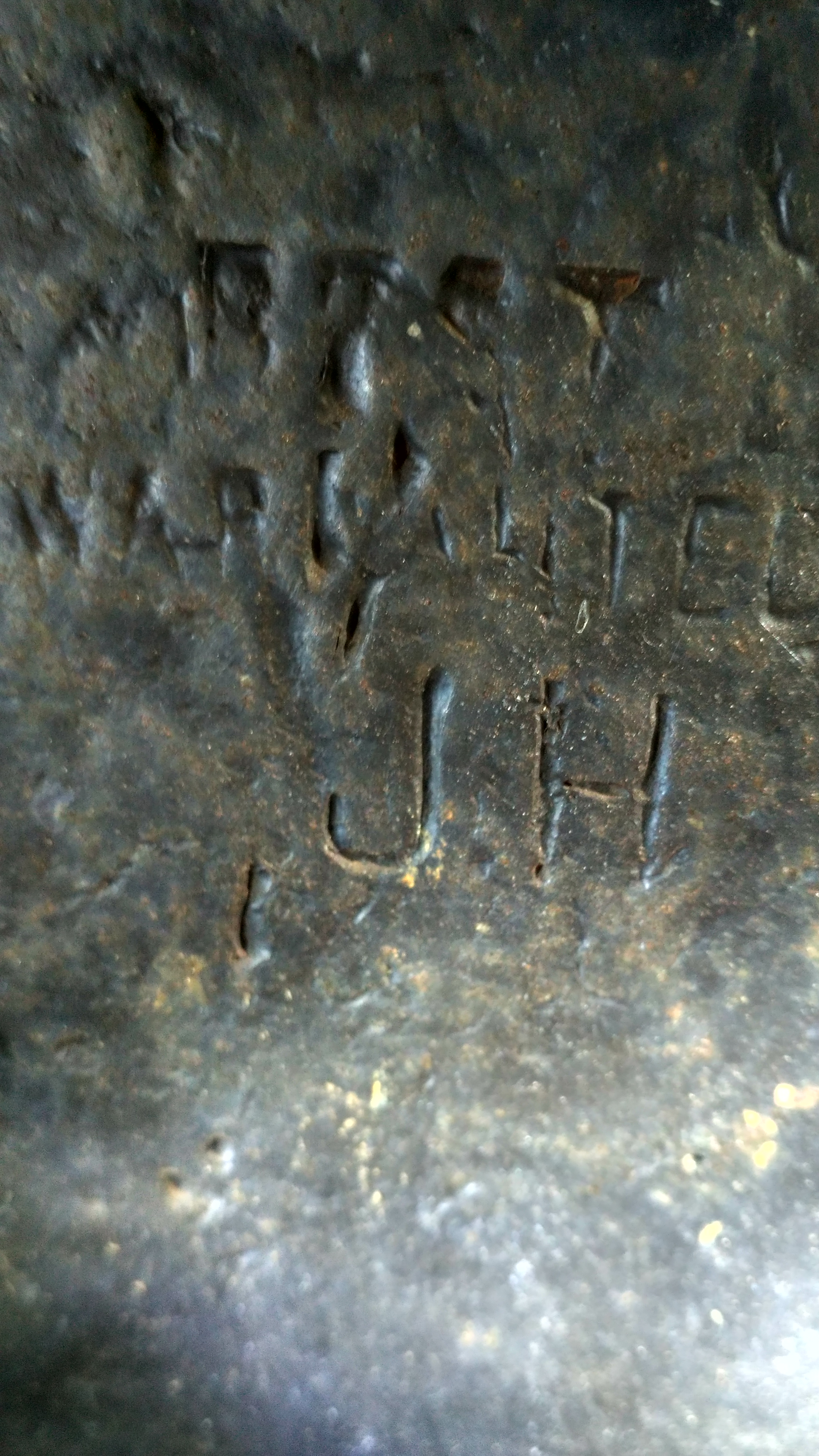
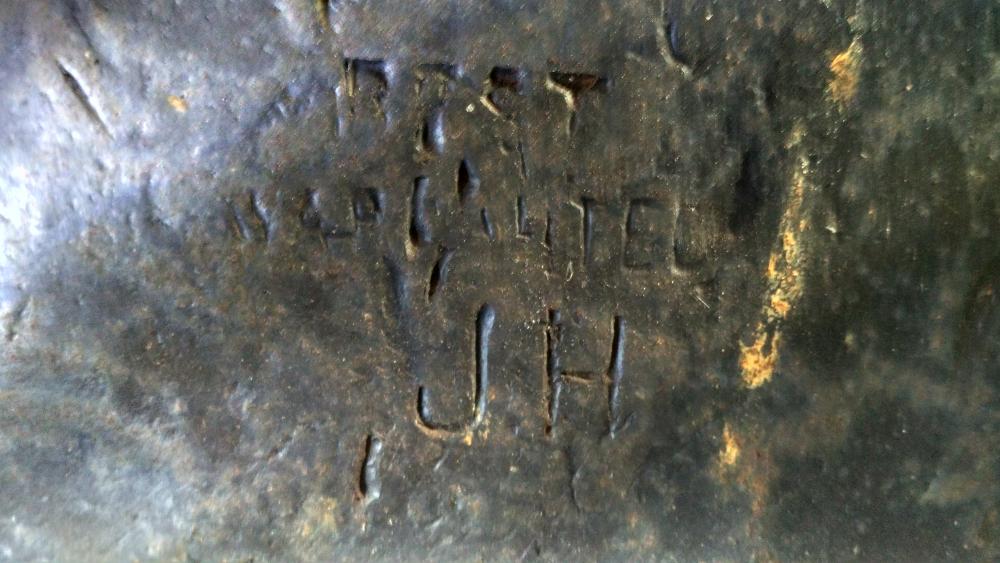
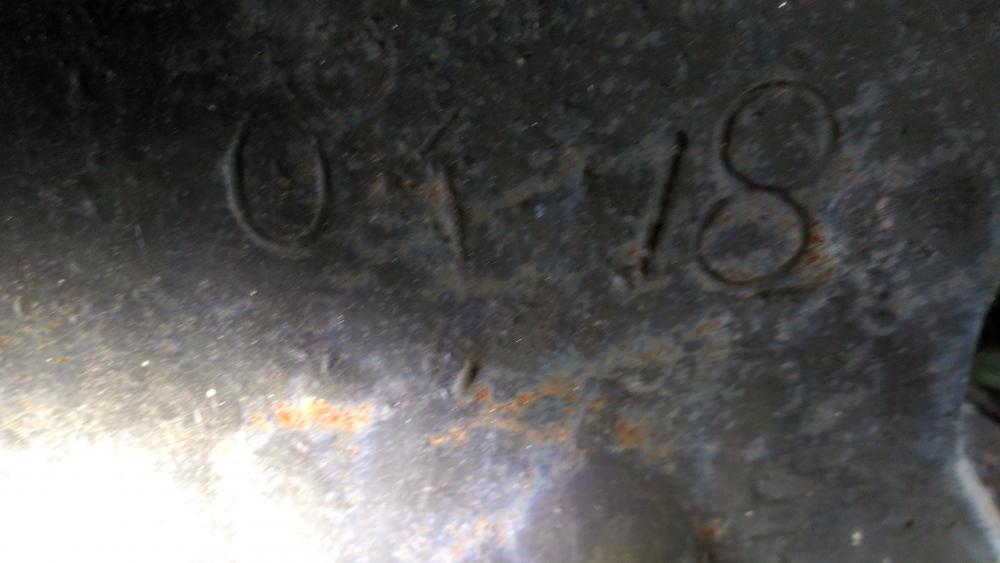
  1. There isn't a date or anything as far as I can see under the words. It says "BEST WARRANTED" Any thoughts on the CSAR or J.H?
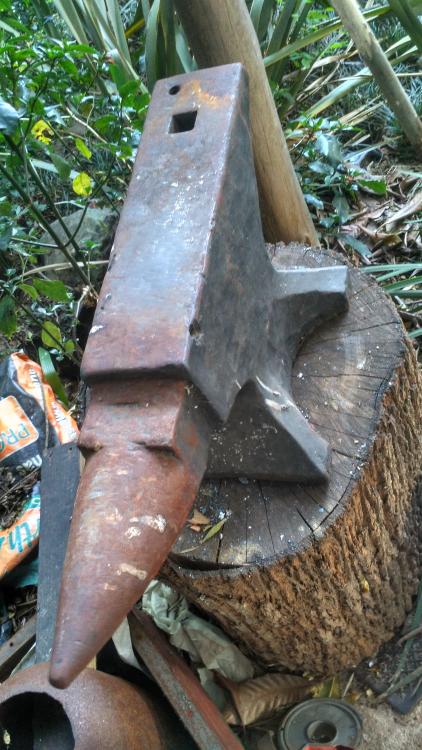
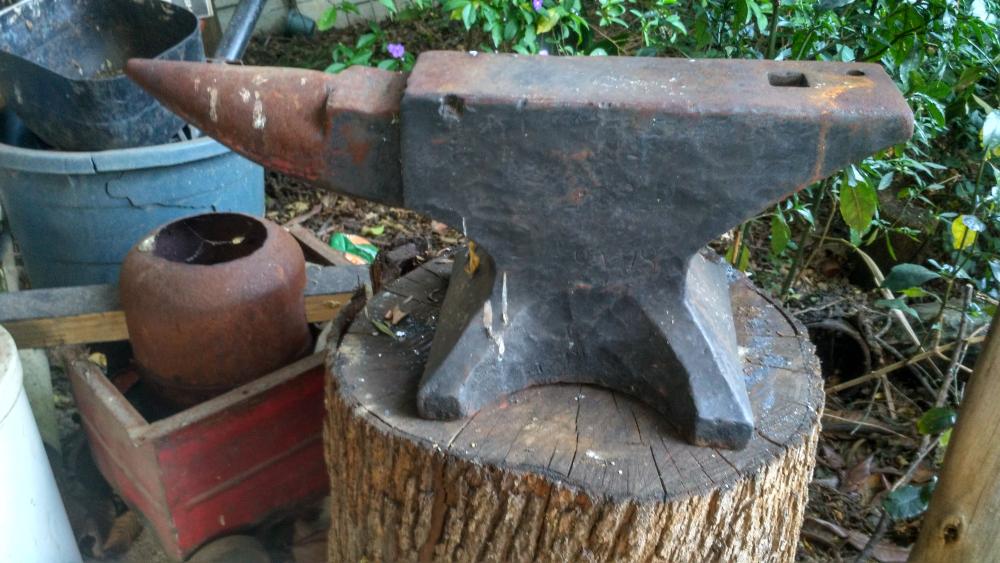
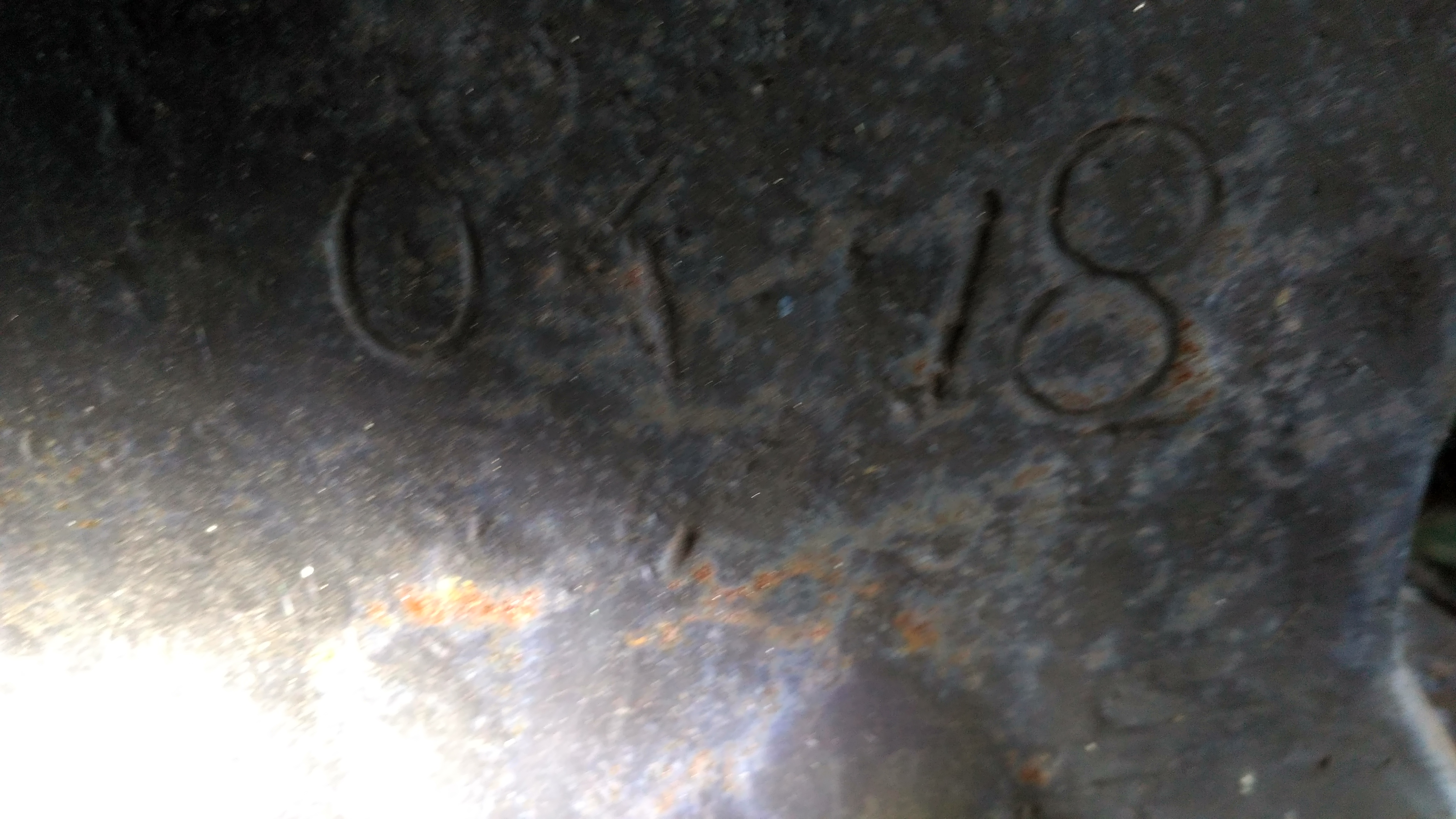
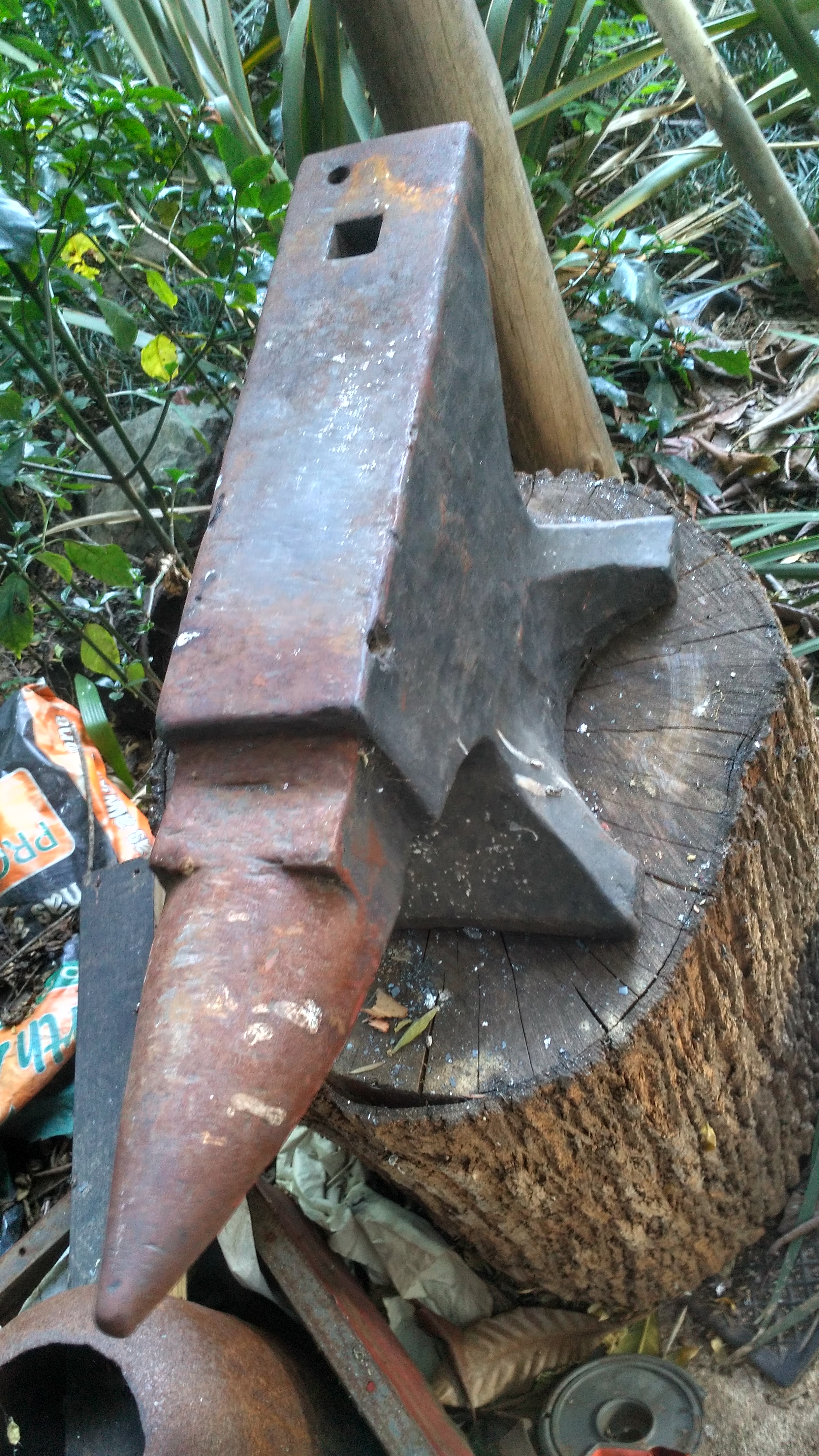
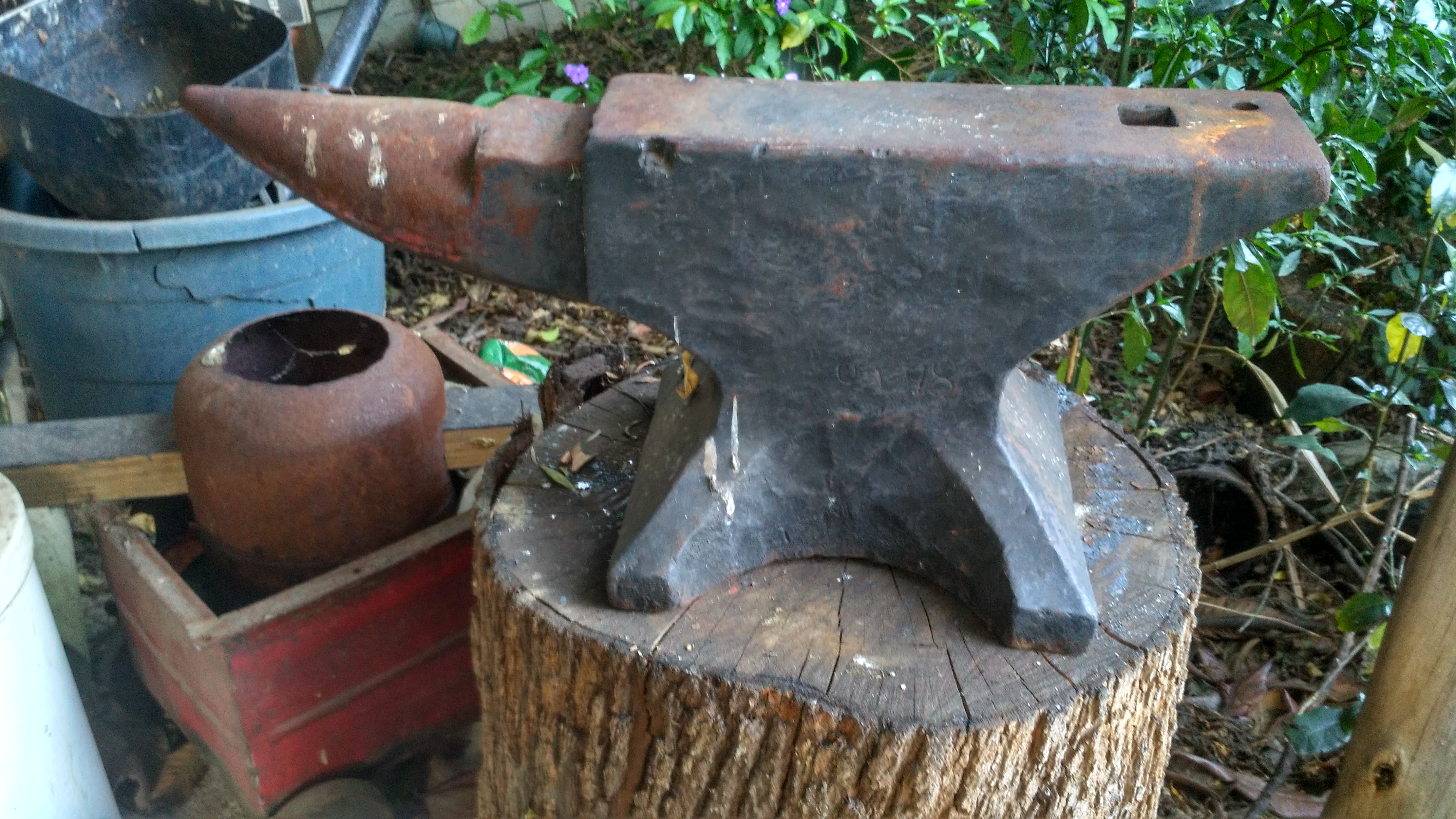
  2. I bought an anvil about 2 years ago, when I decided I want to start bladesmithing... 2 years later I have finally bought a gas forge and am able to start hitting hot metal... I would like to know more about the anvil I have, but can't seem to find anything on the internet related to the markings I found on the anvil. The guy I bought it from said it is a good anvil and weighs more than 100kg (220#). The photos aren't as crisp as I thought they were, but think they will suffice. What I can make out: "CSAR", "J.H", and something that looks like "WAR...TEC.." and a big W in the middle I think the CSAR is the Central South African Railways, which operated 1902-1910. and isn't in the photos though I bought it in Pretoria, Gauteng, South Africa, if the location might be of use. Thanks in advance Gerdus
Account

Navigation

Search

Search

Configure browser push notifications

Chrome (Android)
  1. Tap the lock icon next to the address bar.
  2. Tap Permissions → Notifications.
  3. Adjust your preference.
Chrome (Desktop)
  1. Click the padlock icon in the address bar.
  2. Select Site settings.
  3. Find Notifications and adjust your preference.