
Skip to content
View in the app

A better way to browse. Learn more.

I Forge Iron

A full-screen app on your home screen with push notifications, badges and more.

To install this app on iOS and iPadOS
  1. Tap the Share icon in Safari
  2. Scroll the menu and tap Add to Home Screen.
  3. Tap Add in the top-right corner.
To install this app on Android
  1. Tap the 3-dot menu (⋮) in the top-right corner of the browser.
  2. Tap Add to Home screen or Install app.
  3. Confirm by tapping Install.

DavidHand92

Members
  • Joined

  • Last visited

  1. DavidHand92 changed their profile photo
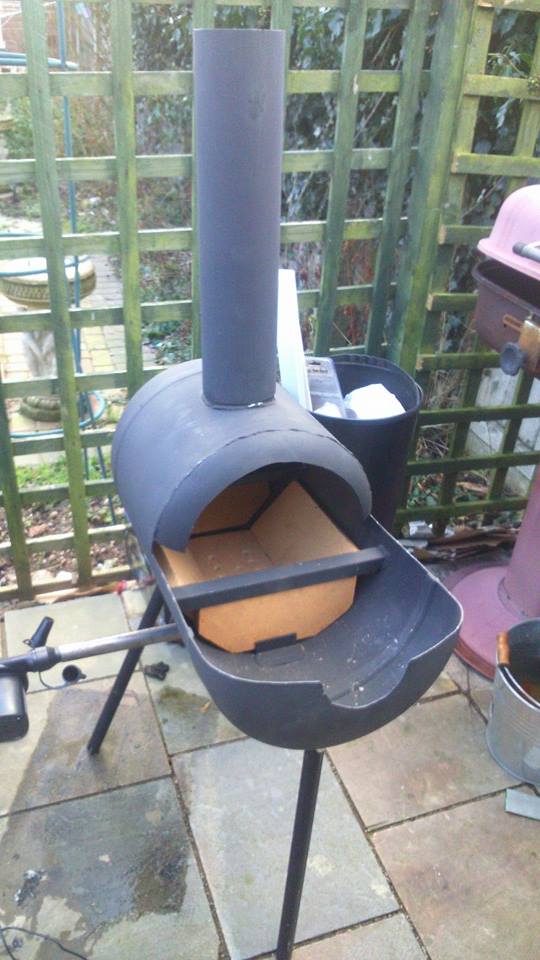
  2. My forge Is a rickery ol' thing made from some left over gas tanks, I found some plans online and based It off of those. My next plan Is to make some better legs, or just mount It to something. It Is more stable than It looks though! I'll be using coal to as a fuel source!
  3. Hi guys, Blacksmithing has always been an Interest of mine but Its not up until recently that I caved In built myself a forge, bought a cheap basic anvil, some basic tools etc I also managed to find a few pieces of scrap steel, mainly rebar, flat stock and square stock. I plan on booting the forge up and giving It a try on the weekend and I was wondering If anyone had any suggestions of something I could try to make first? I was thinking of making some punches and chisels. Any suggestions are welcome! David H

Account

Navigation

Search

Search

Configure browser push notifications

Chrome (Android)
  1. Tap the lock icon next to the address bar.
  2. Tap Permissions → Notifications.
  3. Adjust your preference.
Chrome (Desktop)
  1. Click the padlock icon in the address bar.
  2. Select Site settings.
  3. Find Notifications and adjust your preference.