
Créations Caco
Members
-
Joined
-
Last visited
Everything posted by Créations Caco
-
Thank you very much for the info, a big help and have a nice evening
-
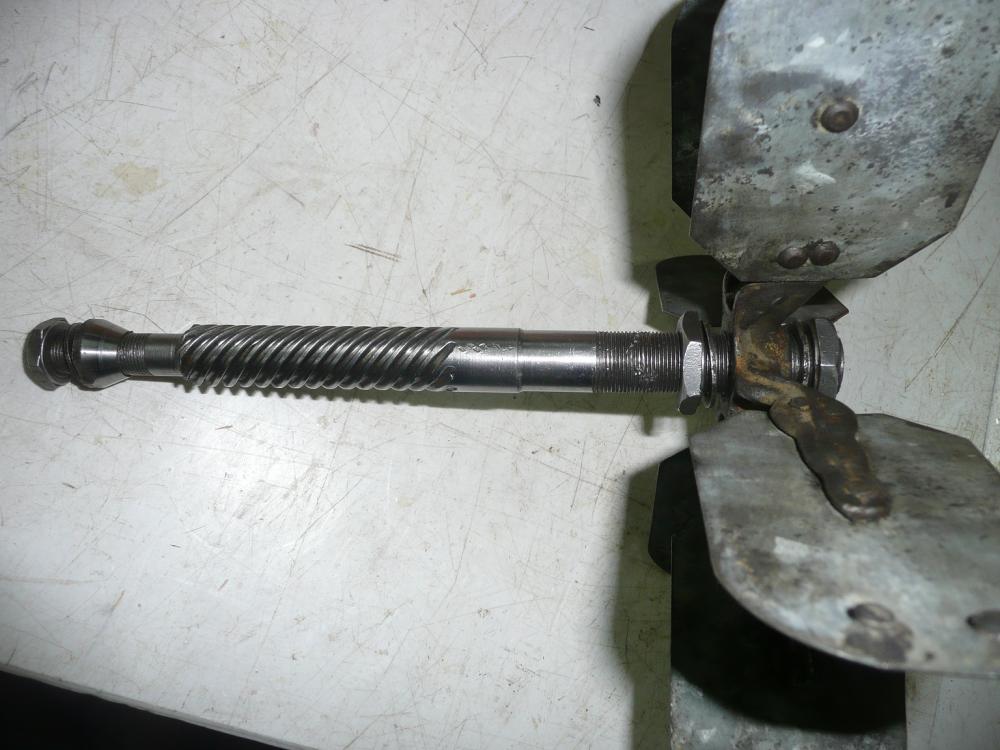
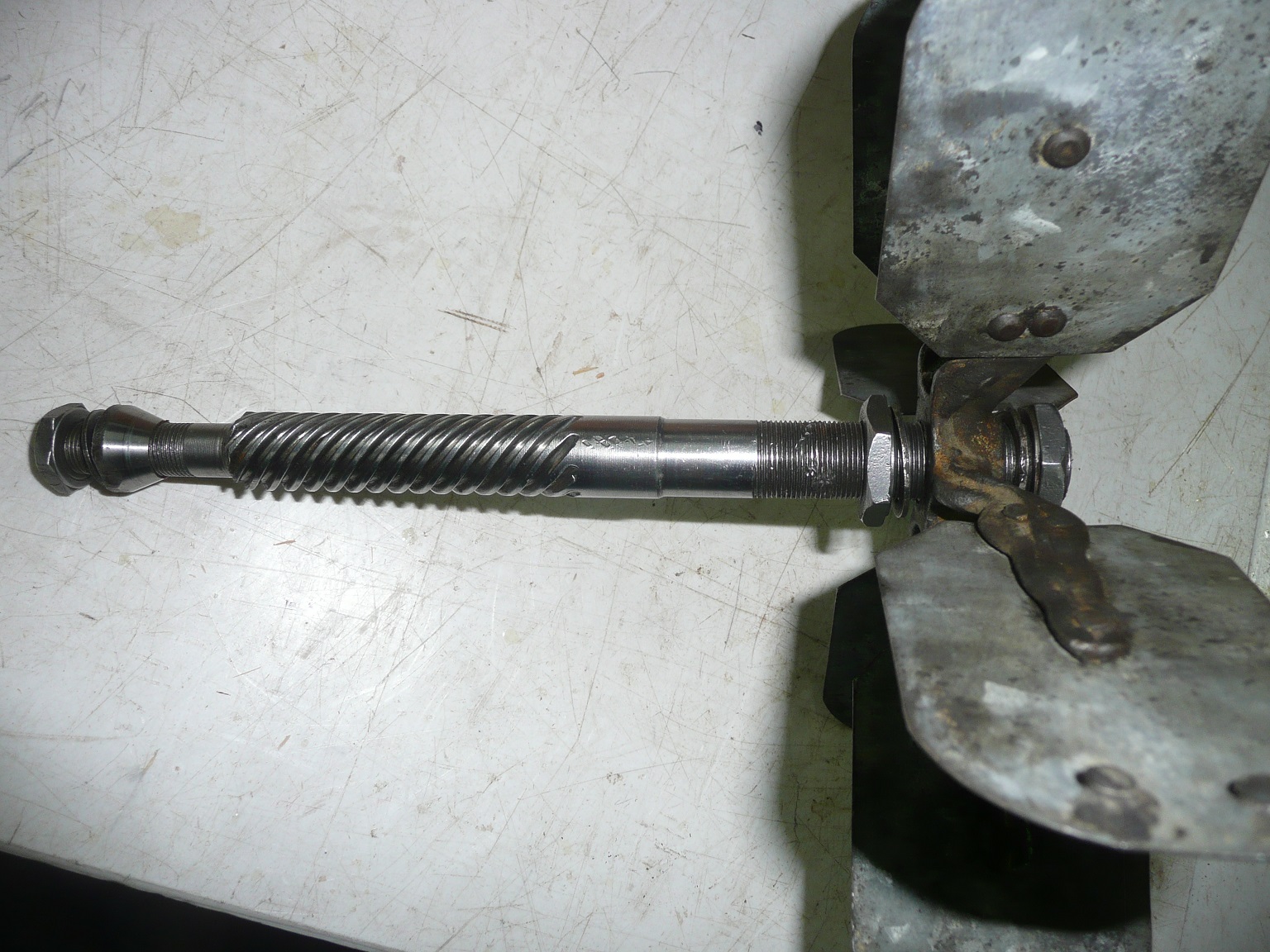
Thank you for your reply, I just read the post and I have one more question before I take my spiral gear to a machine shop to have the part made out. I just took an other picture of the shaft and this is what I have,to the left I have a cone nut, washer and ordinary nut, to the right I have probably missing a cone nut, ordinary nut, washer, fan assembly, washer and a ordinary nut, is the the proper assembly that I have to do when I put everything together. Merci a lot for your help.
-
I just hope I am posting this thread in the right section, if no please Mod can you move it for me.I am in the process of restoring an old Champion Blower Forge blower 400, I would like to know if there is a parts diagram for the blower, while taking it apart I found out that it might be missing a cone nut, ths one towards the fan,(spiral gear movement) this nut usually keeps the loose ball bearing together. If this is the case, can somebody tell me where I can get a replacement cone nut.??Merci
.thumb.JPG.6af1ddd4a9e3d821d1288301ffd5b481.JPG)
-
Knots, there is no attachment including in your post. Merci Jacques
-
Frosty, just updated my profile. Thamks Jacques
-
Good day folks, last weekend I bought this DP, it is a Buffalo Forge No 94, can somebody give me some info on this drill press, I can not find anything on the web on this DP. The only thing that I know is, she is a beauty, big and heavy. Merci Jacques
.JPG.3ca73ad42623622a3adf7b11f02eca65.JPG)