terry
Members
-
Joined
-
Last visited
Everything posted by terry
-
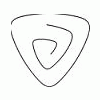
In response to a request for more information on how to use the (free) Curve Maker plugin to draw spirals, I prepared a tutorial (available at www.drawmetal.com - Tutorials). I welcome feedback on this tutorial. If you are not using the latest version (1.03), you will not be able to draw some of the Archimedean spirals in the tutorial that are illustrated in the attached jpg. More information on the plugin is available at www.drawmetal.com - Curve Maker The plugin can be downloaded from www.drawmetal.com - Download
-
Here's yet another announcement of updated plugins for drawing curved tapers in SketchUp. The previous version (1.0) had a bad bug that impacted users with a French, Spanish, German or Italian locale. I apologize to international users for not having been more sensitive to those pesky commas in positional notation. In any event, you can download the latest version (1.01) from www.drawmetal.com - Download. Alternatively, if you need more detailed installation instructions you can also download the plugins from www.drawmetal.com - Installation Instructions.
-
Just wanted to let everyone know that I have updated the metalworking plugins (extensions) for SketchUp that I wrote for drawing curved tapers and estimating the amount of stock required to create the tapers. You can download the updated versions from www.drawmetal.com - Download If you are using the plugins, I encourage you to download and install this latest version. It fixes some important bugs and includes a few usability enhancements. To install, just replace all of the current plugin files with the corresponding ones in the new version. I have also added a couple of JPG's of SketchUp models and the corresponding metalwork to the gallery at www.drawmetal.com - Gallery
-
Glad to hear that several of you have overcome your installation problems. Any feedback you have regarding the installation instructions and/or the plugins themselves will be greatly appreciated. Ian - Thanks for your positive comments.
-
Sorry to hear that some of you are having installation problems... For Mac users: Please verify the following... If you use Safari as your web browser, you right-clicked on the drawmetal_plugins.dmg (5mb) link and selected either "Download Linked File" or "Download Linked File As..." If you use Firefox as your web browser, you right clicked and selected "Save Link As..." Next, you double-clicked on the downloaded file drawmetal_plugins.dmg to mount the disk image "drawmetal_plugins" - agreeing to the terms displayed there. Next, you clicked on the drawmetal_plugins disk image in the Finder to open it. I don't know the name of your startup disk, but let's assume it is MacintoshHD. Next, you dragged all of the files and the folder in the drawmetal_plugins disk image to MacintoshHD>Library>Application Support>Google SketchUp6>SketchUp>Plugins. Next, if SketchUp was already running, you quit SketchUp and restarted it because SketchUp cannot load plugins dynamically. It is only aware of whatever plugins are in the Plugins folder when it starts up. It does not become aware of plugins whenever they are added to the Plugins folder. Are there any more details to the "Error loading file..." message? For PC users: Please verify the following... If you are using IE as your web browser, you right-clicked on the drawmetal_plugins.zip (124kb) link and selected "Save Target As...". IE normally prompted you for a folder to which to save files, and it provided the default filename "drawmetal_plugins.zip". If you use Firefox as your web browser, you right clicked and selected "Save Link As...". Firefox prompted you for a folder to which to save files, and it provided the default filename "drawmetal_plugins.zip". Next, once drawmetal_plugins.zip was downloaded to your hard drive, you expanded the zip file. Next, you copied the expanded files and the folder that resulted to C:Program FilesGoogleGoogle SketchUp 6SketchUpPlugins. Next, if SketchUp was already running, you quit SketchUp and restarted it because SketchUp cannot load plugins dynamically. It is only aware of whatever plugins are in the Plugins folder when it starts up. It does not become aware of plugins whenever they are added to the Plugins folder. Hope this helps... Terry
-
I have been using SketchUp for about 18 months to create working drawings for metalwork designs. It is very easy to use, but - like all tools - it takes some time to learn. To increase the usefulness of SketchUp in metalwork design, I have written some "plugins" (extensions) for SketchUp. They draw curved tapered shapes common in decorative metalwork (see attached figure) and calculate the amount of stock required to make the tapers. These plugins are available free of charge on the website www.drawmetal.com - Metalwork Design. That website also has examples of metalwork fabricated from SketchUp drawings. Please note that the plugins are "beta" software...meaning they do not have any obvious bugs (or bugs known to me) - but they will benefit from more testing. I have not had any issues with precision. SketchUp supports specifying dimensions with as many as six decimal places. Terry