Skip to content
View in the app

A better way to browse. Learn more.

I Forge Iron

A full-screen app on your home screen with push notifications, badges and more.

To install this app on iOS and iPadOS
  1. Tap the Share icon in Safari
  2. Scroll the menu and tap Add to Home Screen.
  3. Tap Add in the top-right corner.
To install this app on Android
  1. Tap the 3-dot menu (⋮) in the top-right corner of the browser.
  2. Tap Add to Home screen or Install app.
  3. Confirm by tapping Install.

Thumper

Members
  • Joined

  • Last visited

  1. HW, really nice set !! I may have to "lift' the design myself.
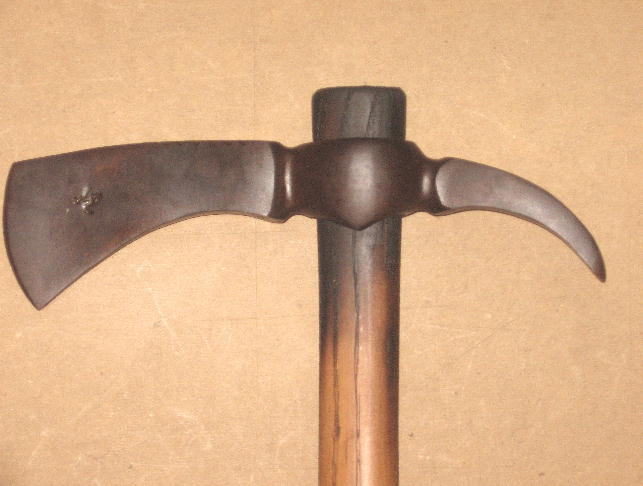
  2. Hi all, just logged on to this forum, nice layout. My present interest is making hawks (art doesn't sell real well in this economic climate). I've been making and selling them for some time now and was looking for any tip's on how to shorten the time it take's to make one. Currently, even with my 35# Spare Tire Hammer, it takes approximately 7-9 hours to complete. 3 hrs doing hot work and the rest finish work. Here's a pic of a spike, I also do poll's and pipes (they take longer). Thanks.
Account

Navigation

Search

Search

Configure browser push notifications

Chrome (Android)
  1. Tap the lock icon next to the address bar.
  2. Tap Permissions → Notifications.
  3. Adjust your preference.
Chrome (Desktop)
  1. Click the padlock icon in the address bar.
  2. Select Site settings.
  3. Find Notifications and adjust your preference.